

Limits and quota
This page describes Antinomie 0.8.0, which is in development; the current release is 0.7.1. What only 0.8.0 has is marked.
Process cores
Section titled “Process cores”A process core is bounded by the Budget and Deadline chosen for it in Run program or Dump core:
| What | Limit |
|---|---|
| Budget (stored bytes) | 64 MiB to 1 GiB, default 256 MiB (Tools → Settings → Recording → Process cores: default budget) |
| What the guest accepts | Half of its RAM less 128 MiB, between 64 MiB and 1 GiB |
| Deadline | 5 seconds plus 10 ms per MiB of budget by default, up to 60 seconds |
| Core file size, holes included | 16 GiB |
| Threads and mappings | 256 threads and 4,096 mappings |
| Cores held by the guest at once | Four, whose budgets add up to at most twice the guest’s maximum |
| Unread finished core | Released after 180 seconds |
| Base built before 0.7.0 | 64 MiB and 5 seconds |
The budget counts only the bytes the guest stores: mappings that were never touched are holes and cost nothing. A core that reaches a limit is kept as a partial or unavailable result with the reason. Thread rendezvous and faulting reads can still run past the deadline, so it is not a hard limit on the process. A core that the host disk cannot hold is refused before anything is written. See Why a core is partial.
Recording quota
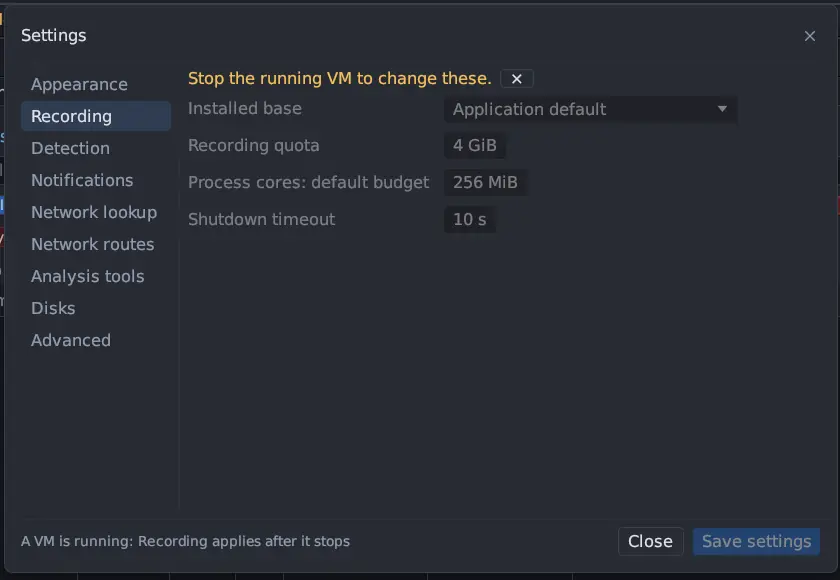
Section titled “Recording quota”Tools → Settings → Recording → Recording quota (default 4 GiB, range 1 to
4,096 GiB) bounds what one VM boot may save: raw telemetry, captured objects,
terminal journals and screens, analysis metadata, cores and network captures. The
status bar’s CAP shows saved/quota GiB. The limit is read when the VM starts,
so raising it takes effect at the next start, not on the running boot.
Reaching the quota is permanent for that boot and stops new data. It never rewrites data that is already complete.
| Recording | When the quota is reached |
|---|---|
| A run whose program tree ended and whose terminal is closed | Untouched, finalizes normally |
| A run still open | Stops saving, keeps everything saved so far, and is marked Saving stopped |
| A capture still open | The same |
| A closed capture | Untouched |
| The boot’s general archive of unowned packets | Stops growing |
| A run or capture started after the quota was reached | Starts already stopped, with the quota message |
The message names the limit and says everything saved before is intact. A quota failure while writing one terminal stops every open recording; any other terminal write failure stops only that run. See Recording incomplete.
Deleting a network capture or a process core (right-click, Delete…) gives its bytes back to the boot’s quota.
RAM dumps are not counted in the quota, and neither are the earlier bytes of the files a run changed (below). Both still take room on the data volume.
Capture all can cost up to twice a run’s own telemetry while a run is active, because the run’s archive and the capture’s archive must each be readable alone.
File activity
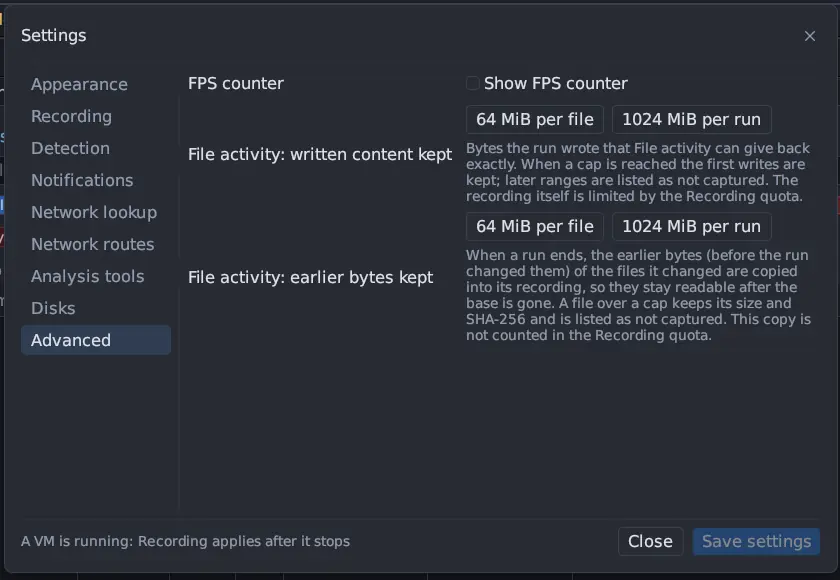
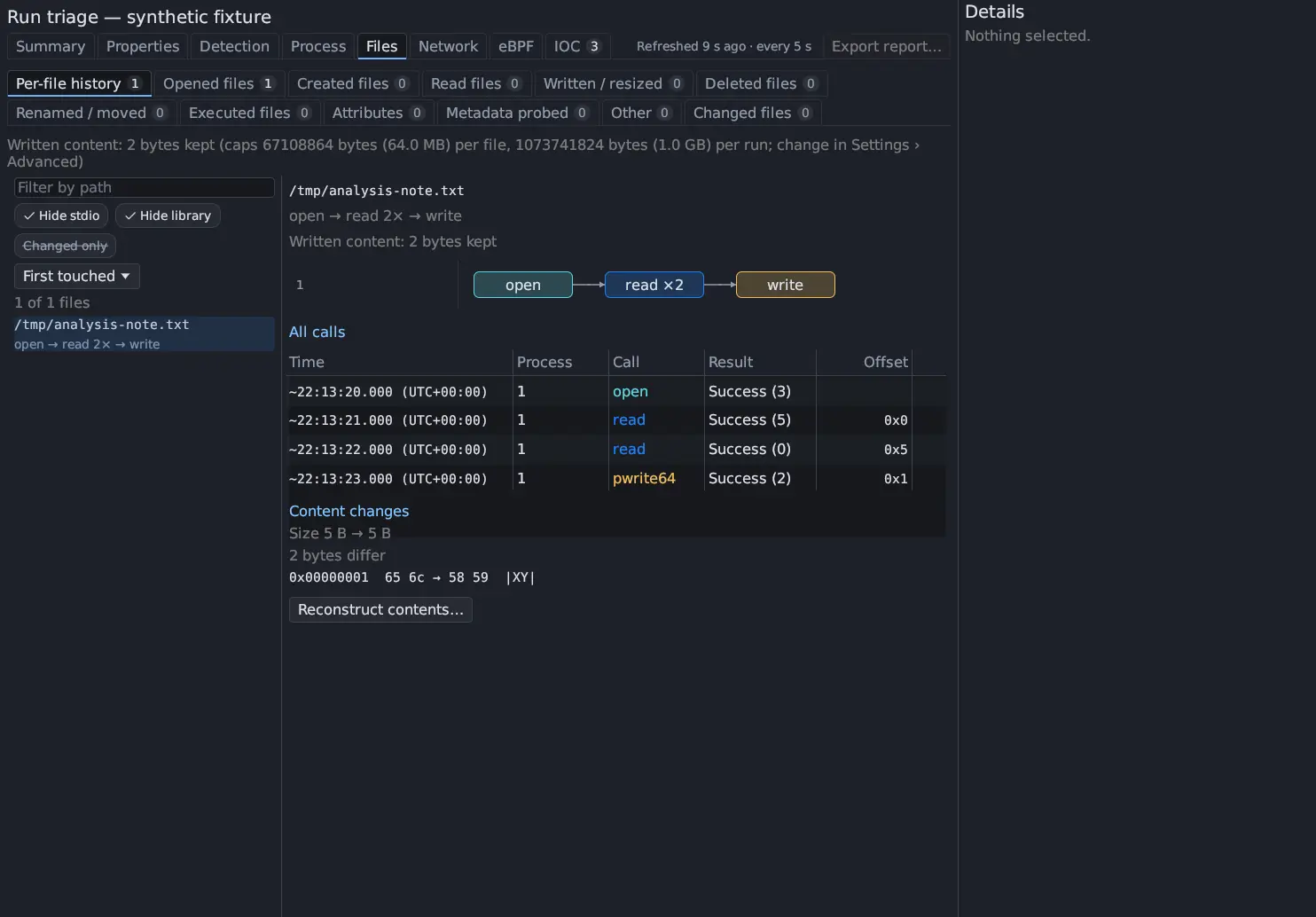
Section titled “File activity”Tools → Settings… → Advanced has two pairs of caps for what Triage files can give back exactly:
| Setting | Default | What it bounds |
|---|---|---|
| File activity: written content kept | 64 MiB per file, 1024 MiB per run | The bytes the run wrote that File activity can read back from the recording |
| File activity: earlier bytes kept | 64 MiB per file, 1024 MiB per run | The earlier bytes, from before the run changed them, of the files a run changed, copied into the recording when the run ends |
Past a cap the first writes are kept and the later ranges are listed as not captured, never dropped; a file over the earlier-bytes cap keeps its size and SHA-256 and is listed as not captured. The written content counts against the recording quota like the rest of the recording; the earlier-bytes copy does not. A file over 1 GiB never has its earlier bytes read.
Disk space and other limits
Section titled “Disk space and other limits”| What | Limit |
|---|---|
| VM disk | Chosen at creation, 1 to 2,048 GiB, fixed afterwards |
| VM RAM | 256 to 8,192 MiB |
| Recording writer queue | 256 MiB, then writes wait |
| Program launches per boot | 64 |
| Calls per page in a saved trace | Any positive number, default 100; 0 or -1 shows every match in one virtual table |
| Terminal scrollback | 10,000 lines per terminal, in both the Formatted and Raw views |
| Terminal output waiting for the screen | 8 MiB for all terminals together (0.8.0); the recording always has every byte |
| Network packets in the table | 500 a page, over the whole capture; 200,000 raw frames without TShark |
| Disk dump | Its estimated allocation may not exceed the recording quota; see Disks |
| Archive index cache | Entries unused for 30 days are dropped, and it stays under 2 GiB |
| Shutdown timeout | 10 seconds by default (1 to 120). A desktop guest gets at least 30 seconds before it is forced off. |
Free space on the data volume is shown in Summary. Keep room for the VM disk, recordings and any dumps.