

Triage network
The Network tab of Triage summarizes the traffic of one run in four tables: Endpoints, Domains, URLs and TLS. Each tab carries a whole-run count. Every row has an IOC column that says whether its indicator matches an offline dataset.
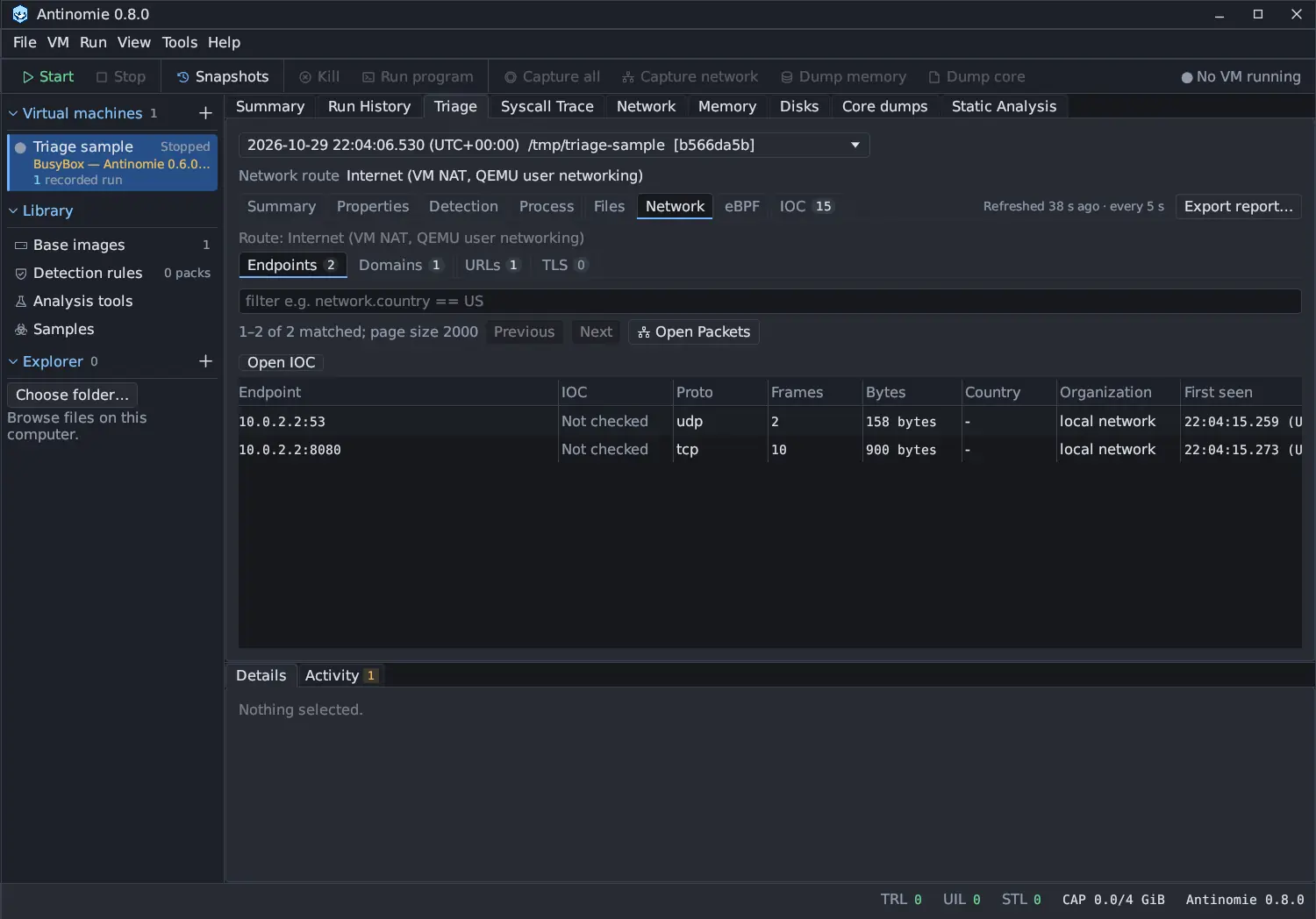
These four tabs replaced the 0.7.0 tabs (IPs, Hosts, HTTP, DNS and Sessions)
in 0.7.1. The old filter field names (http.method, dns.name,
session.alpn, network.country and the others) work in the new tabs, so a
saved filter keeps working.
Where the packets come from
Section titled “Where the packets come from”Triage reads the pcap that belongs to the selected run. A capture owns a run
when the run’s record names it, which is the case for Capture network from
start until tree exits in Run program. Such a dedicated capture takes
priority over a manual one from the same boot. A manual capture that was
running during the run is used only inside the run’s time window. When the run
had no capture, the tab says Network capture was off for this run.; while
the capture is read it says Indexing this run's capture….
A pcap records all traffic of the VM, not one process’s, so no row names a process. Matching by time does not prove that this run produced the packets. Network triage aggregates every capture segment the run owns before filtering, sorting and paging. Times use QEMU’s capture clock, shown in your timezone, and can differ from the host’s clock.
The installed TShark parses the capture in a sandbox. The tables are built from the fields it prints, without keys: encrypted content stays encrypted.
The run’s route
Section titled “The run’s route”Network route, above the Triage tabs, names the route the run used, and
the Network tab repeats it as its first line: for example Route: Tor via 127.0.0.1:9050, Route: Internet (VM NAT, QEMU user networking) for a run on
a NAT VM, or Route: Not recorded for a run saved before routes were
recorded. Its tooltip explains the route and what the
gateway counted. On Tor, VPN and SOCKS5 routes, the guest received
stand-in addresses from 198.18.0.0/16 for every name, so read those runs by
name in Domains and TLS rather than by address in Endpoints. See
Network routes.
Tables
Section titled “Tables”| Tab | Columns | Built from |
|---|---|---|
| Endpoints | Endpoint, IOC, Proto, Frames, Bytes, Country, Organization, First seen, Last seen | One row per remote ip:port, TCP or UDP |
| Domains | Domain, IOC, Seen as, Resolved / connected IPs, Queries, First seen, Last seen, Rcode | DNS questions, TLS and QUIC server names and HTTP Host headers, merged by name |
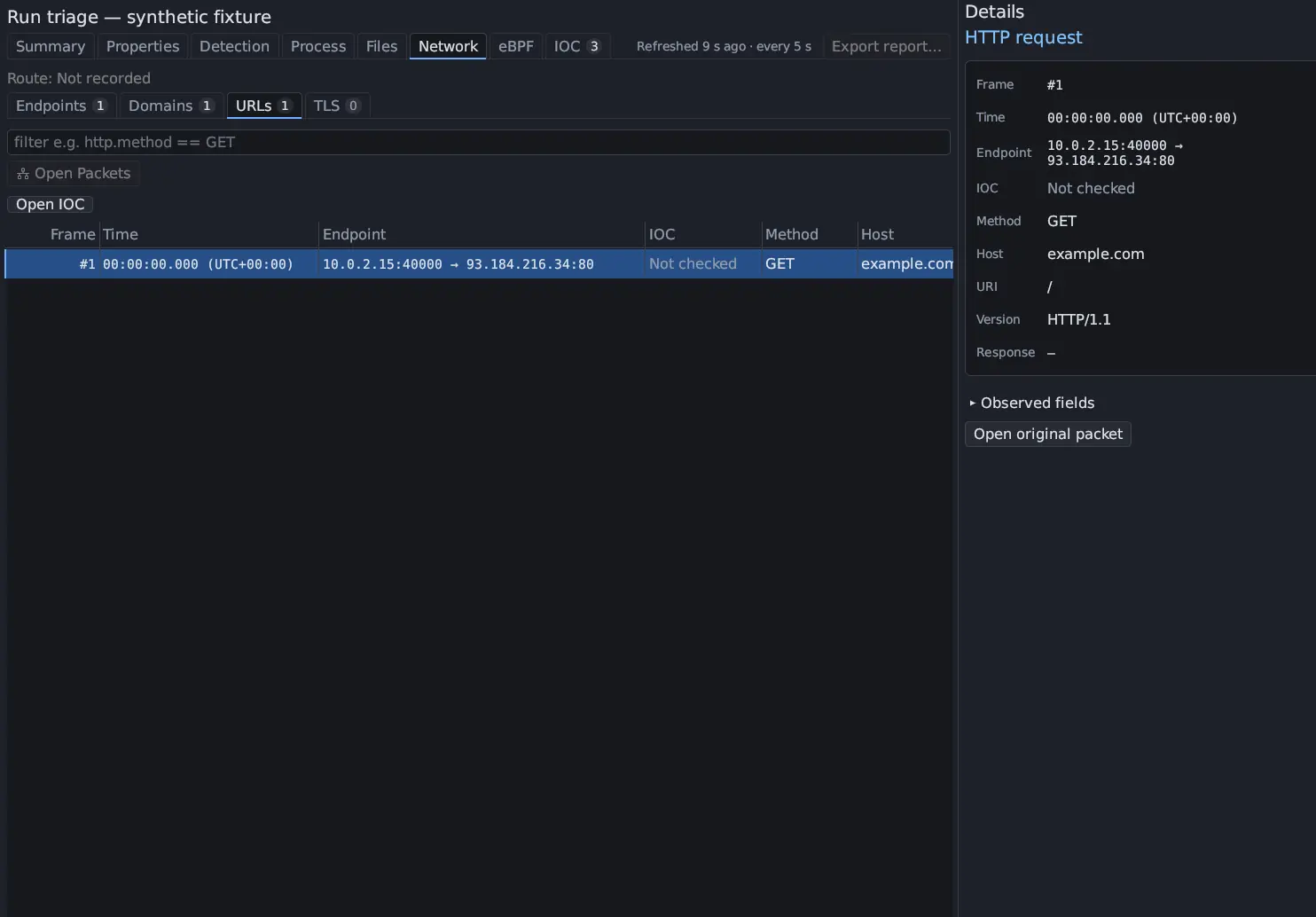
| URLs | Frame, Time, Endpoint, IOC, Method, Host, URI, Version, Response | Cleartext HTTP/1 requests with the correlated response, and cleartext HTTP/2 requests |
| TLS | Frame, Server name, IOC, Endpoint, Version, ALPN, JA3, JA4, JA3S, Cert SHA-1, Sessions | TLS and QUIC sessions grouped by server name, server and JA3 |
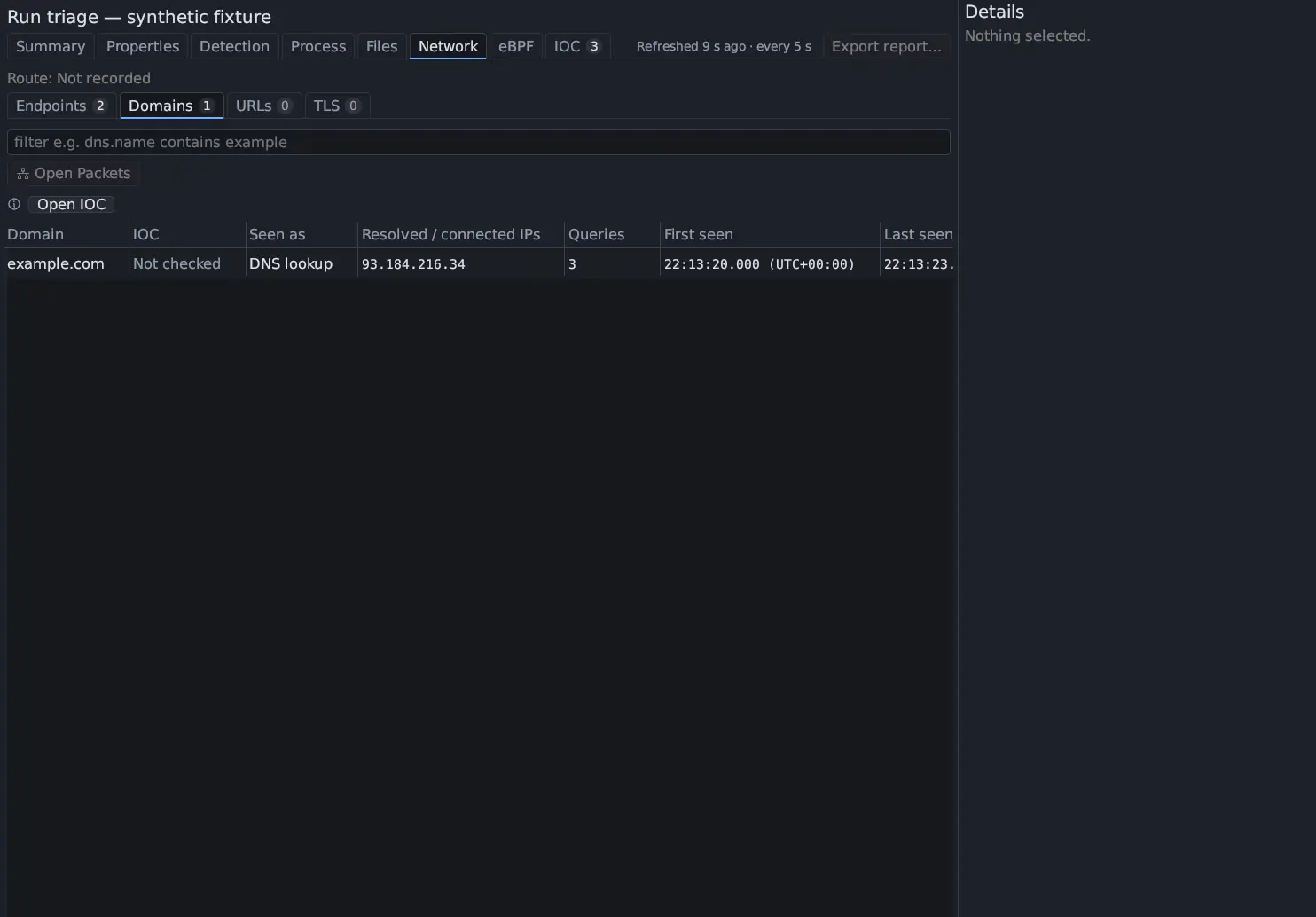
- Seen as says where a domain’s name came from, such as
DNS lookup,HTTP,TLS SNIorQUIC SNI. Rcode says how DNS answered it. - URLs lists HTTP/2 requests without their responses. The response frame is in Details.
- TLS shows what an encrypted session says about itself in its handshake: the server name, the version the server hello named, the ALPN protocols, the JA3 and JA4 client fingerprints and the JA3S server fingerprint when the installed TShark computes them, and the SHA-1 of the server’s certificate (not visible in TLS 1.3). Sessions counts the sessions in the group.
- The content of HTTPS, HTTP/3 and encrypted DNS stays encrypted.
The IOC column
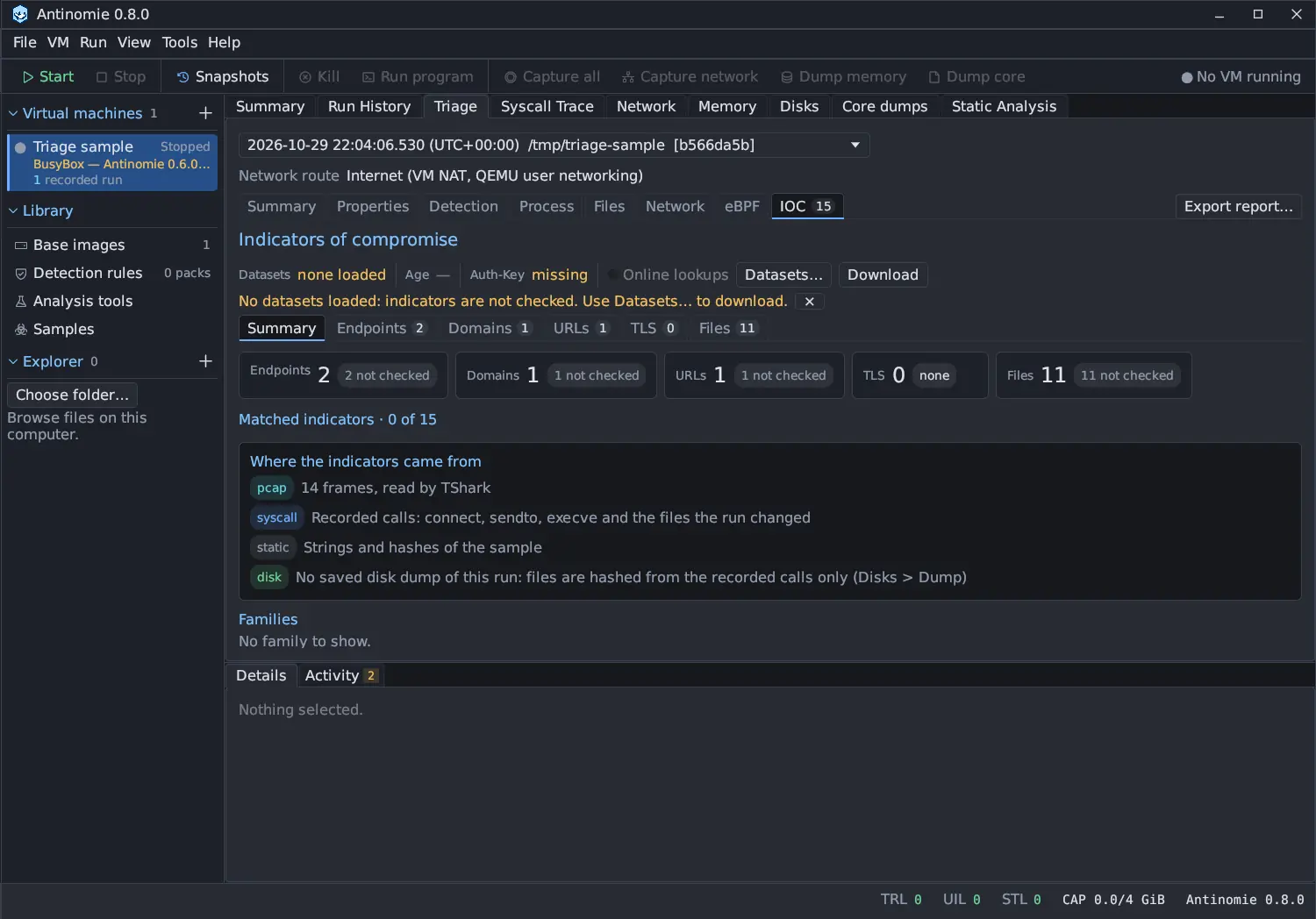
Section titled “The IOC column”Each row’s indicator (the endpoint, the domain, the URL or the TLS server name and fingerprints) is matched offline against the abuse.ch datasets installed in Tools › Detection rules › IOC. The verdict is Matched, Known FP, No match or Not checked; private, loopback and link-local addresses and local names are Not checked. No match is not a clean result: the datasets list only what abuse.ch has seen. Open IOC opens the run’s IOC section, which holds the process (when exactly one process made a matching call), the sources and the evidence for each indicator.
Country and organization
Section titled “Country and organization”Local destination addresses show - and local network and are never looked
up. For public addresses, Tools › Settings › Network lookup › Address
lookup chooses the source:
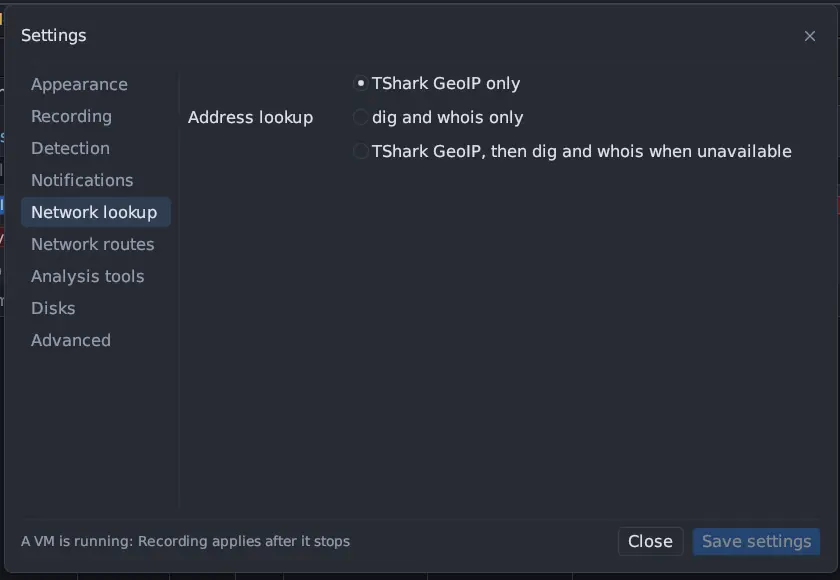
- TShark GeoIP only (the default) uses your locally configured GeoIP data. Missing data stays Unavailable.
- dig and whois only runs
digandwhoison this machine. - TShark GeoIP, then dig and whois when unavailable tries GeoIP first.
Antinomie contacts no lookup service of its own. dig and whois query the
servers your system is configured for, for at most 24 public destinations per
run; a warning says how many more were not queried. An unavailable lookup names
the affected address and says the country or organization is unknown.
Cloud metadata
Section titled “Cloud metadata”On a Routed VM with a Cloud VPS profile, the
gateway answers the provider’s metadata address itself. Requests to it, the
canary credentials it handed out and any use of a canary in what the guest sent
are findings in Process › Suspicious activity (credential.cloud_metadata,
credential.cloud_credentials, credential.canary_used, all HIGH, ATT&CK
T1552.005). The address a canary was sent to is also listed as an endpoint
indicator in the IOC section.
From a row to the packet
Section titled “From a row to the packet”Click a row for its details. Double-click it, or press Open original packet in Details, to open the run’s own pcap in Network with the original frame selected, even if a packet filter had hidden it. Open Packets, under the filter box, shows the run’s capture in the Network panel; it is disabled when the run has no packet capture.
The filter box takes the fields of the tab on screen, for example
network.country == US on Endpoints, dns.name contains example on Domains,
http.method == GET on URLs and tls.sni contains example on TLS. Every field
is in Triage table filters. The refresh status
at the right of the tab bar works as in
Triage processes.