Static Analysis
Static Analysis shows the report for the executable that a run started. It analyses only the initial executable, not later executables or descendants. Nothing is run: the file is read, never executed. This page describes Antinomie 0.8.0, which is in development; the current release is 0.7.1.
Getting a report
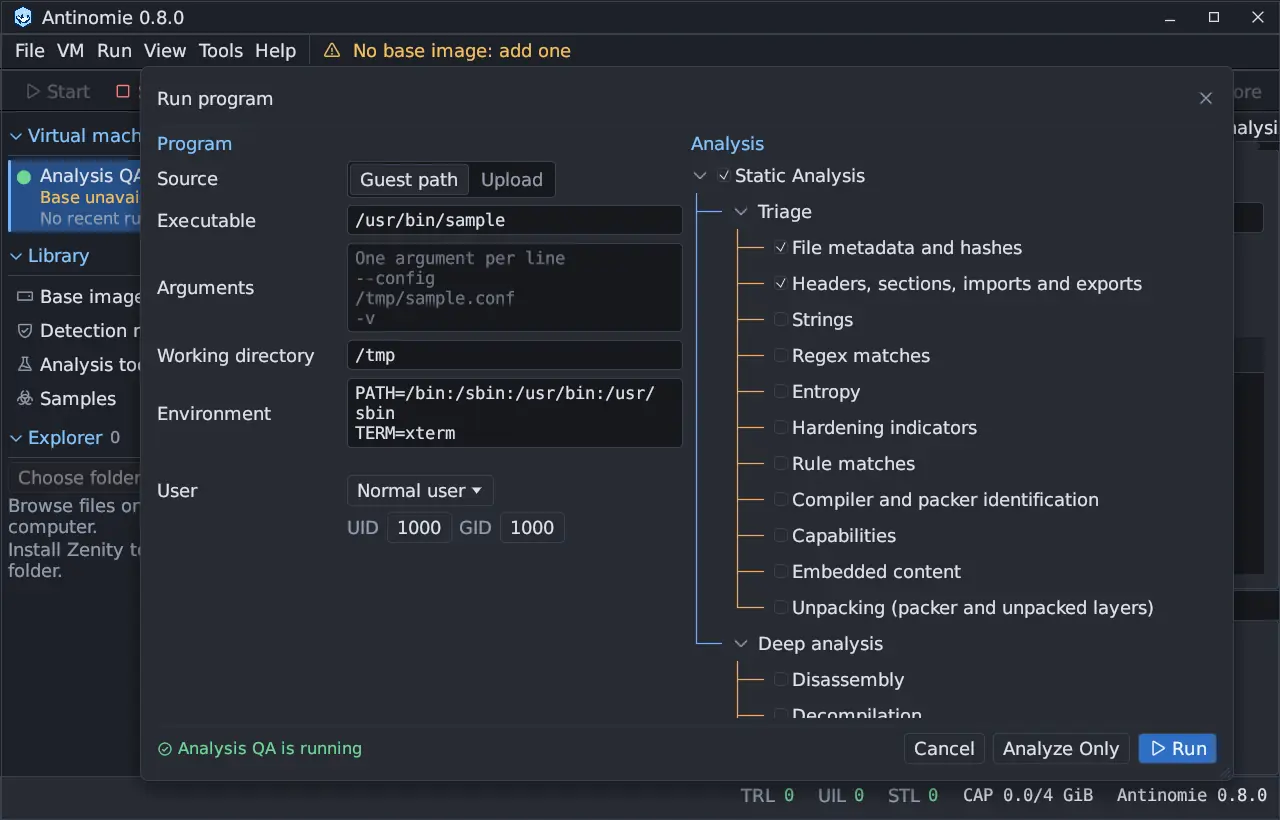
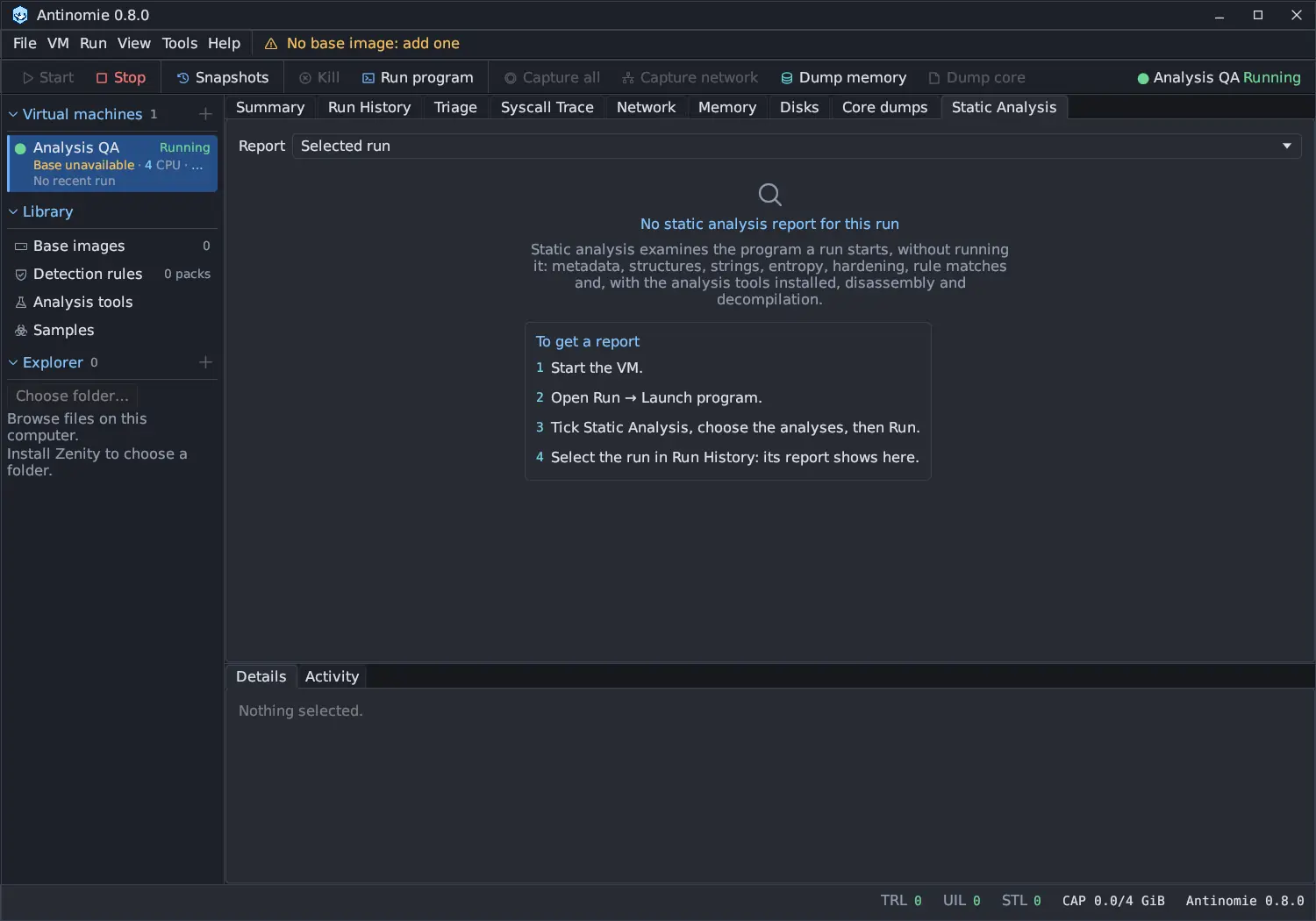
Section titled “Getting a report”Turn it on in Run program with Static Analysis and pick the categories, or press Analyze Only to analyse without launching. When you run a file you just sent with Upload and Run, the analysis uses the copy still on the host, but only if the guest’s own hash of the file that ran equals that copy’s; the Specimen source row of the Identity card says which was used.
| Group | Categories |
|---|---|
| Triage | File metadata and hashes, Headers, sections, imports and exports, Strings, Regex matches, Entropy, Hardening indicators, Rule matches, Compiler and packer identification, Capabilities, Embedded content, Unpacking (packer and unpacked layers) |
| Deep analysis | Disassembly, Decompilation, FLOSS strings (decoded, stack, tight) |
A category whose tool is missing says Needs Ghidra, not installed (or the tool it needs) with an Install… button, which opens Library › Analysis tools.
Analysis runs in a bubblewrap sandbox with the file read-only. While it runs, each category shows its progress, and Cancel analysis stops it.
The report
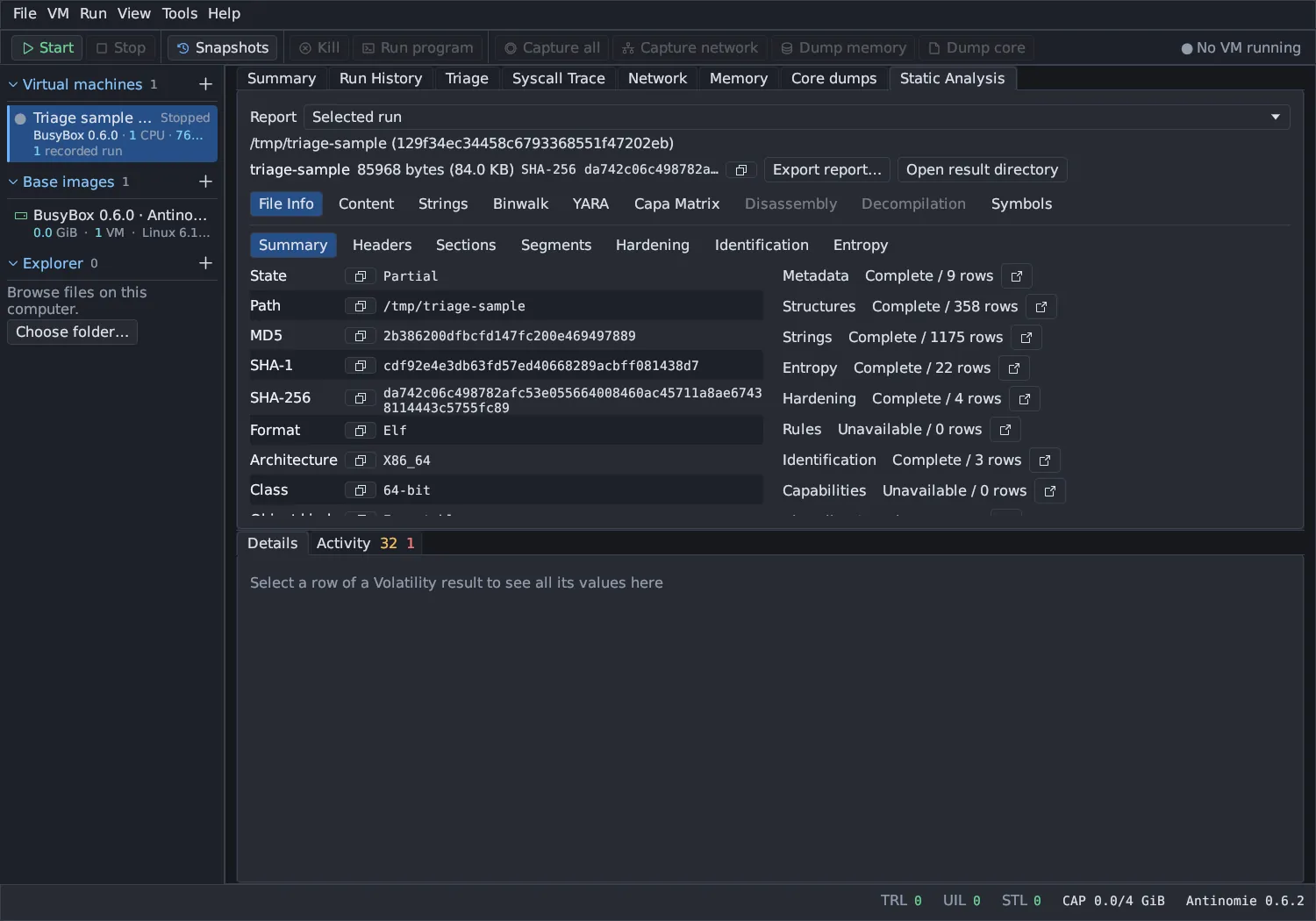
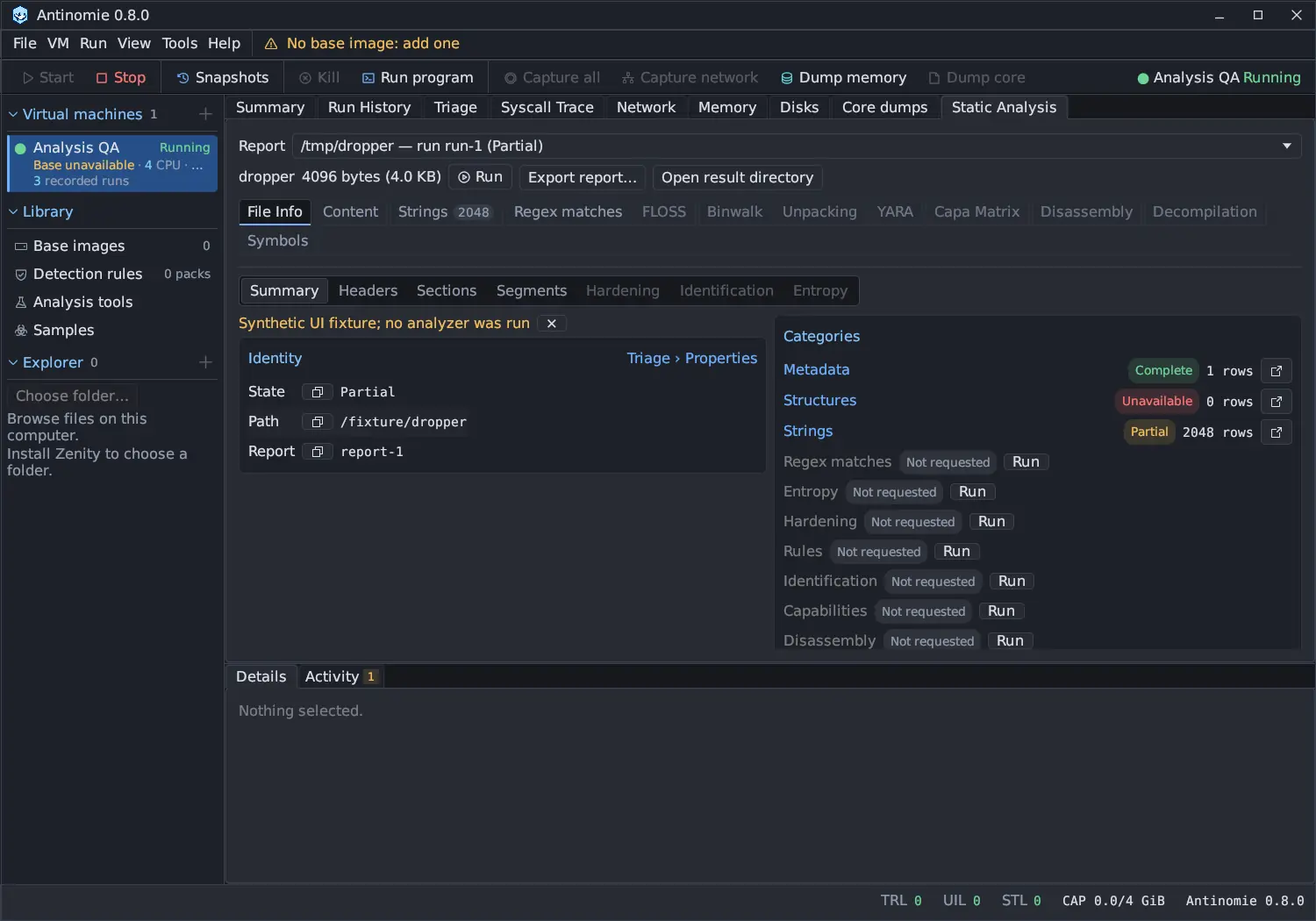
Section titled “The report”The Report dropdown picks the report: the selected run’s, an Analyze Only report, or an unpacked layer’s own report. Under it are the file’s name and size, Run (opens the run the report belongs to in Run History), Export report… and Open result directory.
| Tab | Shows |
|---|---|
| File Info | A segmented control with Summary, Headers, Sections, Segments, Hardening, Identification and Entropy |
| Content | The retained file as a hex dump, text, C array, Python bytes, Base64 or a hex string; type an offset, such as 0x1f00, and Go to jump to it. Text size buttons and Ctrl+wheel zoom it. |
| Strings | Strings found in the file, with their file offset, encoding and length |
| Regex matches | Pattern matches in the Strings and FLOSS strings, by category and type |
| FLOSS | Strings the program builds on the stack or decodes at run time (needs FLOSS) |
| Binwalk | Embedded-content signatures with their file offsets (nothing is extracted) |
| Unpacking | The unpack chain, one layer at a time (needs UPX) |
| YARA | Built-in YARA-X rule matches |
| Capa Matrix | Capabilities by ATT&CK tactic or MBC objective, or as a table (needs capa) |
| Disassembly | A function sidebar and the full listing (Address, Bytes, Instruction), searchable |
| Decompilation | A function sidebar and the decompiled code (Line, Code; needs Ghidra) |
| Symbols | Symbols, imports and exports |
Tabs show their row counts. A tab the report does not have is greyed, with the tooltip Not part of this analysis; Run in Overview > Categories adds it without starting over.
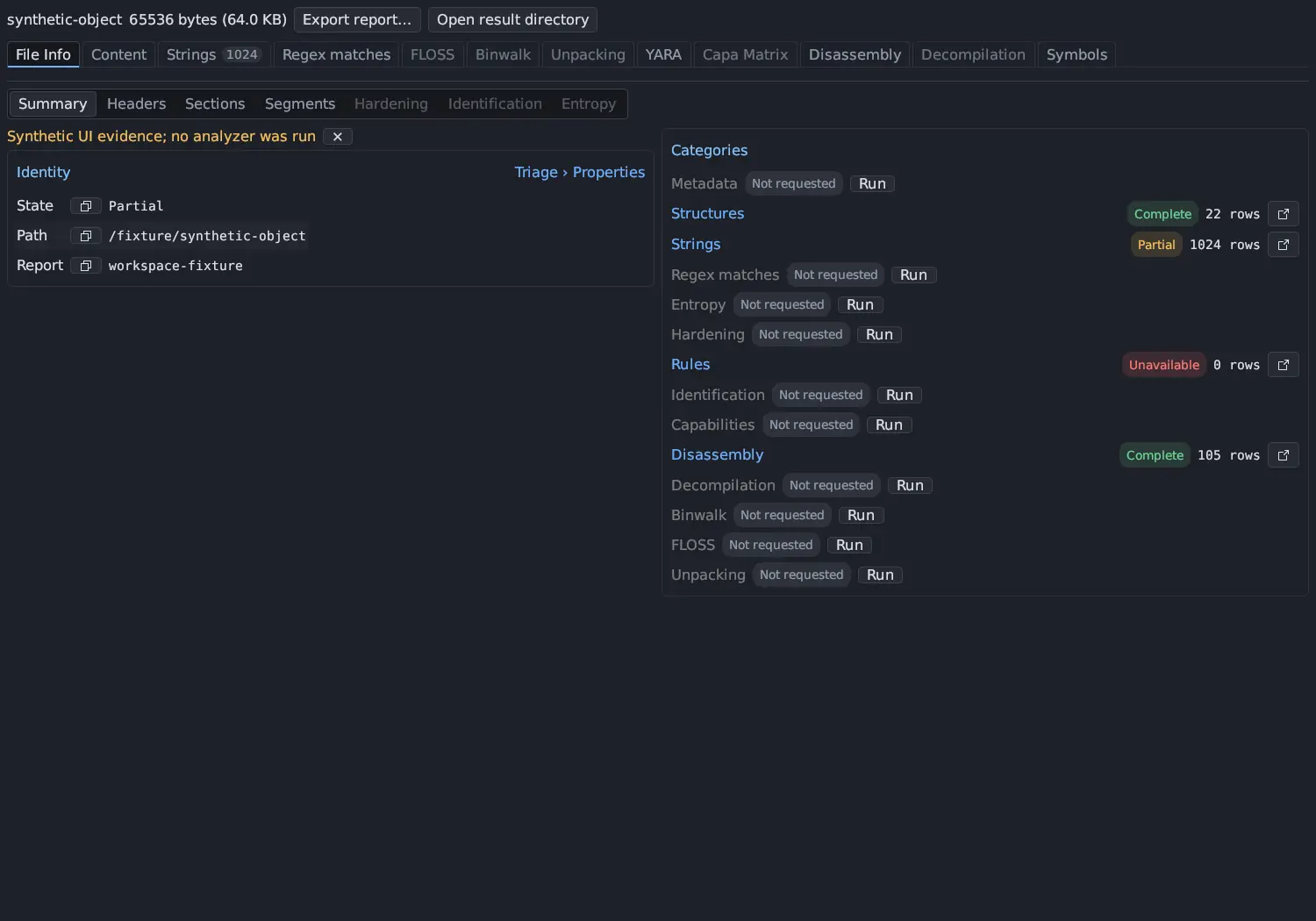
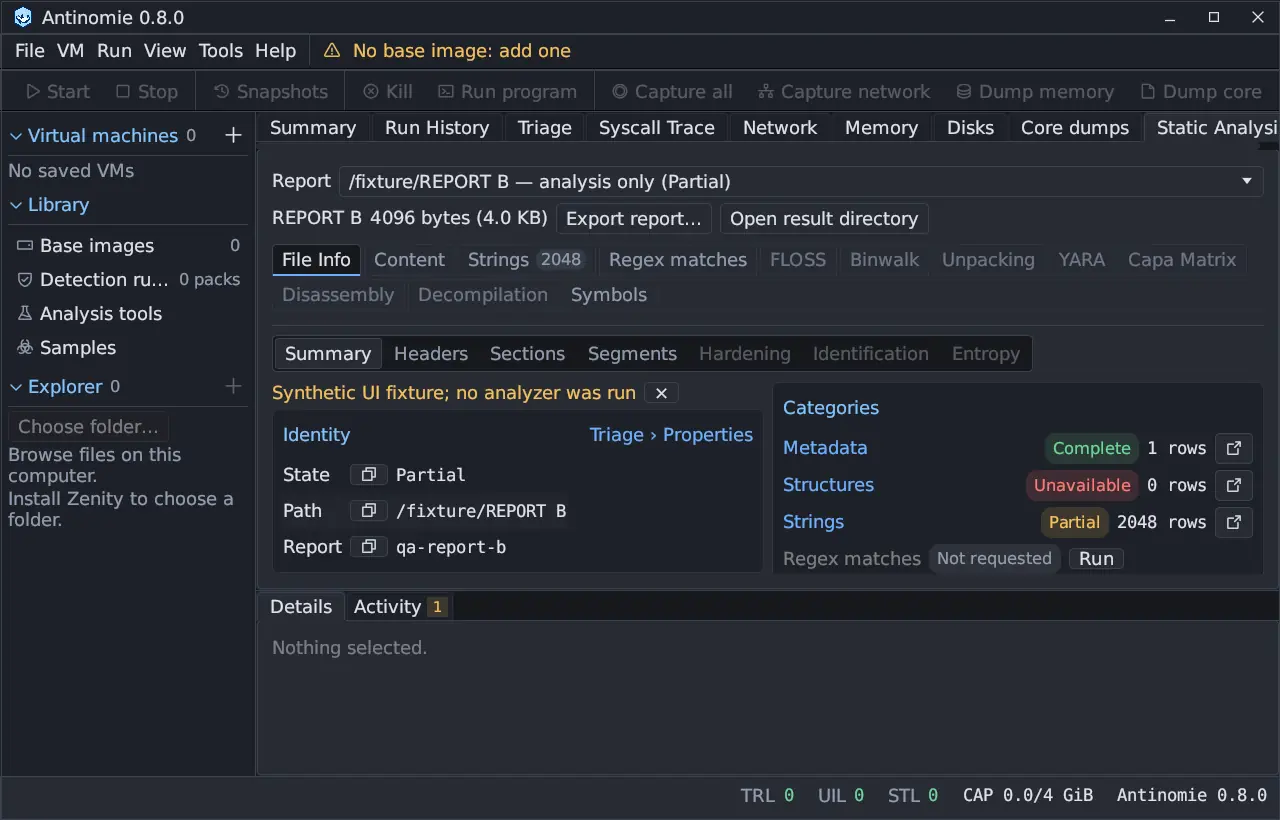
The Summary view has two cards. Identity lists the report state, the
path, the MD5, SHA-1 and SHA-256, the format and architecture, the specimen
source and the report ID, each with a copy button, and links to Triage ›
Properties. Categories lists every category with its state (Complete,
Partial, Unavailable, Pending, Not requested, or Queued… /
Running… while the analysis runs) and its row count; click one to open its
tab, or use its icon to open it in a separate pane. Sizes read like 4096 bytes (4.0 KB).
Run a check later
Section titled “Run a check later”A category the analysis was not started with shows Not requested and a Run button. Run adds that check to the same report without starting the analysis again: the specimen kept with the report is analysed by the one check, and its tab fills in when it ends. The button waits while the analysis is still being made. No VM has to be running, and the result is saved with the report like the others.
Strings, Regex matches and FLOSS
Section titled “Strings, Regex matches and FLOSS”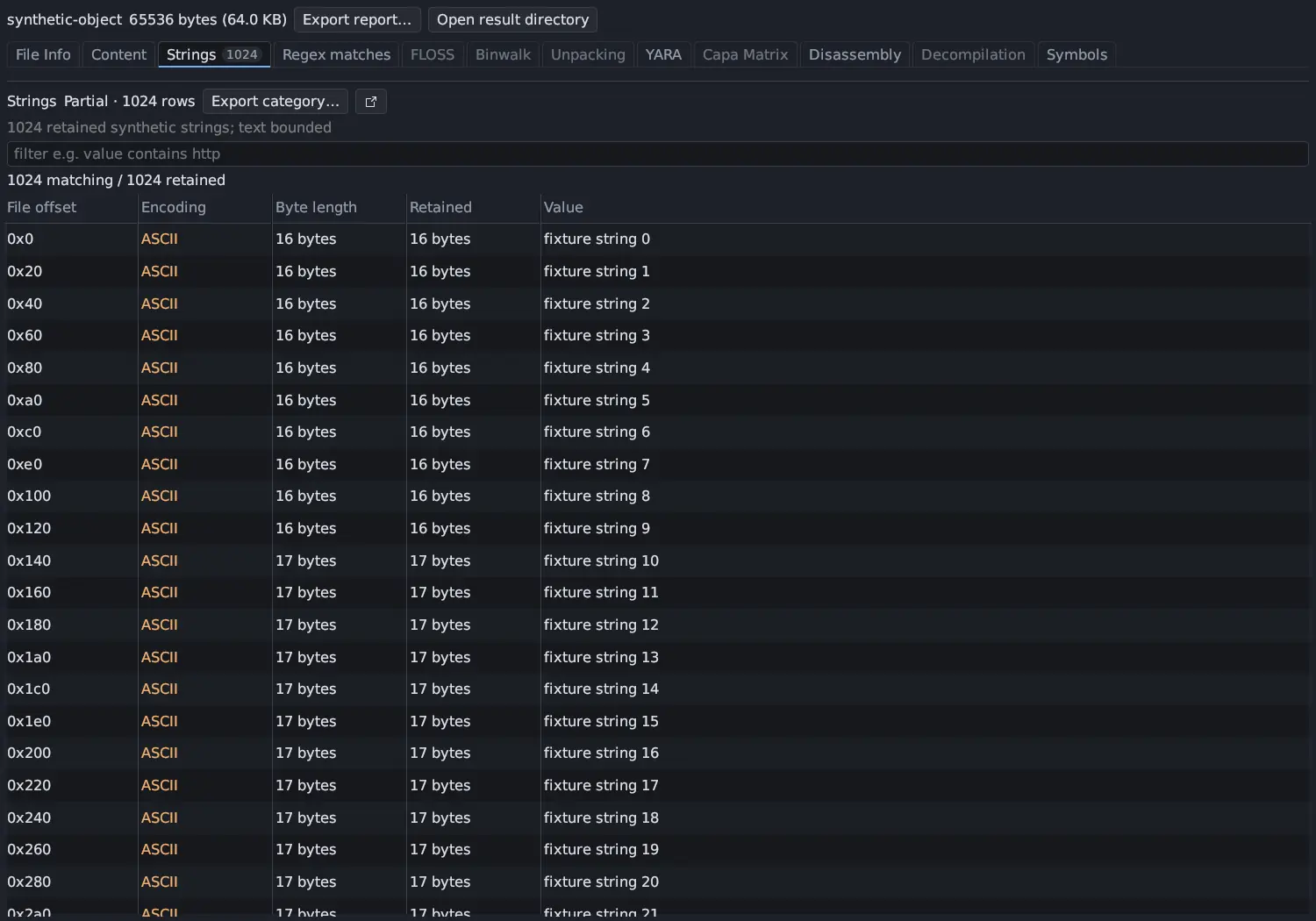
Strings
Section titled “Strings”Strings lists ASCII and UTF-16LE strings of four or more characters with their file offset, encoding and length. It sorts over the whole listing, not just the page on screen: the filter applies first, then every matching row is ordered and the page you are on is read. The rows on screen stay while the new order is read (Sorting…).
Regex matches
Section titled “Regex matches”Regex matches shows every pattern match in the
Strings and FLOSS strings, by category (Network, Crypto, Keys,
Linux behaviour, Attribution, Encoded) with a type for each match,
such as IPv4 public or private, URL, Bitcoin address or persistence path. Matches
are checked to cut false positives: a domain must end in a real public suffix,
libc.so and install.sh are files, a version number is not an IP address, and
a Bitcoin address, Tox ID or token must pass its checksum or structure. Base64
and hex text is decoded and scanned again, two levels deep; the Inside column
says which. Switch patterns off or add your own in
Detection rules › Strings regex.
The same list opens from Core dumps › Strings › Regex matches….
FLOSS (off by default, under Deep analysis) recovers the strings a program builds on the stack or decodes at run time, which Strings cannot see, one row per string with its type (decoded, stack, tight, or language for Go and Rust), its encoding and the address FLOSS reports for the routine. FLOSS reads the file with its own disassembler and emulates snippets of it; the program is never run. It can take several minutes, has an 8-minute limit, and does not take files over 16 MiB.
Unpacking
Section titled “Unpacking”Unpacking looks for UPX packing. A packed file is unpacked, without running
it, and the result is a layer with its own hash and its own static analysis.
The Layer drop-down chooses the file As it came or a layer UPX recovered
from the one before; below it are that layer’s size, SHA-256 and the packer found
in it, and Show its analysis opens the layer’s own report. A file packed
twice gives two layers. Files whose UPX headers were tampered with are repaired
on a copy first, and the layer says so (UPX (header repaired)). The original
file is never changed, layers are plain files that are not executable, at most
three layers of 64 MiB each are kept, and unpacking stops after 4 minutes. Other
packers are not unpacked.
When the program the run started is such a packed file, Triage shows the
Suspicious activity row evasion.packed_image as a fact about the file.
Disassembly and Decompilation
Section titled “Disassembly and Decompilation”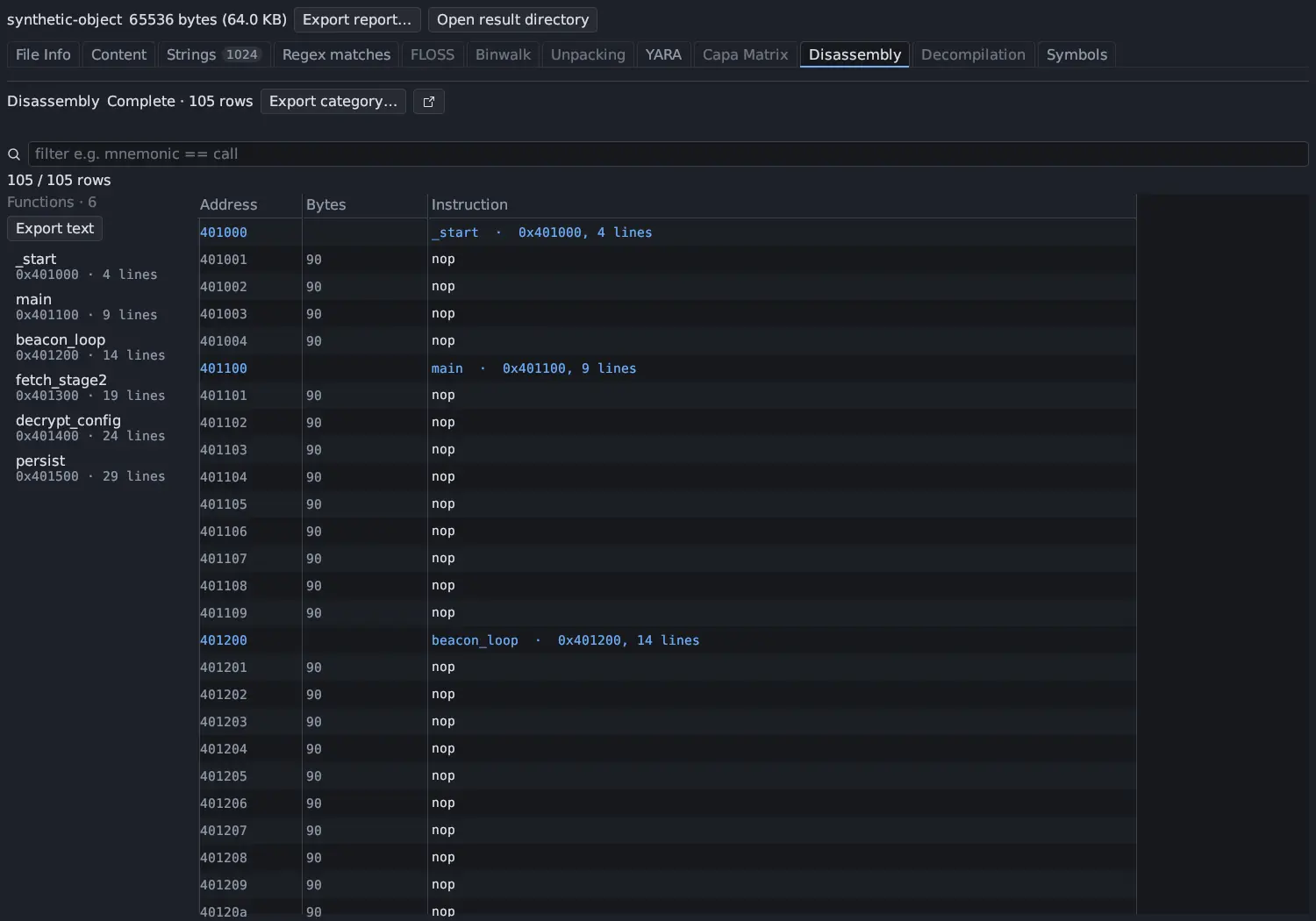
Disassembly and Decompilation are full listings with search. They keep
their address and line order, so their headers do not sort; hovering one says
why. Their function sidebar is shared with Core dumps,
and a function reads like 0x401c20 · 12 lines: its instructions in
Disassembly, its source lines in Decompilation.
Click, double-click and right-click
Section titled “Click, double-click and right-click”- Click a row to select it. Its full values appear in Details, which says Nothing selected. until then. A row with a file offset can open in Content.
- Right-click a row for Copy of any column, Copy row, Show details…, Show bytes… and Show in Content. Show details… and Show bytes… open their own movable windows.
- The open-in-pane button beside a category opens it in a separate dockable pane.
When an analysis does not finish
Section titled “When an analysis does not finish”Each category finishes on its own. While the worker runs, a category shows what it is doing (waiting for the worker, running, or its result). If the worker is stopped at its deadline or crashes, the categories that had finished keep their results, including their full listings, and only the unfinished ones are marked as not finished. The worker’s deadline is the sum of its categories’ own budgets, so a slow capa run does not use up the time decompilation needs.
capa analyses the whole bundled C library of a statically linked program and often runs out of its 4 minutes. The Capabilities category then says that capa ran out of time and that statically linked programs take it much longer.
Export
Section titled “Export”Export report… (or Export category… on one tab) offers Plain text (.txt), Structured results (.json), Native Ghidra project (.gpr + .rep) and Open in Ghidra (after a Ghidra analysis that kept its project). Exports include all retained rows. Open result directory shows the saved report, the specimen, full listings and any native artifacts.
A failed or missing tool is shown as unavailable while the program still ran. A match or identification is evidence to investigate, not a verdict. Tools are managed in Library › Analysis tools; see also Installation and requirements.