

Telemetry transport settings
Telemetry transport… in the VM dialog (File → New VM…, or a VM’s configuration) sets how system-call records travel from the guest to the host. Changes apply the next time the VM boots. The settings need a base for Antinomie 0.3.0 or newer (guest revision 13 or higher); older bases keep their original behavior. This page describes Antinomie 0.8.0, which is in development; the current release is 0.7.1.
Settings
Section titled “Settings”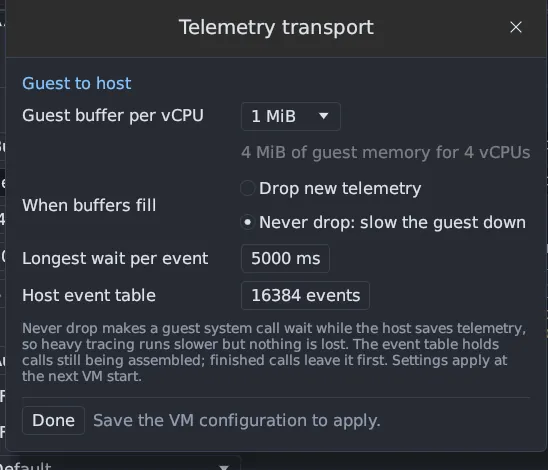
| Setting | Default | Effect |
|---|---|---|
| Guest buffer per vCPU | 1 MiB | 256 KiB to 4 MiB of guest memory for each virtual CPU. A bigger buffer rides out longer bursts. |
| When buffers fill | Never drop | Never drop: a system call waits until the host has room, so heavy tracing slows the guest and nothing is lost. Drop new telemetry: the guest never waits, keeps its timing, and the loss is counted. |
| Longest wait per event | 5 s | In Never drop mode, how long one call may wait before its record is dropped after all |
| Host event table | 16,384 calls | How many calls the host keeps assembling at once |
Reading Never drop correctly
Section titled “Reading Never drop correctly”The name describes a waiting policy, not an unconditional guarantee. The wait deadline, capture errors, recording limits and shutdown can still leave an observation incomplete. Waiting also changes the program’s timing: a host or disk that cannot keep up slows the guest. Drop new telemetry avoids that wait but loses events. Choose according to the measurement you need.
When the host cannot decode and save telemetry as fast as a busy guest produces it, such as Capture all on a GNOME desktop, the guest drops records instead of waiting on every call so the guest does not freeze. The status bar reports it, and Never drop resumes once the host catches up.
Why records are dropped
Section titled “Why records are dropped”In Never drop mode a guest sender whose ring is full waits for the host to read. A record is dropped only when the host read nothing from that ring for the whole wait (or is gone). So every drop comes from a pause on the host side: the recording writer behind the disk, the transport thread not getting a CPU, or other work.
- The host times its read gaps. New in 0.8.0 Every pause between the host’s telemetry reads longer than a threshold (10 to 50 ms, half the guest’s send wait) is recorded with its start in guest time, its length and a cause: writer backlog, writer wait, drain pass work, ring not served, not scheduled, other host work or blocked. So is every ring whose oldest packet waited that long while the host read other rings, and every spell in which a ring stayed 90 % full at every read. They are in the run report and in Summary → Health → More health details → Telemetry read gaps, which gives the count, the longest and the three causes that took the most time.
- A ring is not starved. The host merges the vCPU rings by packet time; a long event’s fragments kept the event’s old time, so another ring could wait for as long as that event was sent. The host now takes a ring’s head first once it has waited 10 ms.
- A waiting sender keeps its turn. New in 0.8.0 A sender that found its ring full could lose every race for the freed room to the other senders on its CPU and drop records although the host kept reading. Senders that may sleep now wait in turn per CPU and get the freed room in that order, and a wait ends only when the host has taken nothing from the ring for the whole wait, not after a fixed time while it is still reading. Senders in atomic context still never queue. This is in the guest kernel of a base built for 0.8.0.
Loss is reduced, not gone: a sender still drops when the host reads nothing from its ring for the whole wait. Drops and partial events are reported as before; see Loss counters.
Memory
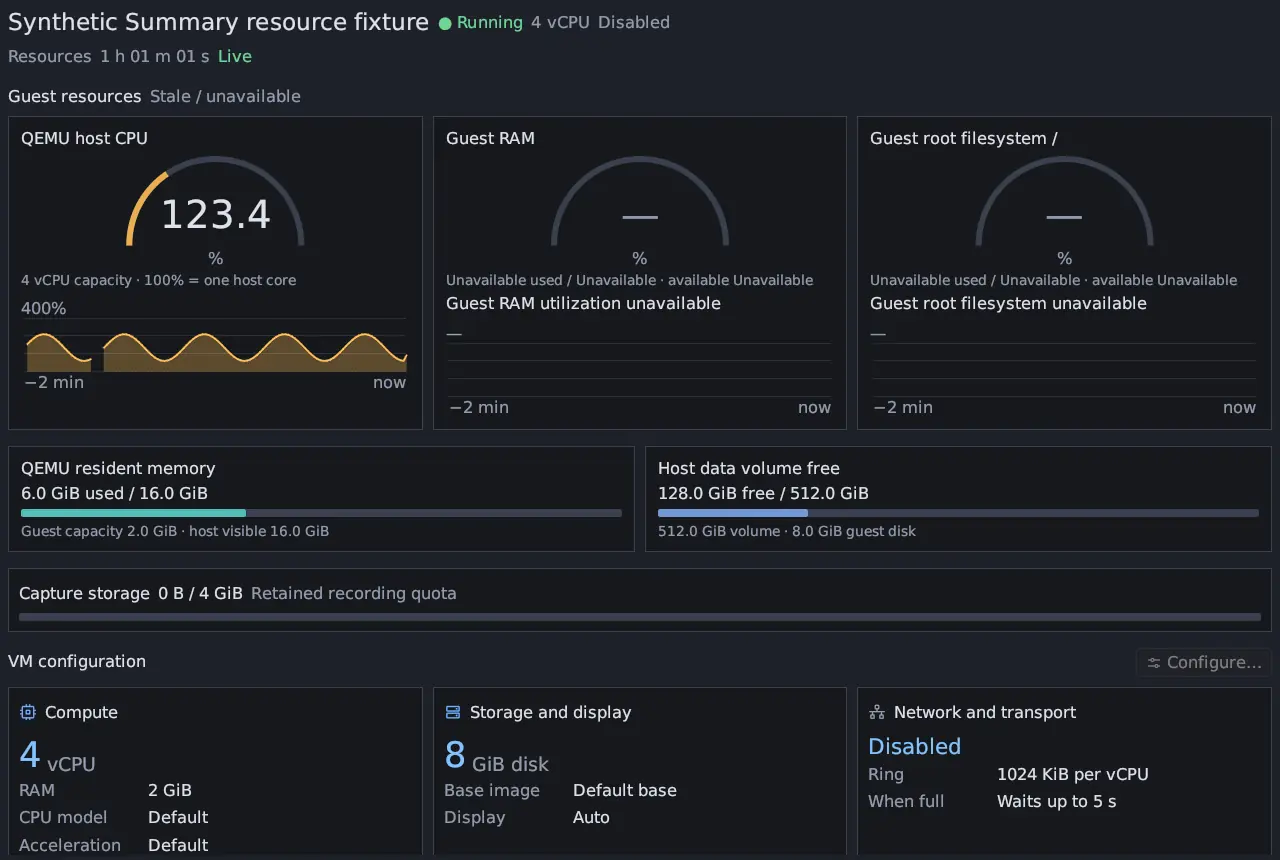
Section titled “Memory”The guest buffer is guest memory in addition to the guest’s working set. Four CPUs at 1 MiB use 4 MiB. Recording writes go through a background writer with a bounded 256 MiB queue, and the host needs memory for its desktop, tables and analysis, so leave headroom instead of giving a VM all your RAM.
The host event table
Section titled “The host event table”The host assembles entry and exit records into calls in a bounded table. Completed calls are retired before calls still in progress, so a larger table helps only with many unfinished calls at once. It cannot repair data the guest never delivered.
Tuning
Section titled “Tuning”If loss grows, trace one program, check KVM and host CPU and disk, and consider a larger buffer. Change one setting, then look at TRL, UIL and STL again. See Loss counters.
Older 0.2.0 and 0.1.0 bases keep their original 256 KiB buffers and drop-on-full behavior; updating the app does not change them.