

Triage table filters
Every table in Triage has a filter box using the shared
syntax. A filter applies to the whole run’s index before
paging and sorting, so 1–100 of N matched counts every match. Each box shows an
example of its own, such as file.path contains "/etc". This page describes
Antinomie 0.8.0, which is in development; the current release is 0.7.1. The
Triage filter fields are the same in both.
Fields shared by several tables:
| Field | Type | Meaning |
|---|---|---|
process.pid |
integer | Observed process ID (TGID) |
process.tid |
integer | Observed thread ID |
process.cookie |
integer | Stable task cookie |
process.exe |
text | Captured executable active at the observation |
event.id |
integer | Original syscall invocation ID |
stream.id |
integer | Recorded stream identity |
event.time_ns |
integer | Guest monotonic time in ns |
syscall.ret |
integer | Signed return value |
frame.number |
integer | Original packet frame |
capture.path |
text | Owning capture segment |
Process tree
Section titled “Process tree”Example: process.exe contains bash.
| Field | Type | Meaning |
|---|---|---|
process.depth |
integer | Observed tree depth |
process.ppid |
integer | Observed parent process ID |
process.parent_cookie |
integer | Stable parent identity |
process.pid, process.tid, process.cookie |
integer | Process, thread and task identity |
process.suspicious |
integer | Suspicious observations in this process |
process.worst_tier |
text | The worst tier among them: high, medium, low or info; missing with none |
process.exe |
text | Latest successful captured executable; missing when the exec’s name is unknown |
process.argv |
text list | Captured exec argument strings |
process.state |
text | Recorded task exit, separate from tree completion |
process.first_ns, process.last_ns |
integer | First and last observed monotonic ns |
Suspicious activity
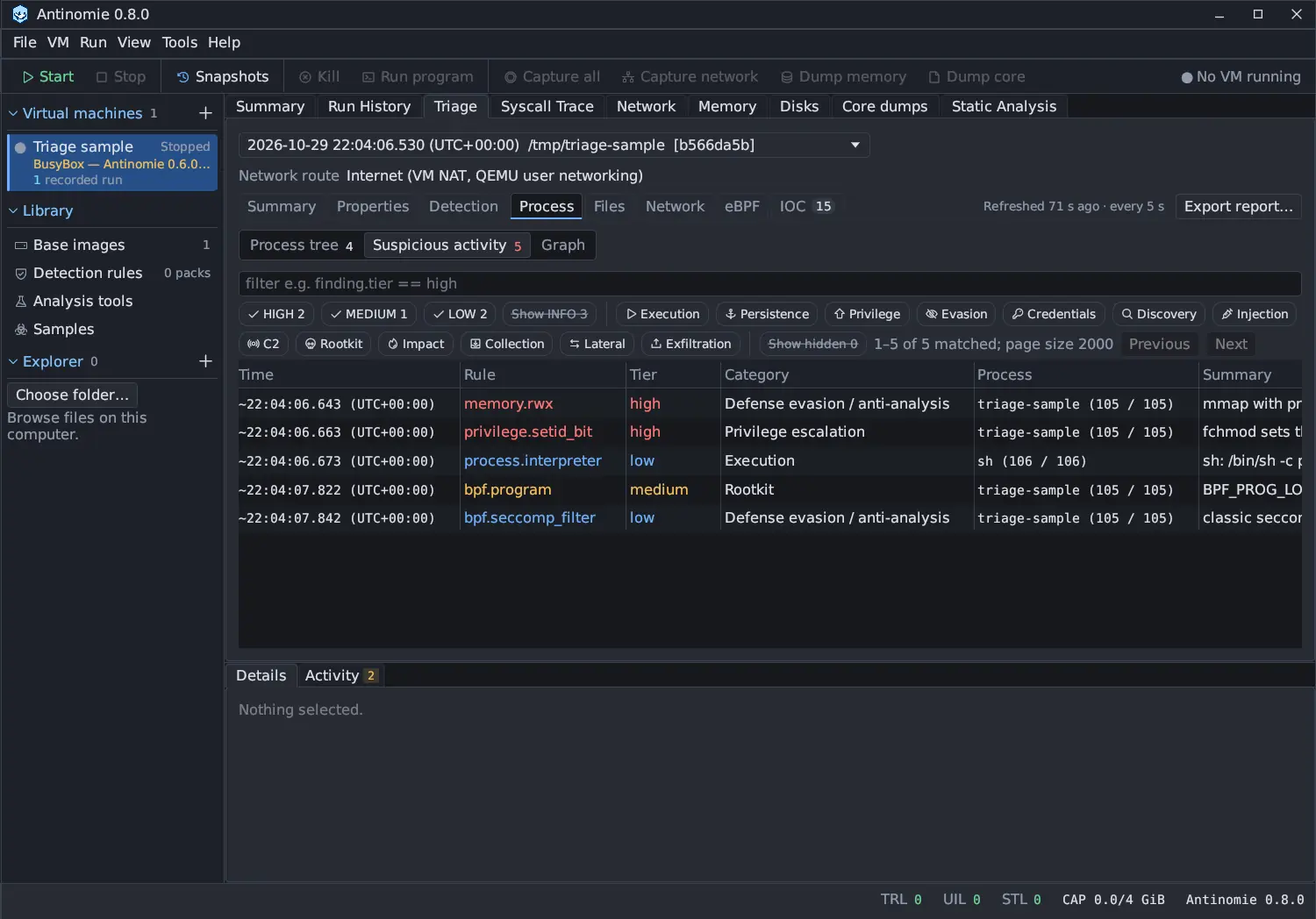
Section titled “Suspicious activity”Example: finding.tier == high.
| Field | Type | Meaning |
|---|---|---|
finding.rule |
text | Stable rule id, such as memory.rwx |
finding.version |
integer | Rule version |
finding.tier |
text | high, medium, low or info, after context; an activity tier, not a malware verdict |
finding.base_tier |
text | The tier the match started with, before failures, allow-lists and scope changed it |
finding.severity |
text | The same as finding.tier, kept for older filters |
finding.category |
text | execution, persistence, privilege, evasion, credential, discovery, injection, c2, rootkit, impact, collection, lateral or exfiltration |
finding.technique |
text list | ATT&CK technique and detection strategy ids, such as T1620 |
finding.count |
integer | Matches folded into the row |
finding.flags |
text list | failed, allow-listed, outside-scope, vm-wide, suppressed, async, collapsed, capped, periodic, repeated, inferred |
finding.hidden |
boolean | Hidden unless Show hidden is on |
finding.confidence |
text | high or limited |
finding.source |
text | Rule reference, such as MITRE ATT&CK T1620 · DET0300 |
finding.summary |
text | Matching facts |
finding.object |
text | What the row is folded by: a path, an endpoint, a target |
finding.attempted |
boolean | A syscall attempt was recorded |
finding.success |
boolean | At least one folded call succeeded; missing without an exit |
finding.first_ns, finding.last_ns |
integer | First and last match, guest monotonic ns |
finding.why |
text list | The Why this tier lines |
finding.detail |
text list | The facts shown in Details |
process.pid, process.tid, process.cookie, process.exe |
Process identity | |
event.id, stream.id, syscall.ret, event.time_ns |
The call behind the row | |
frame.number, capture.path |
The packet behind a row found in packets |
The tier and category chips narrow the table before the filter; see Processes. The Graph view shares this filter.
File activity
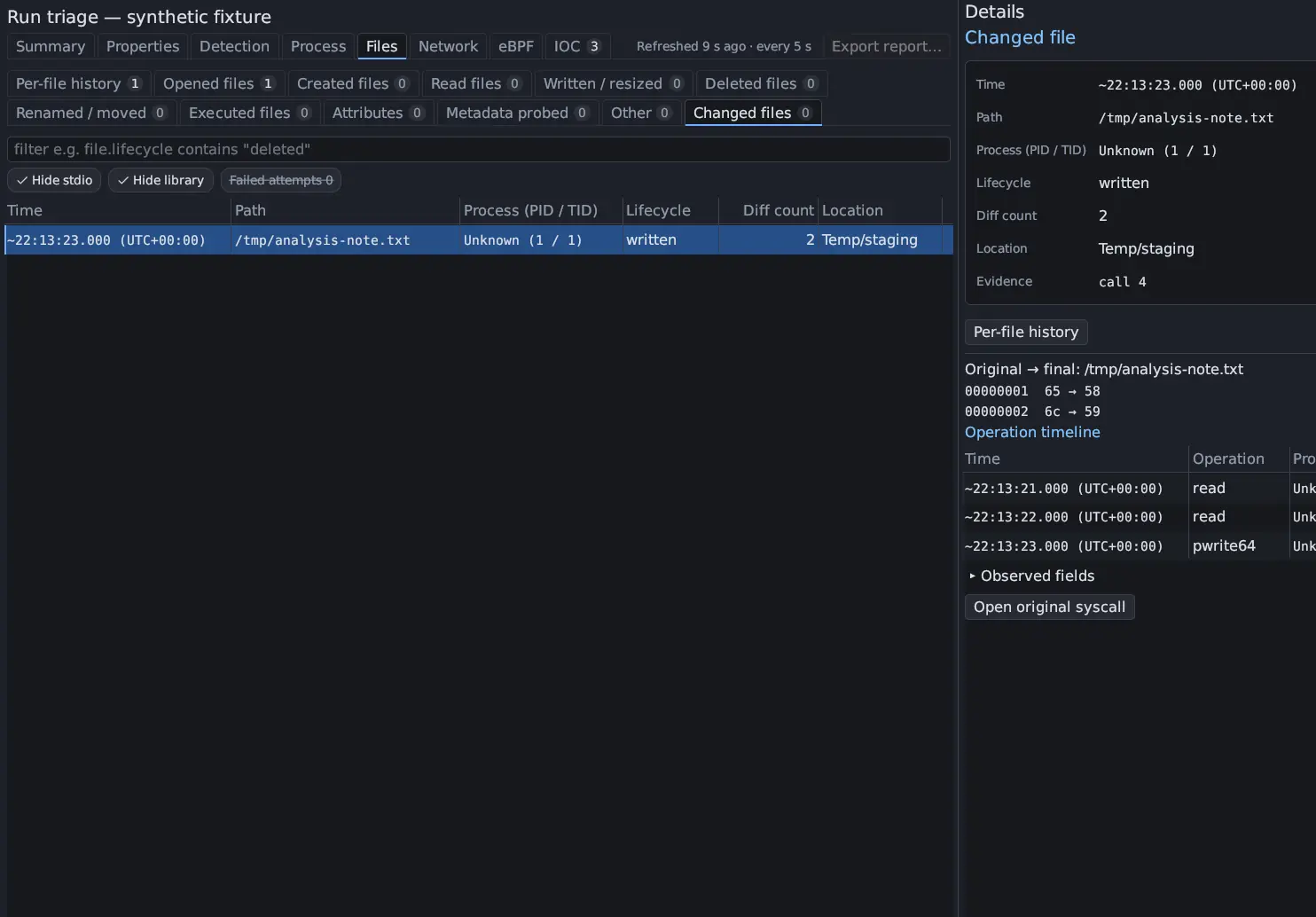
Section titled “File activity”Every File activity tab shares one field set. Each tab has its own example, such
as file.location == "temp" in Created files, file.mode_flags == "+x" in
Attributes or file.lifecycle contains "deleted" in Changed files. Not
every field applies to every tab; a field a row does not have is missing.
What the call did
Section titled “What the call did”| Field | Type | Meaning |
|---|---|---|
file.path |
text | The path as displayed; inferred names say so |
file.old_path, file.new_path |
text | The old and new path of a rename |
file.fd |
integer | The descriptor; missing without success or provenance, and for an open into an io_uring registered table |
file.operation |
text | The syscall, such as openat (in Changed files, the list of its operations) |
file.via |
text | syscall, or io_uring or AIO for a request read as the call it stands for |
file.category |
text list | The operation categories, such as Created, Written, Truncated / resized, Deleted, Renamed / moved, Linked, Permissions & owner, Executed, Mapped |
file.detail |
text | The Detail column, such as old → new |
file.access |
text | The requested access of an open, such as read/write flags 0x42 |
file.access_by |
text | path, descriptor, or inherited for a descriptor this run never saw opened |
file.success |
boolean | The call succeeded; missing without an exit |
file.result |
text | succeeded, failed or no exit |
file.errno |
text | The error name of a failed call, such as ENOENT |
file.created_inferred |
boolean | Created only because the path was not seen earlier in the run |
file.mode |
text | The mode a chmod set, in octal, such as 0755 |
file.mode_flags |
text list | setuid, setgid, sticky or +x in that mode |
file.interpreter |
text | For an executed script, the interpreter its #! line named |
Where the file is
Section titled “Where the file is”| Field | Type | Meaning |
|---|---|---|
file.location |
text list | Location classes: persistence, credentials, system, temp, pseudo-fs, self, hidden |
file.inode |
text | The device:inode the guest recorded for the file; the same on every name |
file.names |
text list | Every name a changed file was seen under, through renames and hard links |
Bytes and changes
Section titled “Bytes and changes”| Field | Type | Meaning |
|---|---|---|
file.read_size |
integer | Bytes a successful read returned |
file.content |
text | Preview of the captured transferred content |
file.written_size |
integer | Bytes a successful write wrote |
file.requested_size |
integer | Requested write length |
file.offset |
integer | Offset of a pwrite64 |
file.count |
integer | One operation per evidence row; the number of operations of a changed file |
file.diff_count |
integer | Known differing bytes of a changed file |
file.complete |
boolean | Original and final contents fully available |
file.standard_io |
boolean | A changed file touched only through stdin, stdout or stderr |
file.lifecycle |
text | A changed file’s Lifecycle, such as created → written |
file.failed_attempts |
integer | Failed change attempts on this file, not counted as changes |
process.*, event.id, stream.id, event.time_ns, syscall.ret |
As above |
A row the Hide stdio, Hide library or Failed attempts chip hides is not matched by the filter either; see Triage files.
Network
Section titled “Network”The Network section’s tabs are Endpoints, Domains, URLs and TLS,
all read from the run’s packet capture by TShark. The field names of the 0.7.0
tabs (http.method, dns.name, session.alpn, network.country, …) work in
the new ones, so a saved filter keeps working.
Endpoints
Section titled “Endpoints”Example: network.country == US.
| Field | Type | Meaning |
|---|---|---|
network.endpoint |
text | Remote ip:port |
network.ip |
text | Remote IP |
network.port |
integer | Remote port |
network.protocol |
text | tcp or udp |
network.frames, network.bytes |
integer | Frames to and from it, and their bytes |
network.country |
text | Country from your local TShark GeoIP data |
network.organization |
text | Organization from local ASN data |
network.first_us, network.last_us |
integer | First and last packet time in the capture clock |
frame.number, capture.path |
First packet and its capture segment |
Domains
Section titled “Domains”Example: dns.name contains example. DNS names, TLS server names and HTTP Host
headers, merged by name.
| Field | Type | Meaning |
|---|---|---|
network.hostname |
text | A DNS question, HTTP Host or TLS server name |
dns.name |
text | The same as network.hostname |
network.addresses |
text list | Observed DNS addresses or connection destinations |
network.count |
integer | Observed requests or client hellos |
network.sources |
text list | DNS, HTTP or TLS |
dns.rcode |
text list | How DNS answered the name |
network.first_us, network.last_us |
integer | First and last packet time in the capture clock |
frame.number, capture.path |
First packet and its capture segment |
Example: http.method == GET. Cleartext HTTP/1 and HTTP/2 requests.
| Field | Type | Meaning |
|---|---|---|
http.method |
text | Request method |
http.host |
text | Cleartext Host header |
http.uri |
text | Cleartext request URI |
http.version |
text | Observed HTTP version |
http.status |
integer | Correlated response code; missing if unavailable |
entry.complete |
boolean | Whether the request decoded completely |
network.endpoints |
text | Recorded source and destination |
network.attribution |
text | Unknown unless socket identity supports exact attribution |
frame.number, frame.time_us, capture.path |
The request packet |
Example: tls.sni contains example. One row per server name, server and JA3.
| Field | Type | Meaning |
|---|---|---|
tls.sni, session.server_name |
text | TLS or QUIC server name (SNI) |
tls.endpoint, network.endpoints |
text | Server ip:port |
tls.version |
text | The version the server hello named |
tls.ja3, tls.ja4 |
text | Client fingerprints |
tls.ja3s |
text | Server fingerprint |
tls.cert |
text | SHA-1 of the server’s certificate (not seen in TLS 1.3) |
tls.sessions |
integer | Sessions in the group |
session.alpn |
text list | ALPN protocols offered |
frame.number, frame.time_us, capture.path |
The first client hello |
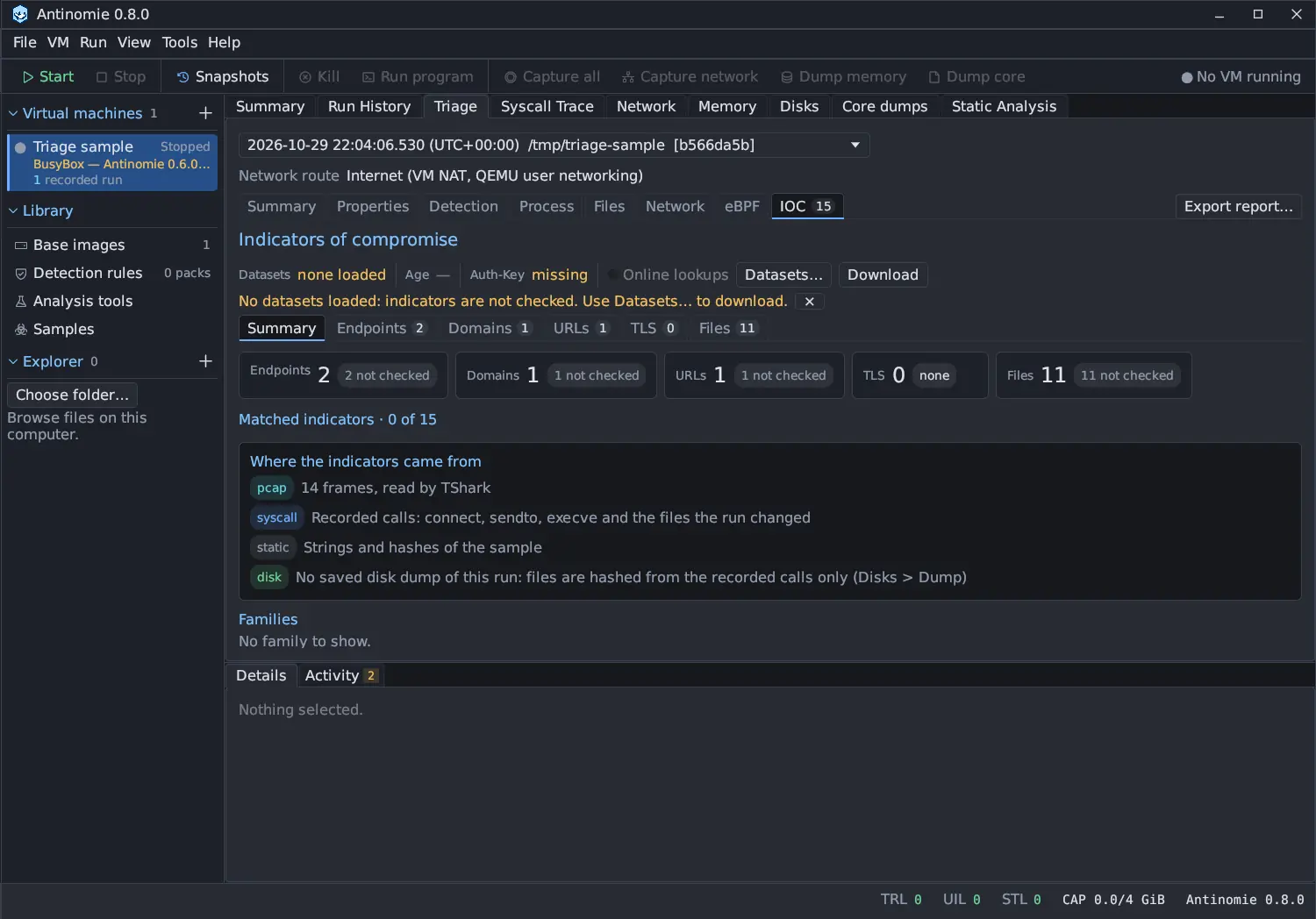
The IOC section’s tabs share one field set. Each tab has its own example:
ioc.match == matched (Endpoints), ioc.value contains example (Domains),
tls.ja3 == "…" (TLS) and file.role contains executed (Files).
| Field | Type | Meaning |
|---|---|---|
ioc.type |
text | endpoint, domain, url, tls or file |
ioc.value |
text | The indicator as the row shows it |
ioc.match |
text | matched, known_fp, no_match or not_checked |
ioc.source |
text list | pcap, syscall, disk or static |
ioc.process |
text | The one process that made a matching call |
ioc.dataset |
text | The dataset that lists it |
ioc.family |
text | The family the record names |
ioc.confidence |
integer | The record’s confidence, when it has one |
ioc.first_us, ioc.last_us |
integer | First and last seen in the run, Unix microseconds |
tls.sni, tls.ja3, tls.ja4, tls.ja3s, tls.cert |
text | TLS fields of a TLS indicator |
file.role |
text list | sample, created, executed, deleted, written at close, changed |
file.path |
text | Path in the guest |
file.sha256 |
text | SHA-256 of the content |
no_match is not a clean result: the datasets list only what abuse.ch has seen.
See Network.
Detection matches
Section titled “Detection matches”Example: finding.severity == high.
| Field | Type | Meaning |
|---|---|---|
finding.rule |
text | Engine rule identifier |
finding.title |
text | Rule title |
finding.severity |
text | Rule-supplied severity |
finding.source |
text | Rule namespace or local source |
finding.license |
text | Rule license metadata |
finding.author |
text | Authors named by the rule |
finding.mitre |
text list | ATT&CK references from the rule |
finding.count |
integer | Matched events or byte targets or blocks |
finding.engine |
text | YARA, IDS or Sigma |
stream.id, process.cookie, event.id |
integer | The original syscall of a Sigma match |
frame.number, capture.path |
The original packet and its capture segment | |
evidence.path |
text | Retained byte source |
evidence.offset |
integer | Matched file offset; missing for file-level conditions |
evidence.address |
integer | Known process virtual address |
evidence.report, evidence.block |
text | Report identity and scanned block |
Examples
Section titled “Examples”process.exe contains "curl"process.suspicious > 0finding.rule == "memory.rwx"finding.tier == "high" && finding.category == "persistence"finding.flags contains "failed"finding.technique contains "T1055"process.worst_tier == "high"file.path contains "/etc/" && file.successfile.operation in {unlink, unlinkat, rename}file.location == "persistence" && file.result == "succeeded"file.via == "io_uring"file.names contains "/tmp/"file.lifecycle contains "chmod +x"exists(file.interpreter)file.read_size > 4096network.sources contains "TLS"tls.sni contains "example"http.method == "POST" && http.host contains "example"ioc.match == "matched"file.role contains "executed"finding.engine == "YARA" && finding.severity == "high"