

Noise handling
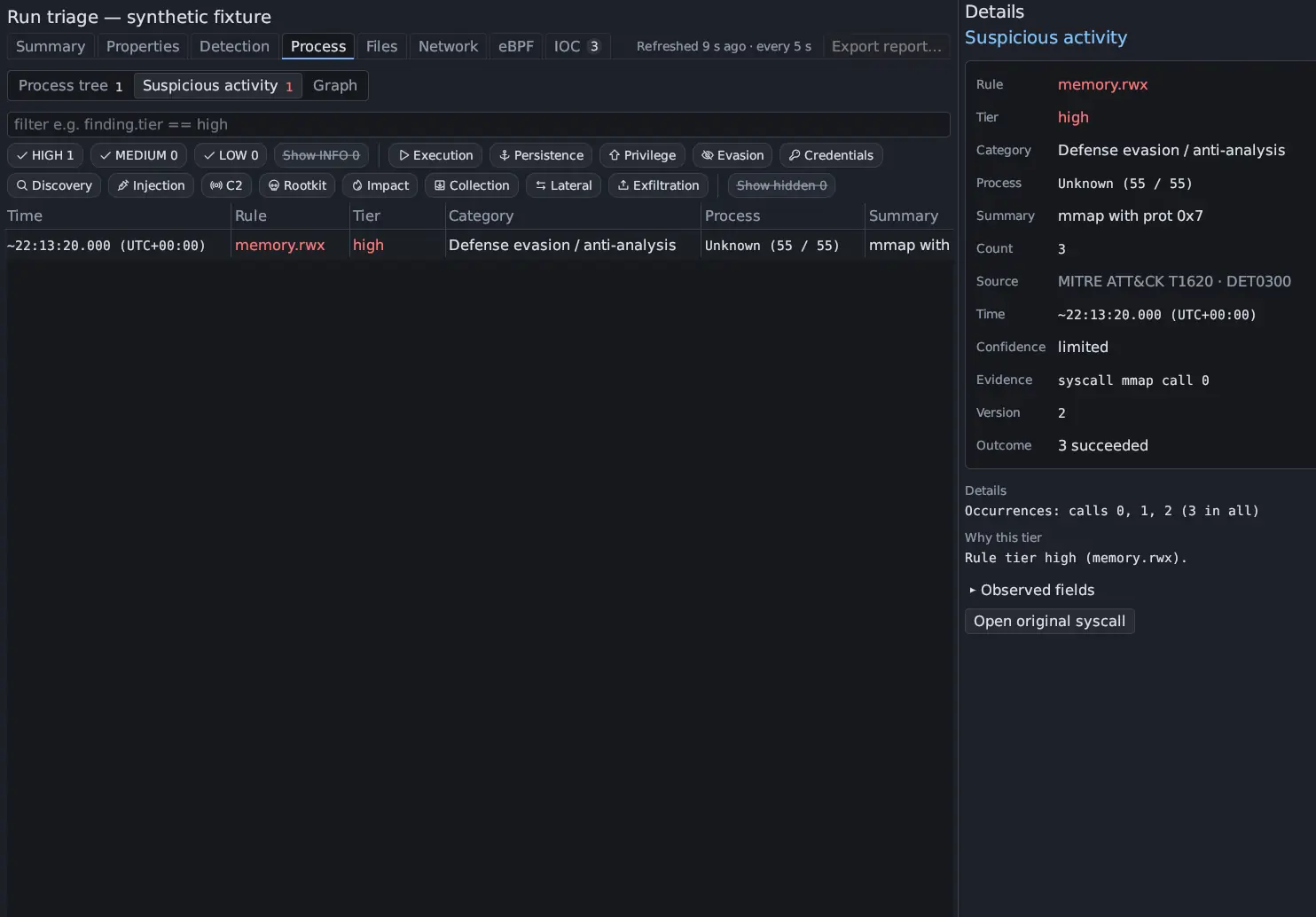
A sample that loops can make the same call a million times, and a guest has its own background work. Suspicious activity keeps every observation, but it groups repeats, lowers rows that ordinary software explains, and hides what is not the sample’s. Nothing is thrown away without being counted: every hidden row can be shown, and Details says why a row has its tier.
This has been so since Antinomie 0.7.1 (released 2026-10-26); 0.7.0 listed every matching call as its own row. This page describes 0.8.0, which is in development.
What changes a tier
Section titled “What changes a tier”The tier a match starts with can change:
| Situation | Effect | Flag (finding.flags) |
|---|---|---|
| Every call of the row failed | One tier down (“a failed attempt”) | failed |
| The same HIGH attempt failed five times or more | Tier kept (“repeated attempts keep the tier”) | repeated |
| The rule’s failures are the signal itself | Tier kept | failed |
| The program is on the rule’s allow-list (a package manager setting file times, an authentication program reading the password database, a JIT runtime for writable and executable memory) | One tier down, never hidden | allow-listed |
| The process is outside the run’s tree and the sample did not cause it | One tier down, hidden unless Show hidden is on | outside-scope |
| Seen on the network only, not tied to a process of the run | One tier down | vm-wide |
Some rules keep their tier when calls fail because failing is the point: a port scan is mostly refused connections, and a brute-force attempt is mostly rejected logins.
A process the run did not start counts as the sample’s when its program is a file the run wrote, for example a binary the sample dropped that cron or systemd started later. It keeps its tier.
Details → Why this tier lists the rule’s tier and every change with its
reason, such as Every call failed: one tier down (a failed attempt).
Grouping repeats
Section titled “Grouping repeats”Matches with the same rule, process and object are one row. The object is what
the rule is about: the file, the target process, the address or name, or the
rule’s own key (finding.object in a filter). Count says how many times it
happened, the row’s time is the first match, and Details → Occurrences lists
the calls behind it.
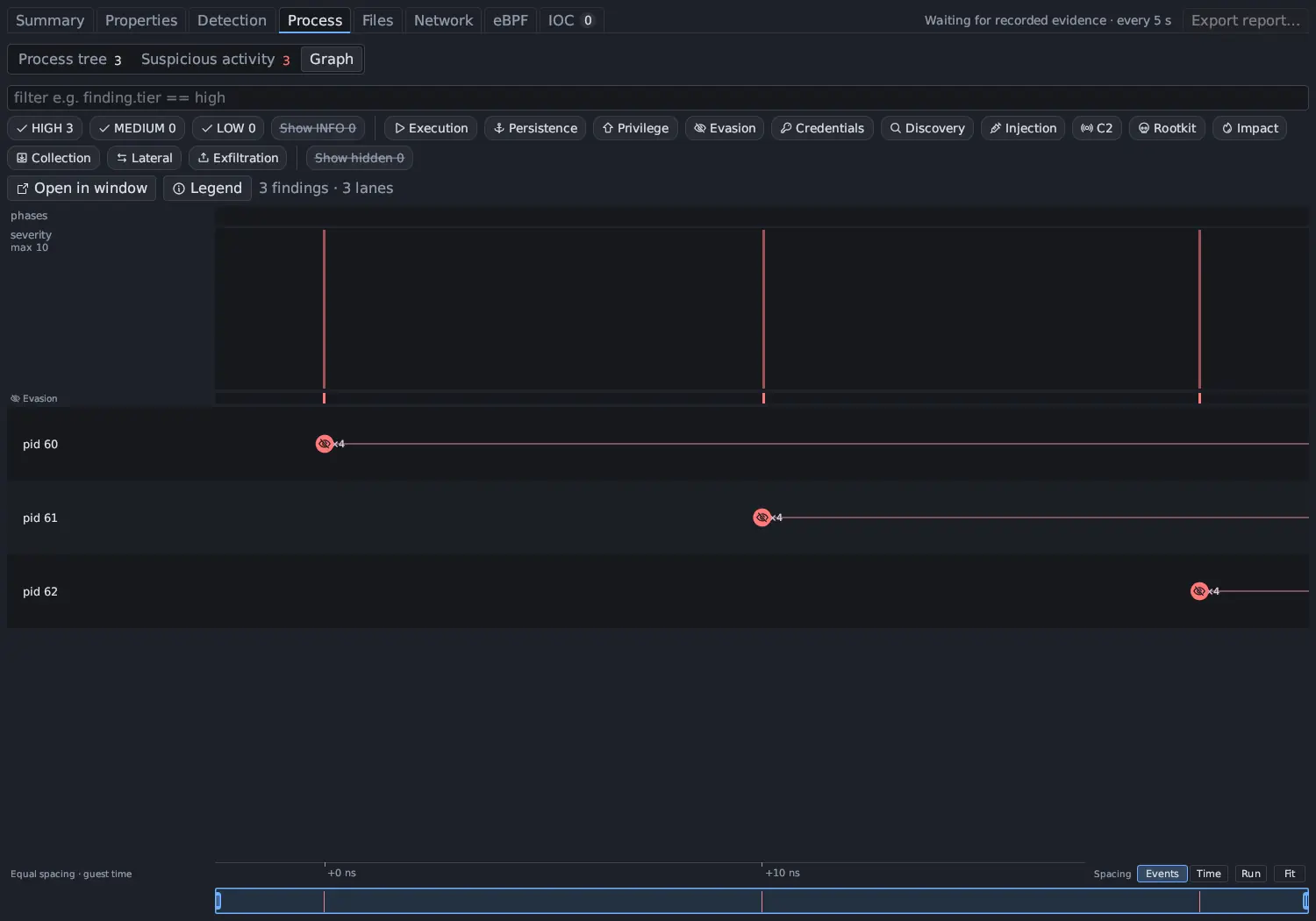
Children of one parent that run the same program with the same arguments and
did the same thing are folded too: 64 identical miner processes are one row
(collapsed), and Details says how many processes it stands for.
A row whose repeats come at a steady pace (at least seven regular gaps) says so
in its summary, as ×N every ~T, such as ×120 every ~30.0 s, and gets the
periodic flag. The tier does not change; for network rows that regularity is
itself evidence (see network.beacon in the rules).
A run keeps at most 50 rows per rule and process, 2,000 per rule, 500 per
process and 20,000 in total. Past a cap, one row per rule says +N more not stored (cap), the chip reads Show hidden / capped, and the rows are counted.
INFO rows
Section titled “INFO rows”INFO matches are counted, not listed. Every run keeps how many INFO matches each rule had, per process and per moment of the run, so the tier counts, the graph’s phases and the heat strip are complete. The rows themselves are built when you turn on Show INFO, and the calls stay in the recording either way. INFO does not add to the Suspicious activity count.
Activity that is not the sample’s
Section titled “Activity that is not the sample’s”A guest has its own life during a run: DHCP, time sync, name lookups, timers. Packets are captured for the whole VM, so that traffic is in the run’s capture too.
- A built-in suppression list (version 1) skips frames of VM housekeeping:
mDNS and LLMNR, DHCP and NTP ports,
.localand.lannames, and the time, connectivity-check and package mirror hosts of the common distributions. These frames are counted, not listed; the tooltip of Show hidden says how many. - A network row is tied to a task only when that task’s own calls reached the
same address. Otherwise it is marked
vm-wideand goes one tier down, and the graph puts it on the VM-wide / not tied to a process lane. - Processes outside the run’s tree that the sample did not cause are hidden
(
outside-scope) and shown with Show hidden. - When no resolver answered any name in the run (an Isolated VM, or a route
that drops everything), the failed-lookup rule
network.dga_nxdomainis reported as not evaluated rather than firing on every lookup. - Antinomie’s own activity is not the sample’s: the guest terminal and what you type in it, host clipboard typing, and uploaded files, which existed before the run. On a base built before 0.7.0, the small resource collector described in Stealth profile is excluded too; it deletes its own file and would otherwise look like a self-deleting program. A base built for 0.7.0 or later measures memory and disk in the guest kernel and runs no collector.
Seeing everything
Section titled “Seeing everything”| Control | What it does |
|---|---|
| Tier chips HIGH, MEDIUM, LOW | Narrow the table and the graph by tier; their counts are always shown |
| Show INFO | Off by default; builds the INFO rows |
| Category chips | One per category, including Evasion |
| Show hidden (Show hidden / capped) | Shows the outside-scope rows; its tooltip counts the suppressed frames and the capped rows |
| Details → Why this tier | The rule’s tier and every change, with the reason |
| Details → Occurrences | Every call behind a grouped row |
| Filter fields | finding.tier, finding.base_tier, finding.category, finding.technique, finding.count, finding.flags, finding.hidden; finding.severity keeps working |
How the count is coloured
Section titled “How the count is coloured”The count on Suspicious activity is red when there is a HIGH row, amber when
there is a MEDIUM row, and neutral otherwise. Hover it for the split, such as
2 high · 5 medium · 11 low · 340 info · 12 hidden. The chip beside a process
in the process tree counts that process’s rows and takes the colour of its worst
tier. A count that is still being built shows a spinner, and an unavailable
count is not shown as zero, as for every Triage count (see
Summary and counts).
Live notifications
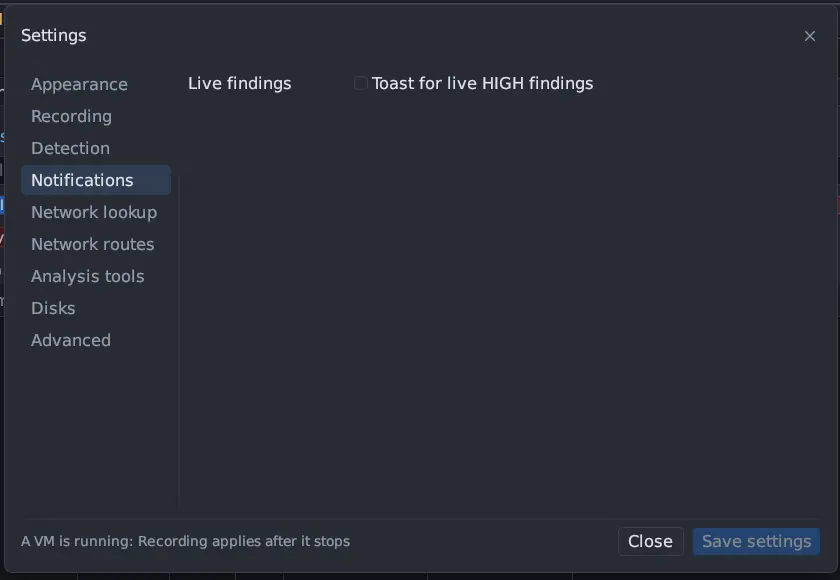
Section titled “Live notifications”During a live run, Tools → Settings… → Notifications → Toast for live HIGH
findings raises a toast for the first HIGH finding of each rule; later hits of
the same rule in the same run add ×N to it instead of raising new ones. The
check runs when the run’s index is read again, every 5 seconds while Triage is
shown and every 15 seconds otherwise. In 0.8.0 this setting is off by default.
The Summary strip
Section titled “The Summary strip”Main activity graph on Triage › Summary shows the run’s phases, severity
curve and category heat strip on every run. When nothing is above LOW it
collapses to one line, such as No medium or high activity · 11 low · 340 info;
the arrow opens it. See Summary and counts.