

Compare runs
Antinomie keeps every run, so you can compare runs of the same sample under different conditions: as Root and as Normal user, with and without network, on BusyBox and on Debian, or before and after a change. You read each run in turn; the tools below make that quick and fair. This page describes Antinomie 0.8.0, which is in development; the current release is 0.7.1.
![Run History with three runs, /opt/miner/xmrig, /usr/bin/curl and /tmp/dropper [static analysis], each Finished, with the filter box and the count 3 of 3 runs.](/_astro/polish-history.CdyN5s2w.webp)
1. Label the runs
Section titled “1. Label the runs”Right-click each run in Run History and use Rename… and Edit tags…, for
example the tag baseline or no-network. Names and tags are stored beside the
run and can be filtered on.
tag == "baseline"process.exe contains "sample" && run.state == "Recording ended"See Run History filter.
Runs of one sample, across VMs
Section titled “Runs of one sample, across VMs”When the program came from the sample library, its
runs are tied to the sample, whichever VM they ran in. Run History shows the
sample’s name in its Sample column and filters with sample == "name" or
sample.sha256 == "…". Open the sample (Library → Samples, double-click) to
see its Runs tab: Run History across every VM, limited to that sample, with
the environment each run started in (VM, base image, kernel, rule packs, tools,
app).
![The sample window of install.sh on its Runs tab: All, Live and Past with the filter chip sample == install.sh, 2 of 2 runs, and two /tmp/install.sh runs, one marked [static analysis], both Finished, with Root exit Unknown and VM vm, each with a terminal and a stop icon.](/_astro/samples-runs.BIiXv5o7.webp)
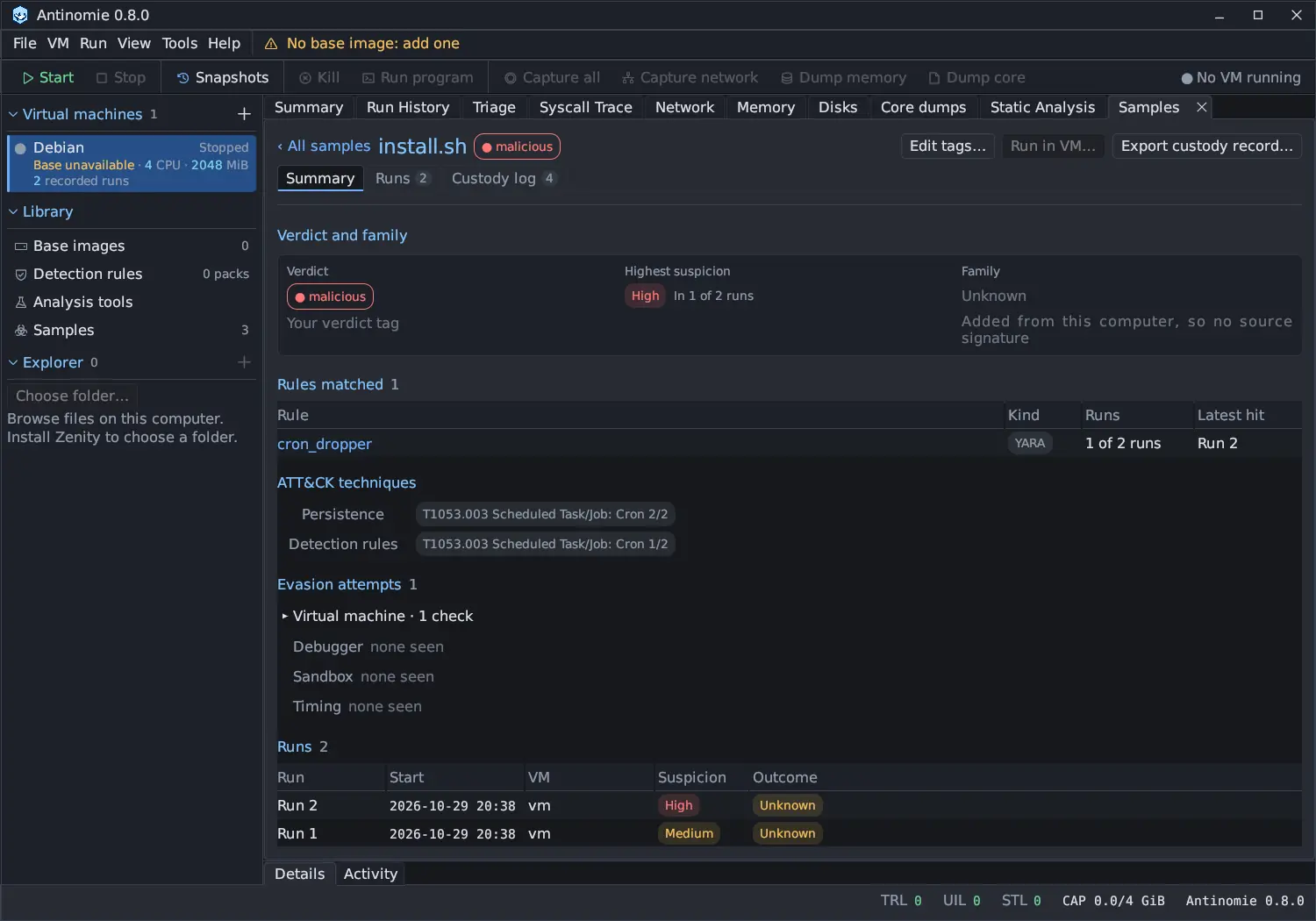
The sample window’s Summary adds Triage up over the sample’s runs: the highest suspicion and the runs that reached it, a Suspicion column per run, the rules that matched with the runs and the latest hit, ATT&CK techniques, evasion attempts and indicators. A run Triage never opened says not triaged instead of guessing. See The sample window.
2. Check that the runs are comparable
Section titled “2. Check that the runs are comparable”- Same file? Compare the SHA-256 in Triage → Properties of each run.
- Same conditions? Run details show user, working directory, environment,
and which analyses were on. The filter fields
process.uid,capture.networkandrun.has_networkhelp. - Both complete? A run that says Saving stopped, or that lost records
(
run.loss.transport > 0), is not a fair baseline. See Recording health. - How each ended.
run.root_exitandroot.exit_codeshow the outcome.
3. Compare the Triage summaries
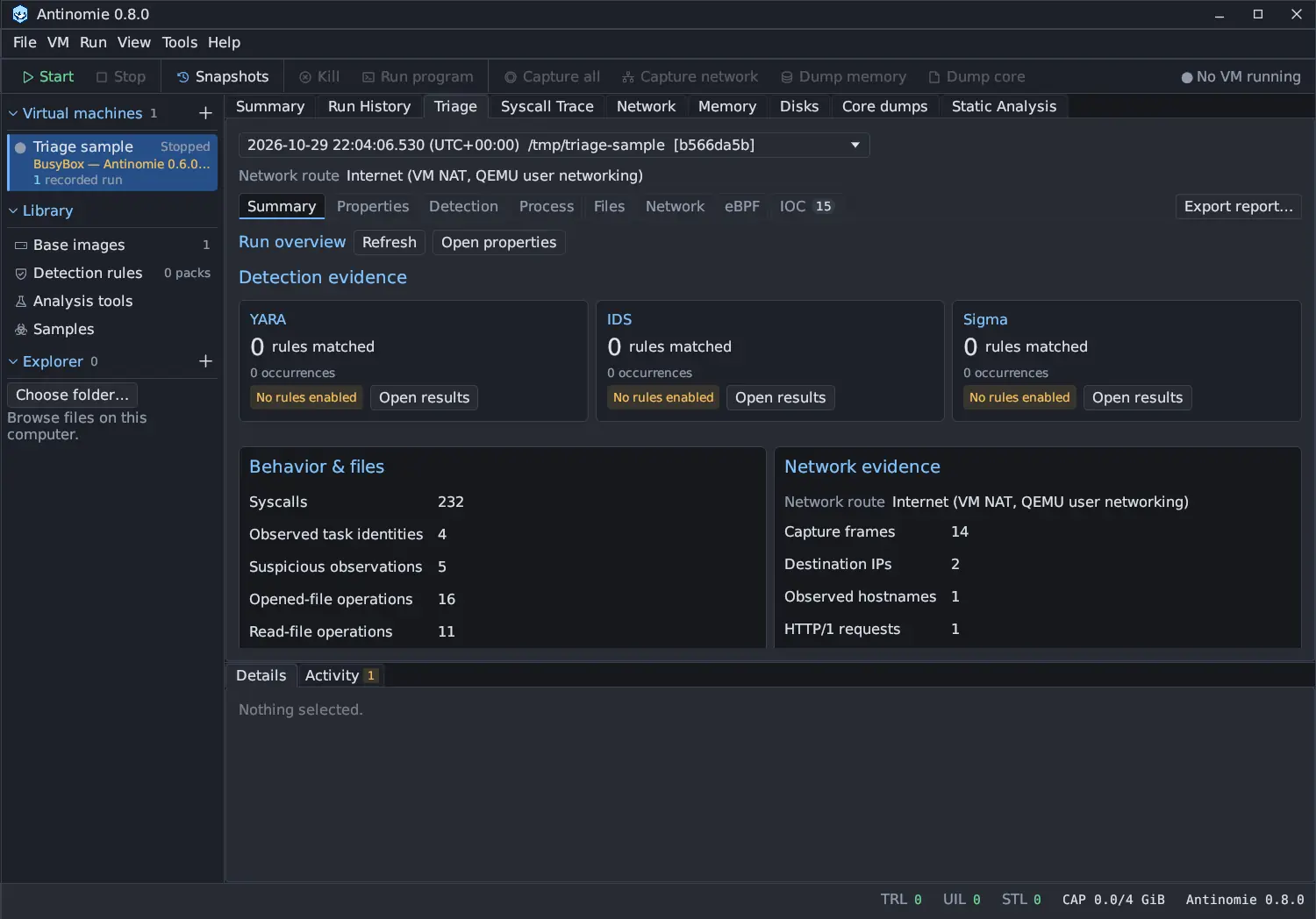
Section titled “3. Compare the Triage summaries”Select each run in turn and compare Triage → Summary: the syscall, task, suspicious-observation, file and network counts, and the ATT&CK techniques the matched rules cite. Counts do not depend on filters, toggle chips or pages, so they are directly comparable. A run that lived through a transport reconnect keeps one run id and is read whole, every recording segment included.
4. Compare the details
Section titled “4. Compare the details”| Question | Where |
|---|---|
| Which processes did it start? | Process → Process tree |
| Did a rule fire in one run only? | Process → Suspicious activity; filter on finding.rule, or compare the tier counts on the chips |
| Did the timeline differ? | Process → Graph: the phases, severity curve and lanes |
| Which files differ? | Files → Changed files; compare the Lifecycle column, and filter on file.path, file.category and file.result |
| Did it write the same content? | The guest’s SHA-256 in a changed file’s lifecycle and Details (closed after write · SHA-256 …), with a base built for 0.7.0 or later; Per-file history → Content changes, or Reconstruct contents… and Hash this state |
| Did it reach different hosts? | Network → Endpoints, Domains, URLs and TLS, and the IOC section |
| Did the same system calls fail? | Syscall Trace; filter exists(syscall.errno) and compare |
To compare one question across runs, keep the same filter text and switch the run in the run dropdown at the top of Triage or Syscall Trace.
To compare what two runs left on the disk rather than what the kernel was seen doing, stop the VM and use Disks: dump the disk after each run and Compare with… the other dump. See Disks.
Things that make runs differ without meaning anything
Section titled “Things that make runs differ without meaning anything”- Guest times and PIDs differ every boot. Compare names, paths and counts.
- Never drop changes timing. Heavy tracing slows the guest.
- Random behavior, such as randomized names or addresses, makes some differences noise. Repeat a run to find out what is stable.