

Tiers and categories
Every row in Triage → Process → Suspicious activity comes from one rule. A rule has a tier, which says how unusual the behaviour is for ordinary software, and a category, which says what the behaviour is for. Neither is a verdict: a HIGH row is a reason to look, not proof that the sample is malicious.
The tiers and categories arrived in Antinomie 0.7.1 (released 2026-10-26), which
has 134 rules. This page describes 0.8.0, which is in development and has 136;
the two new ones, credential.canary_used and credential.cloud_credentials,
belong to the cloud VPS profiles.
The rules are described in Suspicious activity rules. How rows are grouped, lowered and hidden is in Noise handling.
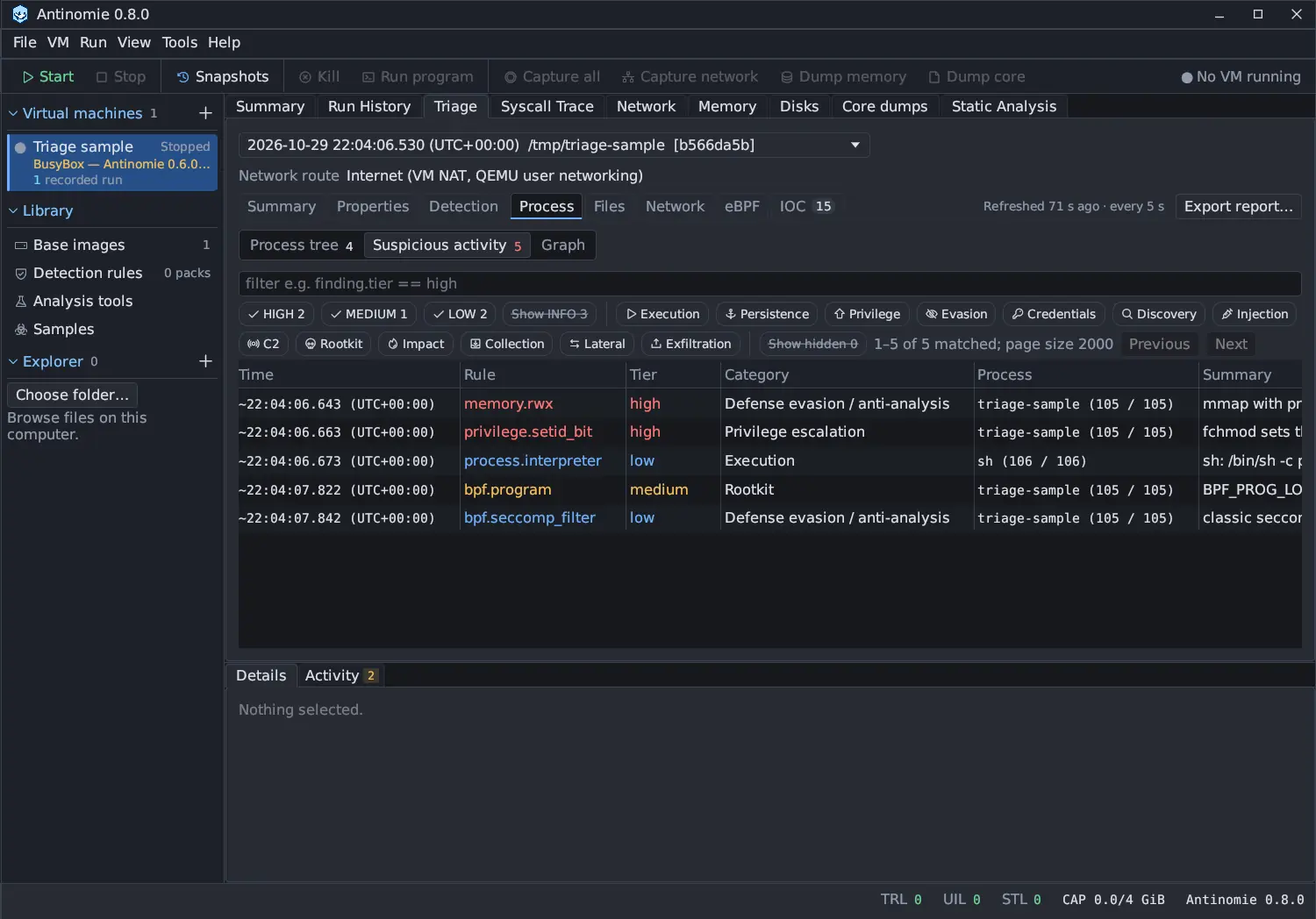
| Tier | Meaning | Typical benign sources | Weight | Rules in 0.8.0 |
|---|---|---|---|---|
| HIGH | Rare in benign software. Worth reading on its own. | Almost none in a sample run: debuggers, rootkit-detection tools, installers that load kernel modules | 10 | 52 |
| MEDIUM | Benign software does this sometimes; the context decides. | Installers, administration tools, JIT runtimes, package managers | 4 | 57 |
| LOW | Common in benign software. Useful in a chain or on the timeline. | Shells, scripting runtimes, sandboxed browsers, daemons | 1 | 22 |
| INFO | Context. Always counted; its rows are built only when you turn on Show INFO. | Every program | 0 | 5 |
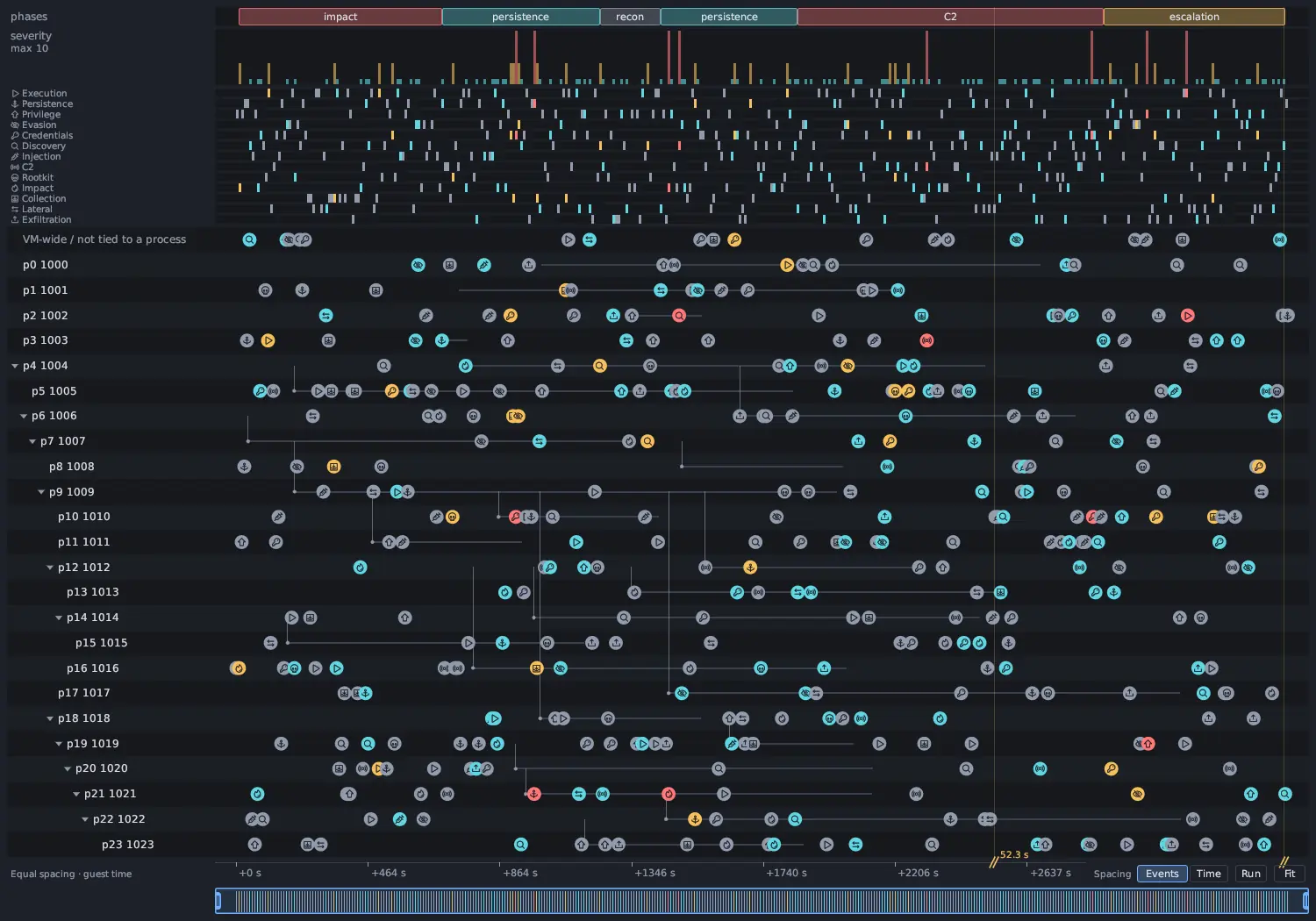
The weight adds up in the severity curve of the activity graph, so LOW rows outweigh one HIGH row only when there are more than ten of them. The tier’s colour is the same everywhere: red for HIGH, amber for MEDIUM, cyan for LOW and grey for INFO.
A rule that depends on its context can start a match at another tier than its
own (for example a bpf.program attach to the whole kernel is HIGH, a failed
one INFO). A tier can then move after the rule has matched: a failed attempt
goes one tier down, as does activity outside the run’s process tree, a packet
not tied to a process of the run, and a program on the rule’s allow-list. The
rules for that are in Noise handling. In a
filter, finding.base_tier is the tier a match started with and
finding.tier the one it ended with.
Categories
Section titled “Categories”The categories follow MITRE ATT&CK tactics, with Rootkit split out because it needs different evidence (kernel state rather than system calls), and Injection split out of privilege escalation and stealth because it is the same act whatever its purpose. Each has a chip in Suspicious activity, with the icon its markers carry in the graph and its row in the graph’s heat strip.
| Category | Chip | Filter value | What it covers | Rules in 0.8.0 |
|---|---|---|---|---|
| Execution | Execution | execution |
Starting programs, interpreters, dropped and fileless images | 12 |
| Persistence | Persistence | persistence |
Anything that runs the sample again: cron, systemd, init scripts, shell profiles, SSH keys, udev, PAM, kernel modules | 17 |
| Privilege escalation | Privilege | privilege |
Gaining user or capability rights, setuid, sudoers, kernel exploits, container escape | 11 |
| Defense evasion / anti-analysis | Evasion | evasion |
Hiding, cleaning up, disabling tools, masquerading, and every sandbox, VM, debugger and timing check | 27 |
| Credential access | Credentials | credential |
Reading password hashes, keys, tokens, browser and wallet stores, process memory, cloud metadata credentials | 11 |
| Discovery | Discovery | discovery |
Enumerating processes, users, files, the network and security software | 7 |
| Injection | Injection | injection |
Writing into another process, preloading libraries | 8 |
| Command & control | C2 | c2 |
Reverse and bind shells, raw sockets, Tor, DGA, tunnels, beacons, matched indicators | 17 |
| Rootkit | Rootkit | rootkit |
eBPF programs and kernel memory access | 2 |
| Impact | Impact | impact |
Encryption, deletion, wiping, reboot, mining, floods | 11 |
| Collection | Collection | collection |
Keylogging, screen, audio and video capture, staging archives | 7 |
| Lateral movement | Lateral | lateral |
Spreading over SSH, brute force, exploiting services | 4 |
| Exfiltration | Exfiltration | exfiltration |
Sending files or large volumes out | 2 |
Defense evasion / anti-analysis is where the Evasion view lives. It is not a
separate tab: select the Evasion chip in Suspicious activity to see every
anti-analysis check the sample made through system calls and the answer the
guest gave. CPUID and RDTSC checks run inside the program and leave no call,
so they are not visible. Since ATT&CK v19 the former Defense Evasion tactic is
two tactics, Stealth (TA0005) and Defense Impairment (TA0112); this
category covers both. Virtual machine and sandbox checks (T1497) belong to both
Stealth and Discovery in ATT&CK; Antinomie lists them here.
Status marks
Section titled “Status marks”The rule reference gives every rule a status mark about its data:
| Mark | Meaning |
|---|---|
| ✅ | Recorded. The data is in a recording; the rule looks at one call, one kernel record or one packet. |
| 🔶 | Needs correlation. The data is recorded, but the rule has to follow several calls, files or packets over time. |
| 🔷 | Needs new kernel data. The guest kernel does not record what the rule needs. |
The mark is about the data, not about whether the rule exists in a version.
Versions
Section titled “Versions”| Version | What changed |
|---|---|
| 0.7.0 (not released separately) | 14 rule ids, two severities (high, medium), no categories |
| 0.7.1 (released) | Tiers and categories, the rules re-tiered, split and extended to 134, noise handling, the activity graph and the Main activity graph strip, the Evasion category, IOC matches as c2.ioc_match |
| 0.8.0 (in development) | 136 rules: credential.canary_used and credential.cloud_credentials for cloud VPS profiles |
finding.severity from 0.7.0 filters still works: it holds the same value as
finding.tier. See Triage table filters.