

Network filters
The Network panel has three filters in its Filters section. They answer different questions, so each has its own box. The tables of Triage › Network use the shared Triage syntax instead; their fields are in Triage table filters.
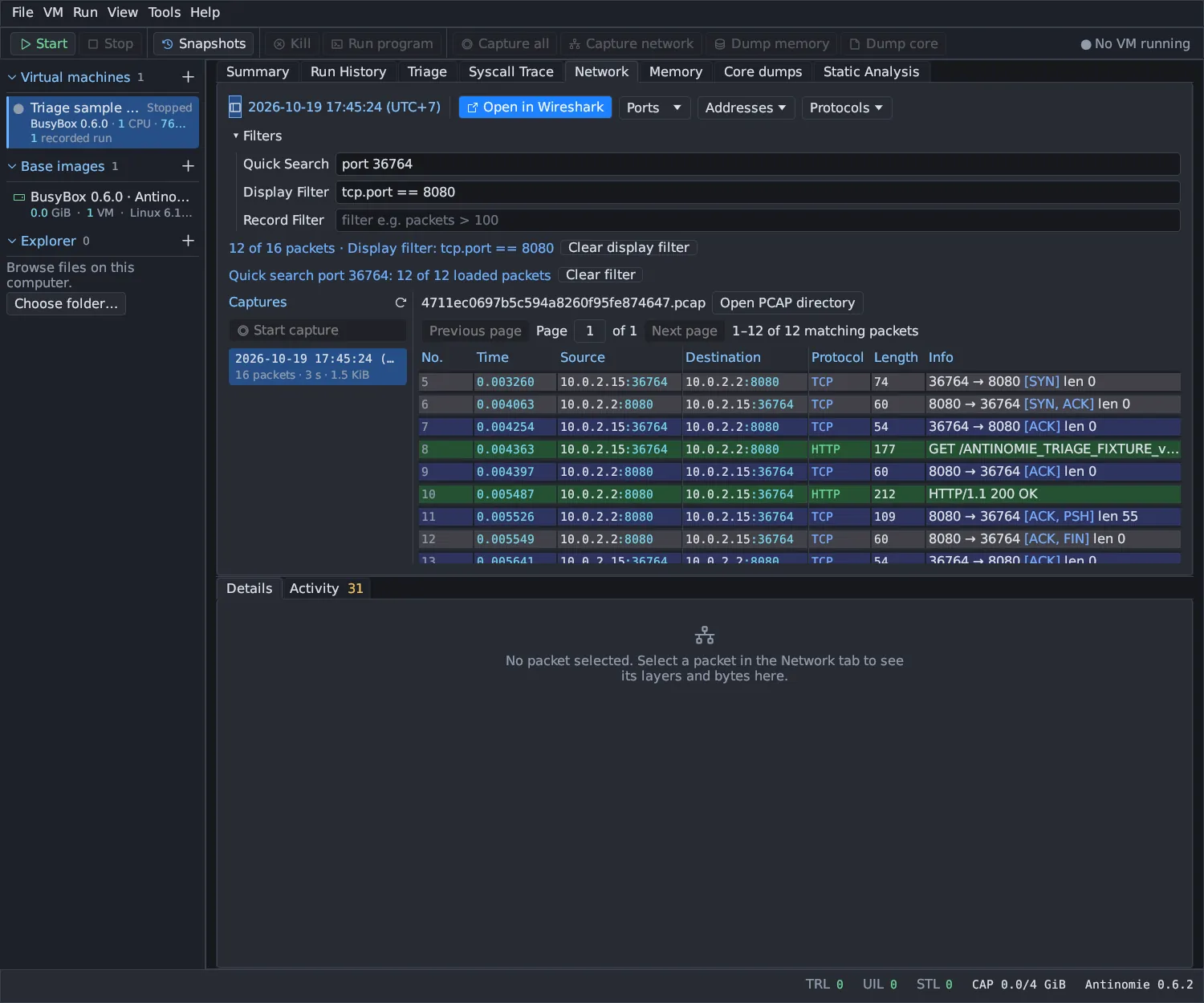
| Filter | Filters | Engine |
|---|---|---|
| Quick Search | The packets loaded in the table | Antinomie’s own simple matcher |
| Display Filter | Every packet of the open capture | The installed TShark |
| Record Filter | The list of captures | The shared syntax |
Quick Search
Section titled “Quick Search”Quick Search is deliberately simple and affects only the loaded page of
packets. Use the Display Filter to search a whole capture. Its placeholder is
filter e.g. port 443. Text is not case-sensitive. The protocol and info text
it matches are the Protocol and Info columns as the installed TShark
prints them.
| You type | Matches |
|---|---|
port 443 |
Packets with that source or destination port |
ip 10.0.2.15 (or host 10.0.2.15, or the bare address) |
Packets with that source or destination address |
10.0.2.15:443 |
Packets to or from that address and port |
proto dns |
Packets whose protocol contains that name |
| anything else | Packets whose source, destination, protocol or info text contains it |
The Ports, Addresses and Protocols dropdowns, clicking an address,
port or protocol in a row, and the packet’s right-click Filter by … items
all write a Quick Search filter. Clear filter removes it, and the status
line shows Quick search …: N of M loaded packets.
Display Filter
Section titled “Display Filter”The Display Filter uses Wireshark display-filter syntax, evaluated by the
tshark installed on your computer with Wireshark’s two-pass semantics. Field
names and their descriptions come from that installation, so completion lists
the fields your TShark knows. Its placeholder is filter e.g. tcp.port == 443.
See Wireshark’s own documentation:
Examples:
ip.src == 10.0.2.15 && tcp.dstport == 80http.request.method == "GET"dns.qry.name contains "example"tcp.port in {80, 443} && ip.addr == 10.0.2.15tcp && !udpOn a Routed VM using Tor, VPN or SOCKS5, the guest connects to
stand-in addresses from 198.18.0.0/16, so filter by name rather than by
address, for example dns.qry.name contains "example", http.host == "example.com" or tls.handshake.extensions_server_name contains "example". See
Network routes.
How it behaves in Antinomie:
- The filter runs in an isolated, resource-bounded background job over the whole capture, a moment after you stop typing. The previous result stays visible with Applying display filter… until the new one is ready.
- The result is shown in pages. The line
N of M packets · Display filter: ...summarizes it, and Clear display filter removes the filter. - For a live capture the filter covers the records written completely so far.
- The original pcap is never changed. Cancelling confirms that the TShark child process ended.
- Without TShark the box is disabled with
needs tshark. Install it; see Installation and requirements. - Right-click a packet and choose Display filter to build a clause from its frame number, length, addresses, transport and ports.
Record Filter
Section titled “Record Filter”The Record Filter narrows the Captures list by name, tags, state and
other fields. Its placeholder is filter e.g. packets > 100. A line such as
2 of 5 captures match the record filter shows the effect. If the filter hides
the open capture, the panel closes it and says so.
| Field | Type | Meaning |
|---|---|---|
name |
text | Displayed capture name |
state |
text | live, completed or unfinished |
boot |
text | Recorded guest boot identity |
start, stop |
integer | Unix start and stop time in milliseconds |
packets |
integer | Packet count recorded when the capture stopped |
size |
integer | Pcap size in bytes recorded when the capture stopped |
whole_boot |
boolean | A whole-boot recording rather than a per-start capture |
entry.kind |
text | Always network here |
entry.id |
text | Capture ID |
entry.name |
text | The name you gave the capture |
entry.path |
text | The pcap path |
tag |
text list | Your tags |
entry.state |
text | Same as state |
entry.complete |
boolean | True once the capture has stopped |
entry.time_ms, entry.size |
integer | Start time and size (same as start and size) |
boot.id |
text | Recorded boot identity |
The fields vm.id and run.id are accepted but are not recorded for network
captures, so they are always missing here.
Examples:
packets > 100state == "live"name contains "boot"tag == "malware" && size > 1000000!whole_boot