

Collect indicators of compromise
An indicator is only as good as the evidence behind it. Antinomie lets you copy each one together with the call or packet that produced it, and export a run’s indicators in formats other tools read.
Files and hashes
Section titled “Files and hashes”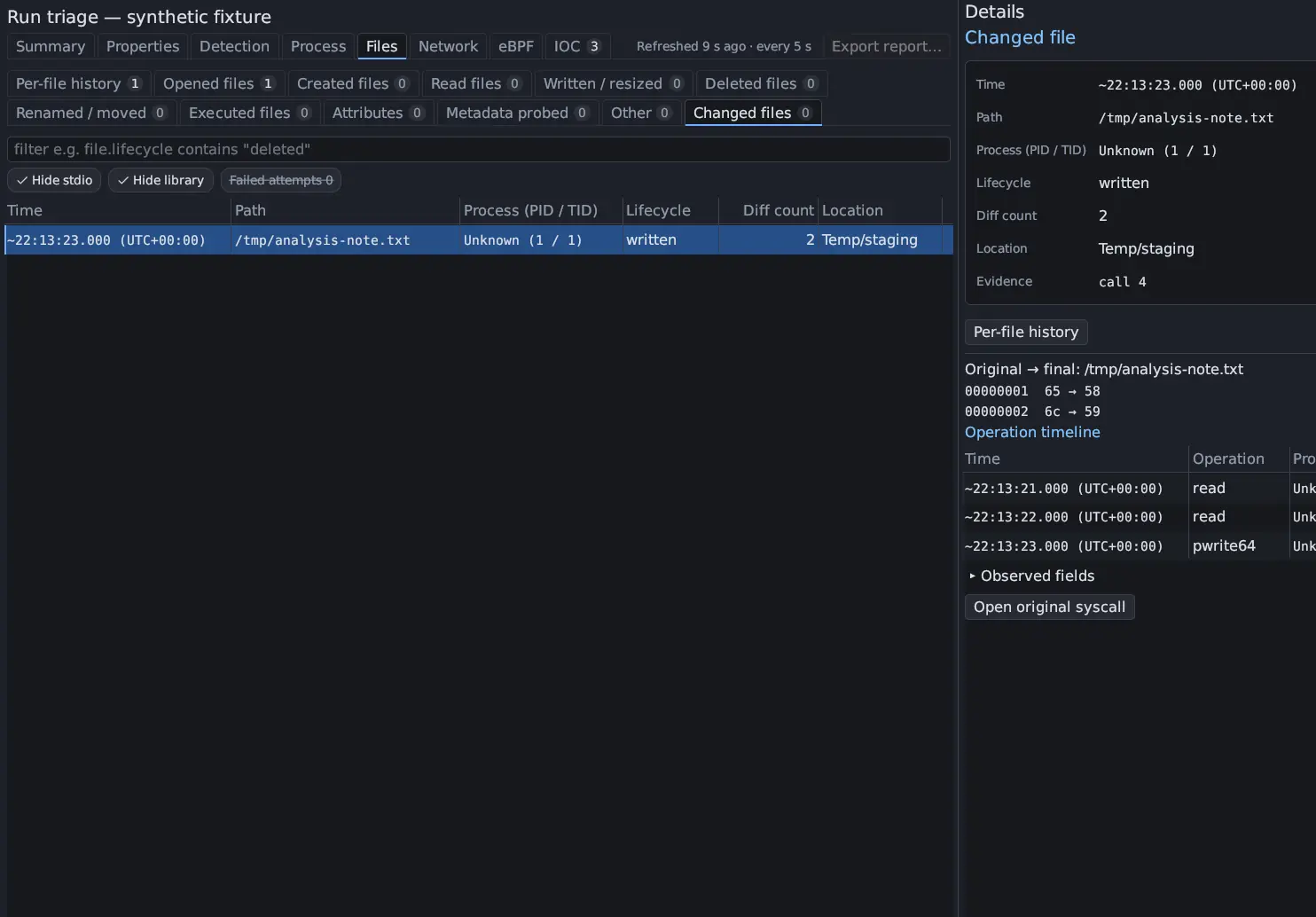
- Triage → Properties: SHA-256, SHA-1, MD5, ssdeep and TLSH of the sample the run launched, from the retained executable. Use Copy value or Copy properties as JSON.
- Triage → Files → Changed files: paths the sample created, wrote, renamed or deleted, one row per file with all its names and its Lifecycle. Created files, Executed files and Deleted files list the individual calls. Filter to the interesting ones, for example:
file.location in {persistence, credentials}file.lifecycle contains "executed"file.path contains "/tmp/" || file.path contains "/etc/cron"exists(file.interpreter)- Process → Suspicious activity rows such as
persistence.config_writeandpersistence.modulepoint at persistence locations.
A changed file shows the bytes the recording captured. With a base built for
0.7.0 or later, the guest also hashes each file the run wrote when its last
writer closes it, and a file just before it is deleted: the lifecycle shows
closed after write · SHA-256 … or hashed before delete · SHA-256 …, and
Details has the full digest. Without such a hash, a file whose content is
incomplete cannot be hashed from the recording.
New in 0.8.0 To hash a file as the run left it, or at any point in between, open it in File Reconstruction: Hash this state works when every byte is known, and compares the result with the guest’s hash. To keep a dropped file itself, promote it to the sample library with Add to Samples…, or put it in a report’s evidence bundle.
Network
Section titled “Network”![Triage › Network with the Endpoints, Domains, URLs and TLS tabs, Open Packets and Open IOC buttons, and the Endpoints table: 8.8.8.8:53 and [2001:db8::53]:53, each IOC Not checked, udp, with frames, bytes, and country and organization Unavailable.](/_astro/triage-endpoints.CuITBe96.webp)
- Triage → Network → Endpoints: destination
ip:portpairs with an IOC column, protocol, frames and bytes, and country and organization when your lookup is set up. Local addresses are not indicators. - Domains: names from DNS questions, TLS server names and HTTP Host headers, with the DNS answer code.
- URLs: method, host and URI of cleartext HTTP requests.
- TLS: one row per server name, with the server and its JA3 fingerprint.
- Network panel: open the pcap, apply a Display Filter such as
dns.qry.name contains "example", and Open in Wireshark for more.
These tables describe VM traffic during the run. Encrypted request contents are not available, and packets are not attributed to a process.
The IOC tab
Section titled “The IOC tab”Triage → IOC gathers the run’s indicators (endpoints, domains, URLs, TLS values and file hashes) and matches them offline against the abuse.ch datasets. Each row shows its sources, the process when exactly one process made a matching call, and a verdict: Matched, Known FP, No match or Not checked. No match is not a clean result: the datasets list only what abuse.ch has seen. Export… writes the listed rows as CSV or JSON.
Processes and commands
Section titled “Processes and commands”- Process → Process tree: executables, Argv and Exec history.
- Syscall Trace:
process.argv contains "--"andsyscall.name == execvefor command lines, andsyscall.name in {connect, sendto}for destinations.
Rules and techniques
Section titled “Rules and techniques”The Detection matches carry rule names and MITRE ATT&CK references, and
Suspicious activity rows carry their technique, such as T1059.004 Command and Scripting Interpreter: Unix Shell. Copy a detection result with Result →
Copy result as JSON.
Across all runs of a sample New in 0.8.0
Section titled “Across all runs of a sample ”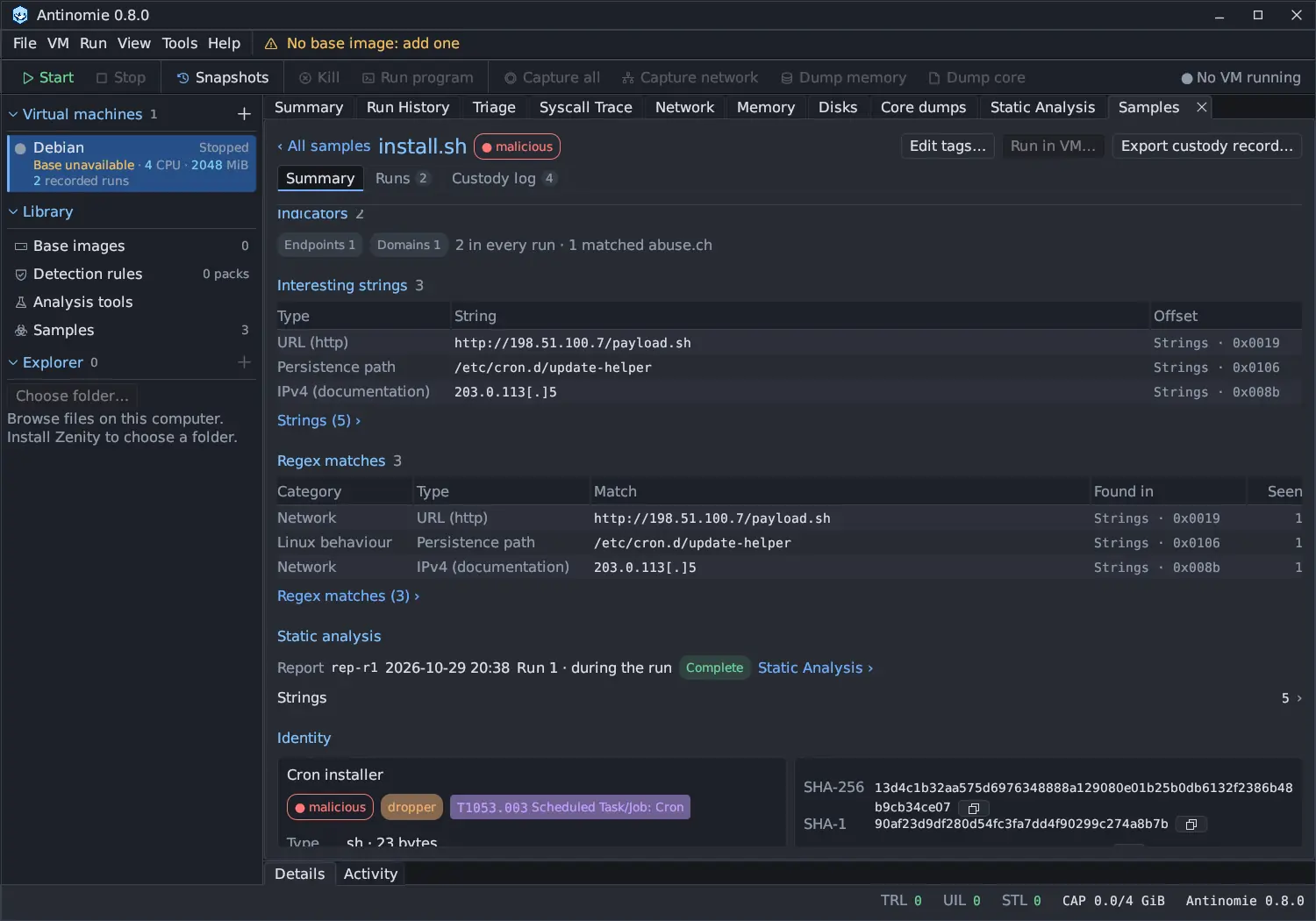
When the sample is in the library, its sample window adds the indicators up over every run Triage has read: how many of each kind, how many appeared in every run and how many matched abuse.ch. Its Interesting strings and Regex matches list the URLs, addresses, domains and paths in the static analysis report, with addresses defanged. Rules matched and ATT&CK techniques say in how many runs each was seen. An indicator that appears in every run is a better candidate than one seen once.
Export the indicators New in 0.8.0
Section titled “Export the indicators ”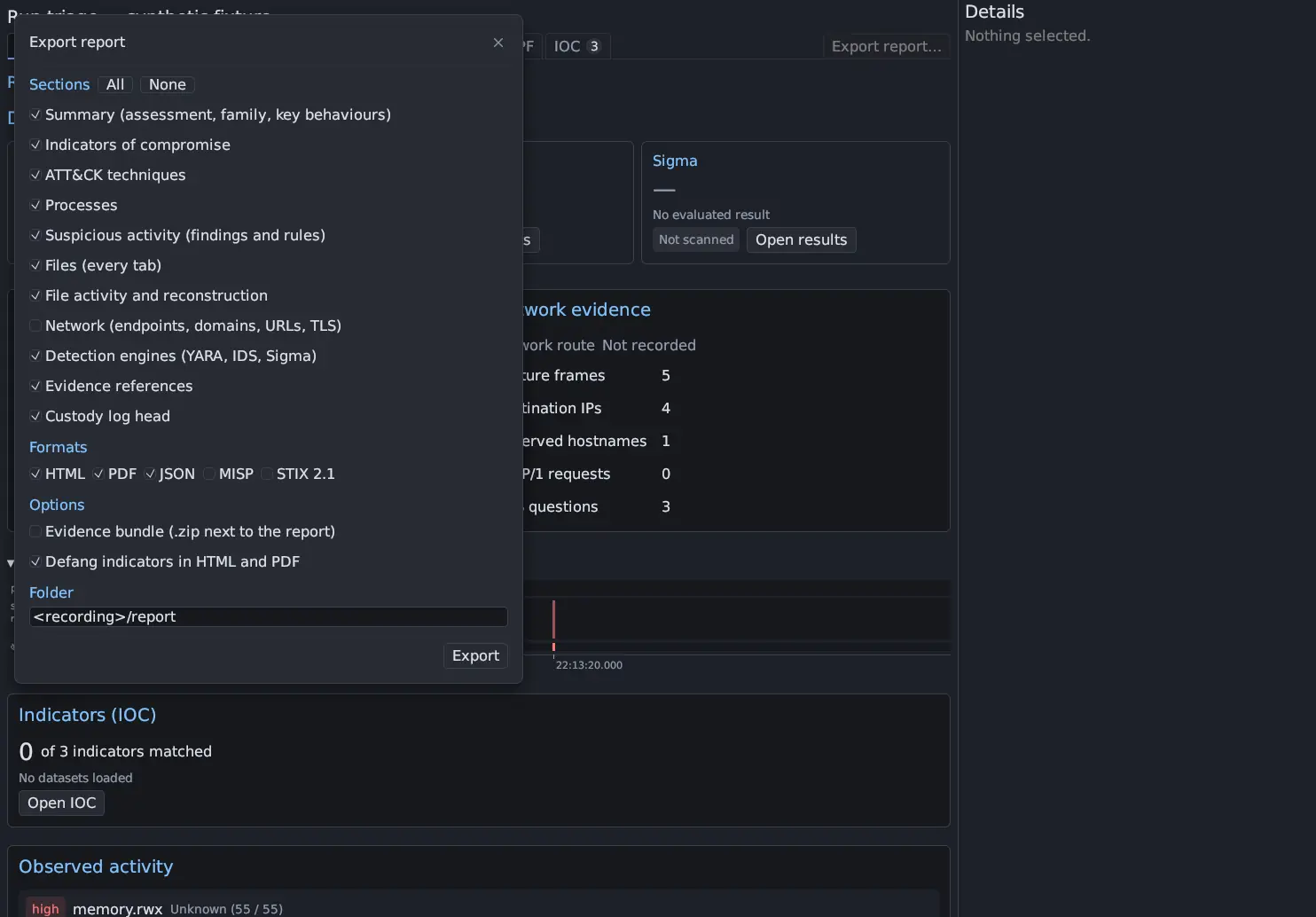
Triage → Export report… writes the run’s indicators with everything else Triage found, for the whole run whatever the screen’s filters show:
- MISP: one event with an attribute per indicator,
to_idsset only for indicators a stored dataset matched, and ATT&CK galaxy tags; - STIX 2.1: a bundle with an
indicatorper value STIX can pattern (JA3 and JA4 have none),attack-patterns and relationships; - JSON: the
indicatorsarray with raw values, kinds and dataset answers; - HTML and PDF, defanged if you tick Defang indicators in HTML and
PDF (
hxxp://example[.]com).
See Report export and evidence bundle.
Copy with the evidence
Section titled “Copy with the evidence”Right-click a Triage row to build a filter clause, double-click to open its syscall or packet, and note the Evidence column (the call ID or frame number). In your write-up record the run ID, the boot and the evidence, so someone can find it again. Add the sample’s custody head hash, from its custody log, so the reader can check that the sample’s record was not changed afterwards. See Trace a hit back to the evidence and Export and use with other tools.