

What gets traced
Antinomie only records processes you ask it to follow. There are three ways to choose them. None of them stops, signals or changes the traced programs. This page describes Antinomie 0.8.0, which is in development; the current release is 0.7.1.
| Mode | Starts from | What is traced |
|---|---|---|
| Run program | The toolbar button, Run → Run program… or Ctrl+R | The launched program and all its descendants |
| Attach to process… | Run → Attach to process… | One process that is already running in the guest, and its future children |
| Capture all | The toolbar button or Run → Capture all | All of userspace in the guest |
Attach and Capture all need a base made for Antinomie 0.2.0 or newer. Stop capture ends an attach or Capture all; programs keep running.
Run → Attach debugger… is not a fourth mode: it debugs a process without recording anything new. See Debugger.
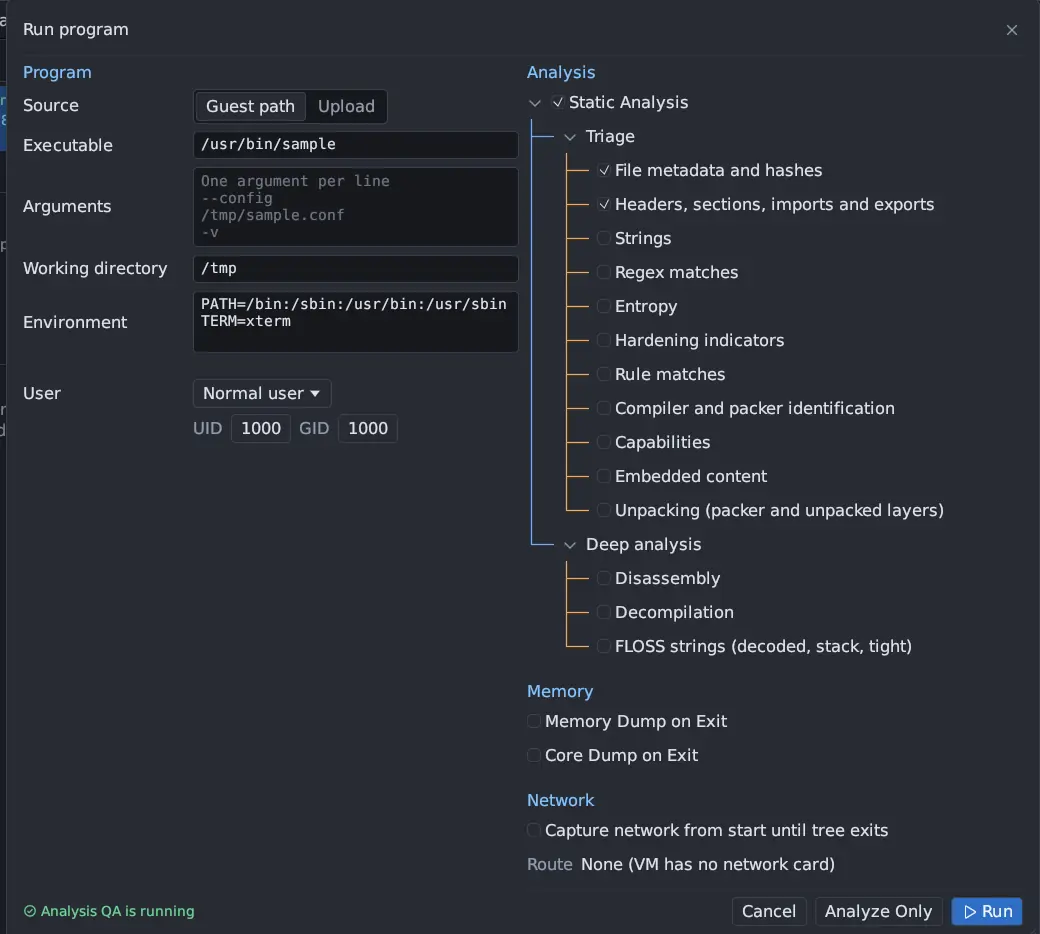
Run and child processes
Section titled “Run and child processes”A run follows the launched program through fork, clone, vfork, exec,
double forks and the parent exiting. Each task has its own identity in the
recording, so a reused process ID never mixes two processes, and a process that
moves between CPUs stays one process. Descendants stay in the run’s tree even if
they outlive the root. The run’s Tree status and Root exit are separate
facts for that reason.
Programs launched by Run program start the way a terminal’s shell would start them, so daemonizing programs keep running after they fork.
Attach to process
Section titled “Attach to process”Attach to process… opens a picker listing every process in the guest, with a filter. Choose one to trace it and the children it starts later. Calls made before you attached are not recorded.
Capture all
Section titled “Capture all”Capture all records every userspace process, whether or not you started it. It is useful for a desktop guest, a program that starts services, or malware that injects into other processes. A capture lists the processes it saw as a tree, named after the program each one ran (or its command name when it was already running), with call counts and exit codes. Select a process in the trace’s process menu to see only its calls.
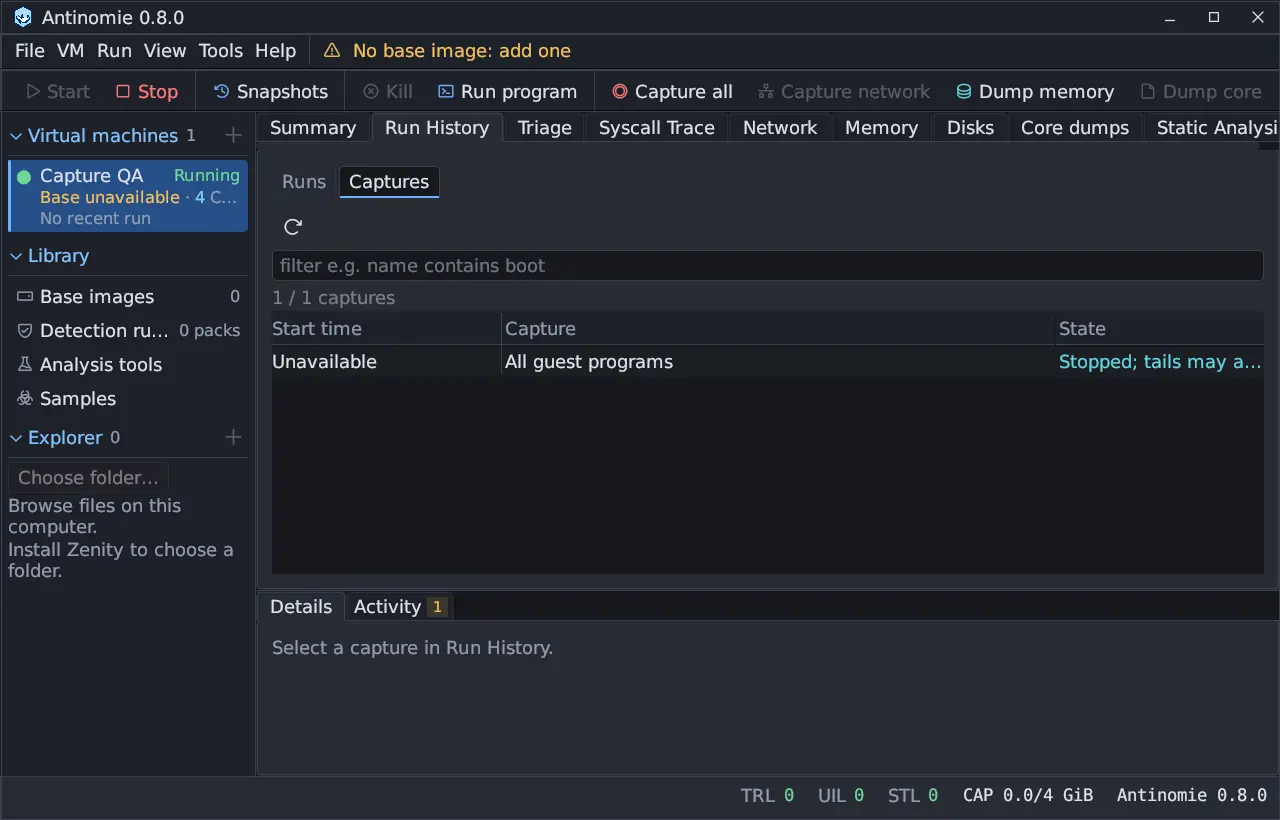
Capture all on a busy desktop produces a lot of data. If the host cannot decode and save telemetry fast enough, the guest may drop records instead of waiting on every system call; the status bar’s TRL counter shows this and the Summary says that Capture All shedding is active. See Loss counters.
Kernel threads are excluded
Section titled “Kernel threads are excluded”Kernel threads and kernel user workers are never traced, not even by Capture all. Capture all means all of userspace. Work that the kernel does on behalf of a program, such as asynchronous I/O completions, is observed through the program’s own calls; see Async observations.
What a trace contains
Section titled “What a trace contains”For each system call the recording keeps an Entry and an Exit record: the
syscall number and name, the six argument words, the result, the thread and CPU,
guest time, and the memory the call read or wrote. Captured buffers are copied
without faulting pages in, so they can be incomplete; every field carries a
status that says so. See Capture statuses. A task’s
end is recorded too, so exit and exit_group show how the task ended instead
of a missing return.
An input that was not resident when the call started is read again, still without faulting, when the call returns; the trace tags it at exit. After a successful exec, the path and the argument and environment strings come from the kernel’s own copy and the new program’s stack (kernel copy). This needs a base built for 0.7.1 or later.
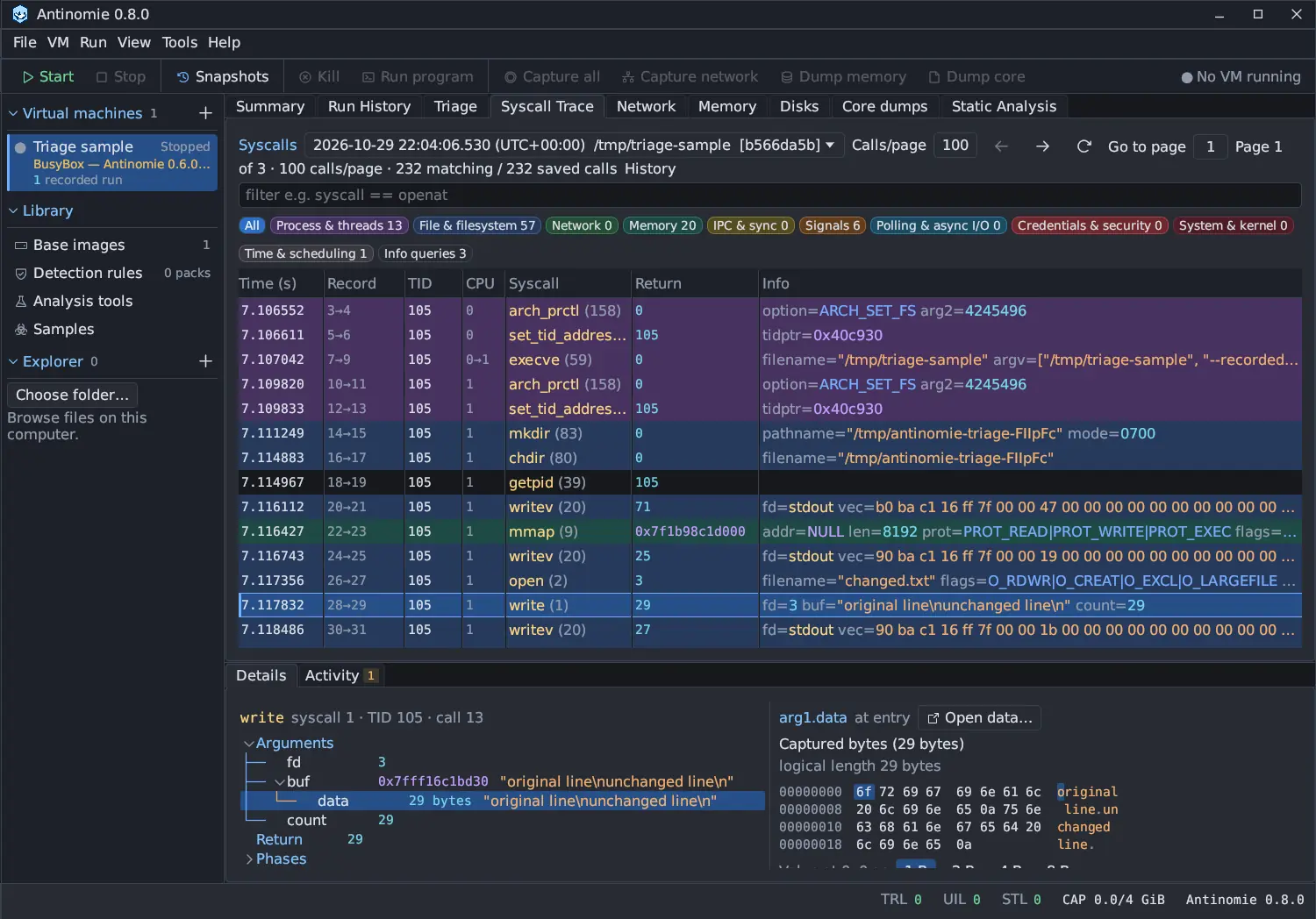
On a base built for Antinomie 0.7.0 or later the kernel also adds records about the task and the files it used, attached to the call they belong to:
- Credentials: the task’s user and group ids, audit login id and session,
capability sets and securebits, at its first traced call and whenever they
change (
setuid,capset, a setuid exec,prctland so on). - File hashes: the SHA-256 of the image an exec loaded, of a file about to be deleted, of each regular file the run wrote (when its last writer closes it) and of the launched program itself, or the reason there is none.
- File identity: the device and inode of the file a call opened, renamed, linked or removed, so Triage follows one file across names.
- Exec image: the file an exec loaded and, for a script, the interpreter
its
#!line names.
A base built for 0.8.0 (guest contract revision 18) adds:
New in 0.8.0- File positions: where in the file each read or write of a regular file or
block device began and how much it moved, from the position the file system
used, and for a write the order in which the file system applied it. An
O_APPENDwrite, or a write through a descriptor shared with another process, lands at its real offset, and writes that raced on one range replay in the order they really happened. - In-kernel copies: the operands of
sendfile,splice,copy_file_range,FICLONE/FICLONERANGEandfallocate(both files, both offsets, the length and the destination’s size after the call), and the bytes a splice from a pipe put into a file, up to 1 MiB per call. - Writes through shared file mappings: a store into a
MAP_SHAREDmapping of a file makes no system call, so the guest records the pages when a call writes them back (msync,fsync,sync) or drops them dirty (munmap,mremap, exec, exit and the like), up to 4 MiB and 64 ranges per call. Each page is its state at that moment, not every store before it. - Typed group lists, directory entries and LDT reads, so the trace decodes them by type.
Triage and the Sigma event journal read these records; older bases and recordings simply do not have them, and nothing is guessed in their place. See Syscall coverage.
Only the native x86-64 syscall table is covered. See Syscall coverage for what is decoded and what is not.
What is not traced
Section titled “What is not traced”- Kernel threads, and anything the guest kernel does on its own.
- 32-bit (i386) and x32 system calls.
- Programs you did not launch, attach to or capture. Static analysis, for example, targets only the initial executable of a launch.
- Anything the guest does with no system call, such as reads of memory shared with another process. Writes through a shared file mapping are seen only when a call writes the pages back or drops them (revision 18), not a page the kernel’s background writeback cleaned while the mapping stayed, and not the mappings of shared anonymous memory, System V shared memory or memfd.