

Library
The Library section of the sidebar sits under Virtual machines. It has four entries, each with a count where one makes sense. This page describes Antinomie 0.8.0, which is in development; the current release is 0.7.1, whose Library has the first three.
| Entry | Count | Opens |
|---|---|---|
| Base images | The number of installed bases | The bases and the actions that add, use or delete one |
| Detection rules | The number of installed packs, such as 3 packs (custom groups are not counted) |
The YARA, IDS and Sigma rule packs, the Strings regex patterns and the IOC datasets |
| Analysis tools | None | The optional analysis tools and their installation |
| Samples New in 0.8.0 | The number of samples, once there are any | Every sample across runs and VMs |
Click an entry to open its page as a tab of the main area, beside Summary. A page that is already open is brought forward. The tabs close with their close button and are not restored with the saved layout. Click the Library heading to fold the section.
Other places open the same pages:
- Tools → Detection rules and Tools → Analysis tools.
- Settings → Detection → Open Detection rules… and Settings → Analysis tools → Manage tools….
- Install… beside a category whose tool is missing in Run program, Install analysis tools… in a Static Analysis report, and the Install… link of the Debugger console pane.
- The Detection rules button of the detection header in Triage.
- The rules step of Getting started (Open Detection rules).
Base images
Section titled “Base images”The page lists the installed bases in a table that sorts by any column header.
| Column | Shows |
|---|---|
| Base | The base’s name and version; hover for its details |
| Status | Current, or Outdated · newer base available, Outdated · built for an earlier Antinomie or Needs a newer Antinomie |
| Size | The base image’s size in GiB |
| VMs | How many VMs were created from it |
| Guest | The guest the base runs |
Above the table, Import base…, Download base… and Build base… add a base, as File → Add base does. Import base… needs every VM stopped.
Select a row for its actions under the table, or right-click it for the same menu:
- New VM from this base… opens New VM with this base chosen.
- Open directory shows the base’s folder.
- Delete base… asks for confirmation. It needs every VM stopped.
When a base is not current, a note says that Download base lists the bases made for this version of Antinomie. See VMs, bases, boots, runs and captures.
Detection rules
Section titled “Detection rules”The page installs and organizes the rules that Detection scans use. It has a YARA, IDS and Sigma tab, and inside each an Installed and a Catalog tab with their counts, then a Strings regex tab for the patterns of Static Analysis’s Regex matches and an IOC tab for the abuse.ch datasets that Triage › IOC matches against.
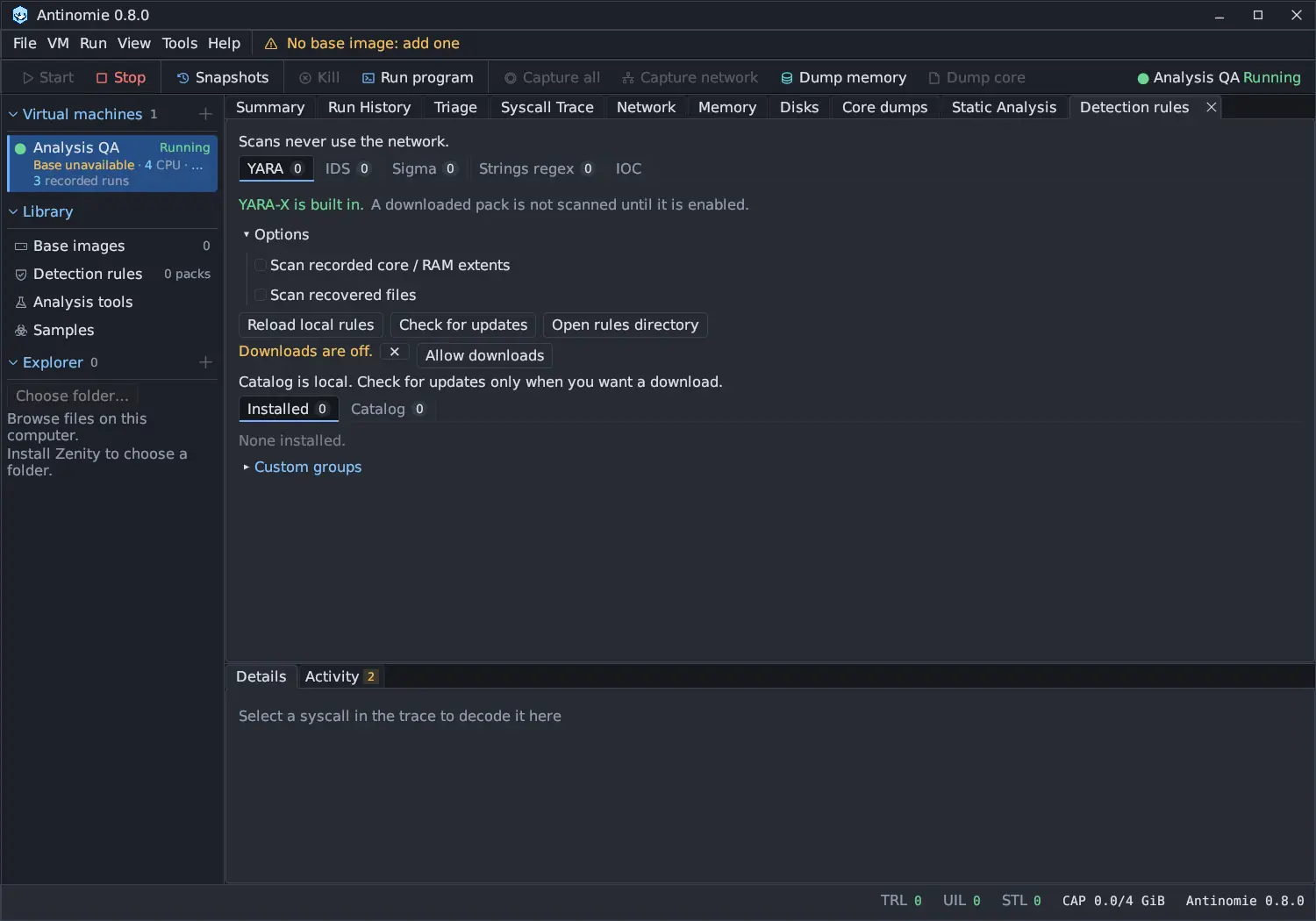
- Installed lists the engine’s packs and custom groups in a sortable table (On, Pack, Version, Kind, State, with Update available where the catalog has a newer version). Select one to list all its rules in a sortable, filterable table; select a rule for its details and its own Source text, cut from the installed file.
- Catalog lists the packs on offer with Pack, Version, Rules, Size, License and State. Selecting one shows the catalog’s facts. The rule list is available only after install; nothing is downloaded to show it.
Downloads stay off until you press Allow downloads. Scans never download rules. See Detection rules for every control and Detection engines for the scans.
Analysis tools
Section titled “Analysis tools”The page lists the optional tools that static analysis, memory analysis,
detection and the debugger console use. A copy installed on the system is used
first (except Magika, which the Properties panel looks for in Antinomie’s copy
first). When a tool is missing, Antinomie can download it from its upstream
release into its data folder, <data>/tools/<id>/, and the analysis sandbox
mounts it read-only.
| Tool | Version | Used for |
|---|---|---|
| capa | 9.4.0 | Capabilities (ATT&CK and MBC) with the bundled capa-rules |
| Detect It Easy | 3.21 | Compiler, packer and protector signatures for Identification |
| Ghidra | 12.1.4 | Decompilation (headless), with the Eclipse Temurin 21 JDK it runs on |
| Volatility 3 | 2.28.2 | Memory analysis of RAM dumps in the Memory tab (runs on the system Python 3) |
| Sigma (pySigma) | 2.0.1 | Sigma detection with pySigma and its SQLite backend 2.1.0 |
| Magika | 1.1.0 | Deep-learning file-type detection for the Properties panel |
| GEF (bata24) | 2026-10-20 (fc085a6) | The gdb console of the Debugger tab; needs gdb with Python on this system |
| pwndbg | 2026.09.15 | The gdb console of the Debugger tab; a portable build with its own gdb 17.2 |
| FLOSS | 3.2.0 | Decoded, stack and tight strings (and Go and Rust strings) for Static Analysis |
| UPX | 5.2.1 | Unpacking UPX-packed programs in Static Analysis |
| MemNixFS | 1.2 | Linux memory forensics of RAM dumps in the Memory tab (runs offline in the sandbox) |
Under Network route programs the page also lists wireproxy 1.1.3 and Tor 0.4.9.14 (Expert Bundle 15.0.26), which the VPN and Tor network routes start; they install and remove the same way.
Each row says On this system with the path, Installed by Antinomie (version), or Not installed. A missing tool has an Install version · size button; Antinomie’s own copy has Remove, which deletes it. One tool installs at a time, with a progress bar (Downloading N of M, Checking SHA-256, Unpacking, and for Python tools Creating the Python environment and Installing the locked Python packages (SHA-256 checked)) and Cancel. A failed install is reported in a notification and in Activity.
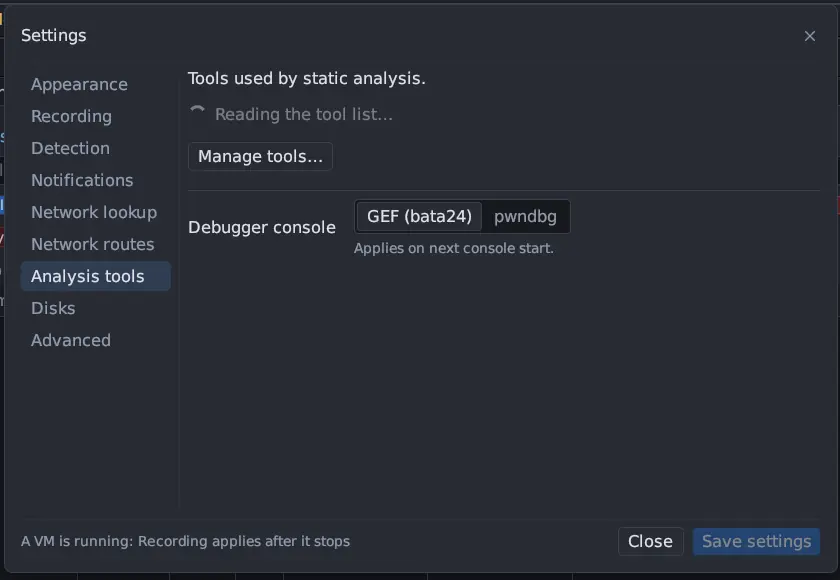
GEF is gef.py from a pinned commit of bata24/gef and runs in your system’s
gdb. pwndbg is the portable release, which brings its own gdb; a pwndbg in
/usr/bin or /usr/local/bin is used before Antinomie’s copy. Choose between
them in Settings → Analysis tools → Debugger console. See
Debugger.
How a tool is installed
Section titled “How a tool is installed”- Every download is pinned to an exact size and SHA-256. An interrupted download resumes; a file that fails its check is downloaded once more, and if it fails again nothing is installed.
- Sigma (pySigma) gets its own virtual environment, made with the system Python 3.11 or newer, and pip installs only the wheels whose SHA-256 the lock file names.
- Archives are unpacked into a temporary folder that replaces the earlier installation only once it is complete and the tool’s entry file exists.
- Unpacking is bounded: an entry with an absolute path or
..stops the install, a symbolic link is kept only when its target stays inside the tool’s folder, files lose any set-user-ID, set-group-ID and group or world write bits, and an xz stream that asks for more than 256 MiB of decoder memory is refused. A.tar.xzis unpacked as it is decoded, so the archive is never held in memory.
Licenses are listed at the bottom of the page and in
Licensing. Set ANTINOMIE_ANALYSIS_TOOLS=managed
to prefer Antinomie’s copies over the system’s.
Samples
Section titled “Samples”Samples is one flat list of every sample across runs and VMs, the sample with the latest run first: name, description, tags, run count, parents and children, latest run and short SHA-256. Search by name, description, tag or SHA-256 prefix, filter by tags, or keep only roots. Add file… reads and hashes a file without running or unpacking it, Verify all reads every archive back, Download… opens the MalwareBazaar and MalShare search, and Custody log shows the library’s custody log. Double-click a sample to open its own window.
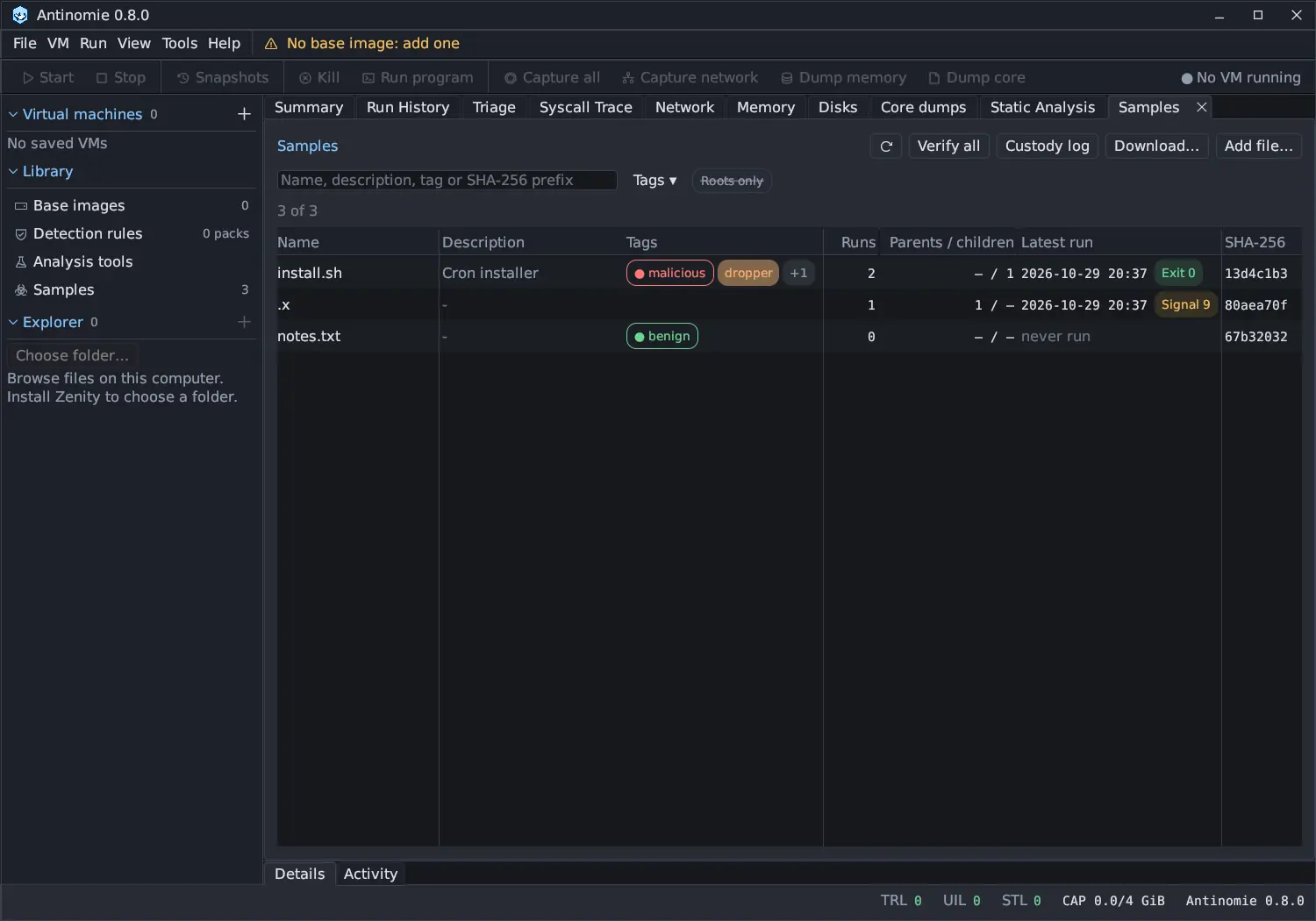
Everything uploaded into a VM is archived here first. See The sample library, The sample window and Custody log.