Trace a YARA, IDS or Sigma hit back to the evidence
A detection match says a rule fired. To trust it, open the evidence and read it. Start from Triage → Detection. This page describes Antinomie 0.8.0, which is in development; the current release is 0.7.1.
First: what did the scan look at?
Section titled “First: what did the scan look at?”Expand Scanned inputs (N). It lists exactly what the rules were run against and
what happened to each input, with N complete · N skipped · N failed beside the
title. An input that Failed or was Skipped says why (for example no network capture for this run), and has a Scan again or Scan button.
Confirm that the thing you care about was actually scanned before you read
anything into a missing match.
For IDS and Sigma, the line under the scan also counts the rules that could not
load or did not apply to this run, such as 12 rules evaluated · 33 not applicable (no matching events 30, backend 2, syntax 1). A rule that did not
apply could not have matched.
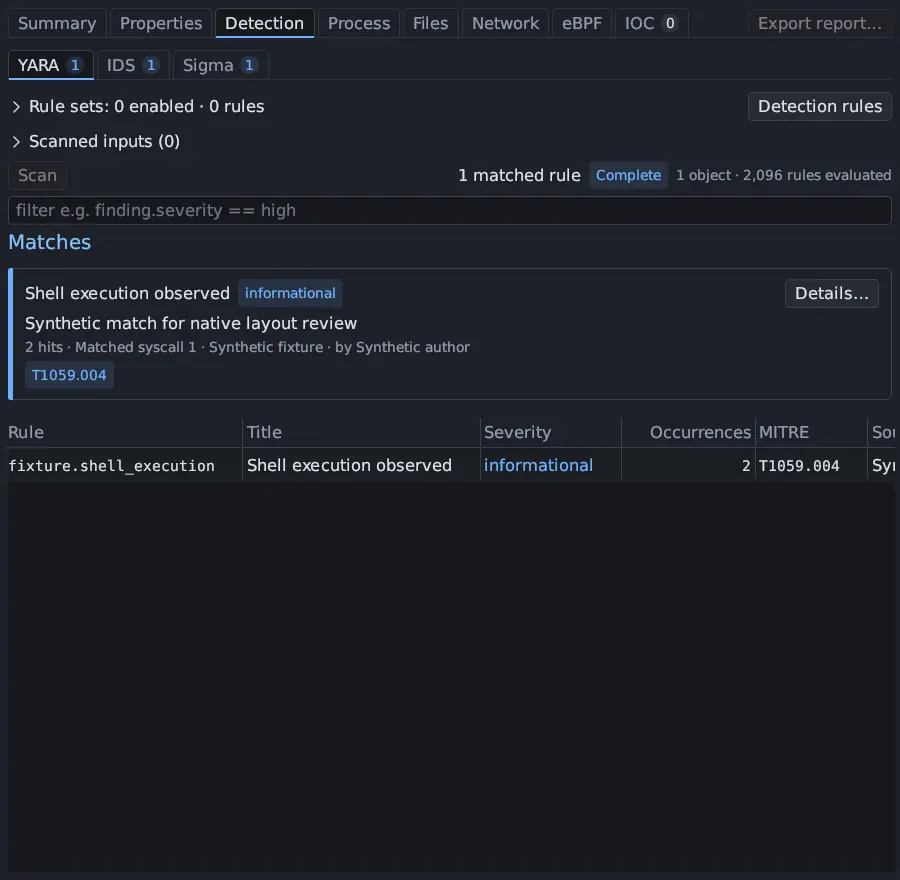
A match card
Section titled “A match card”Click Details… on a match card. The window shows the rule’s id, source, license and author, its description, the rule text (with Copy rule), and every recorded evidence location. Each location opens its exact evidence.
A YARA match points at bytes: the executable, a process core, a RAM dump or a recovered file.
- In Details…, pick the evidence location. It shows the scanned block, the file offset, and the block digest.
- It opens the bytes: the executable in Static Analysis → Content at that offset, the core in Core dumps, or the dump in Memory.
- Byte previews verify the digest of the scanned block, so you are looking at what the engine scanned.
A RAM or core match shows a virtual address when known. Memory ranges that were not captured are explicit gaps.
IDS (Suricata)
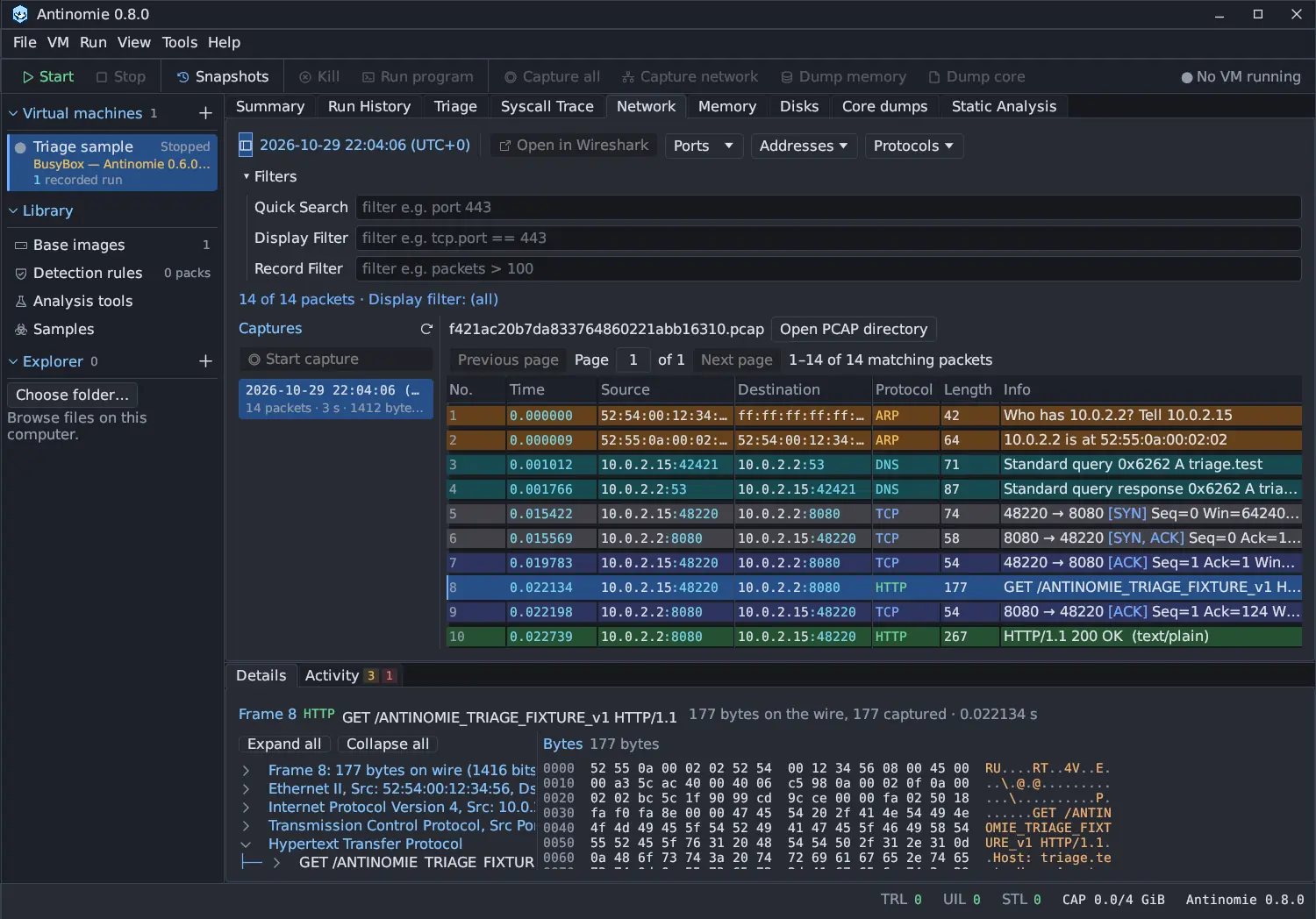
Section titled “IDS (Suricata)”An IDS match points at a packet in one capture segment.
- In Details…, choose the evidence location.
- The Network panel opens the run’s own pcap and selects the original frame, clearing any filter that would hide it.
- Read the packet’s protocol tree and bytes, as TShark parses them, in Network. The match’s capture segment is part of its identity.
Encrypted contents, missing segments and flows that cross a segment boundary were not available to Suricata.
A Sigma match points at an event in the journal, and the event points at a call or a packet.
- In Details…, pick the evidence. It carries the exact journal event number.
- Press Journal event #N to open the Event journal at that event. See Sigma event journal. Fields marked (inferred) come from tracking state or from matching two sources, not from one recorded call.
- Use its Source link to open the call in Syscall Trace or the packet in Network.
A Sigma scan that came back Partial names the reason under its status, such as the rule budget or the 90-second deadline; see Detection engines.
If the event lacks a field the rule needs, such as CommandLine, the rule could
not have matched on it; that field was never captured.
Then confirm in the trace
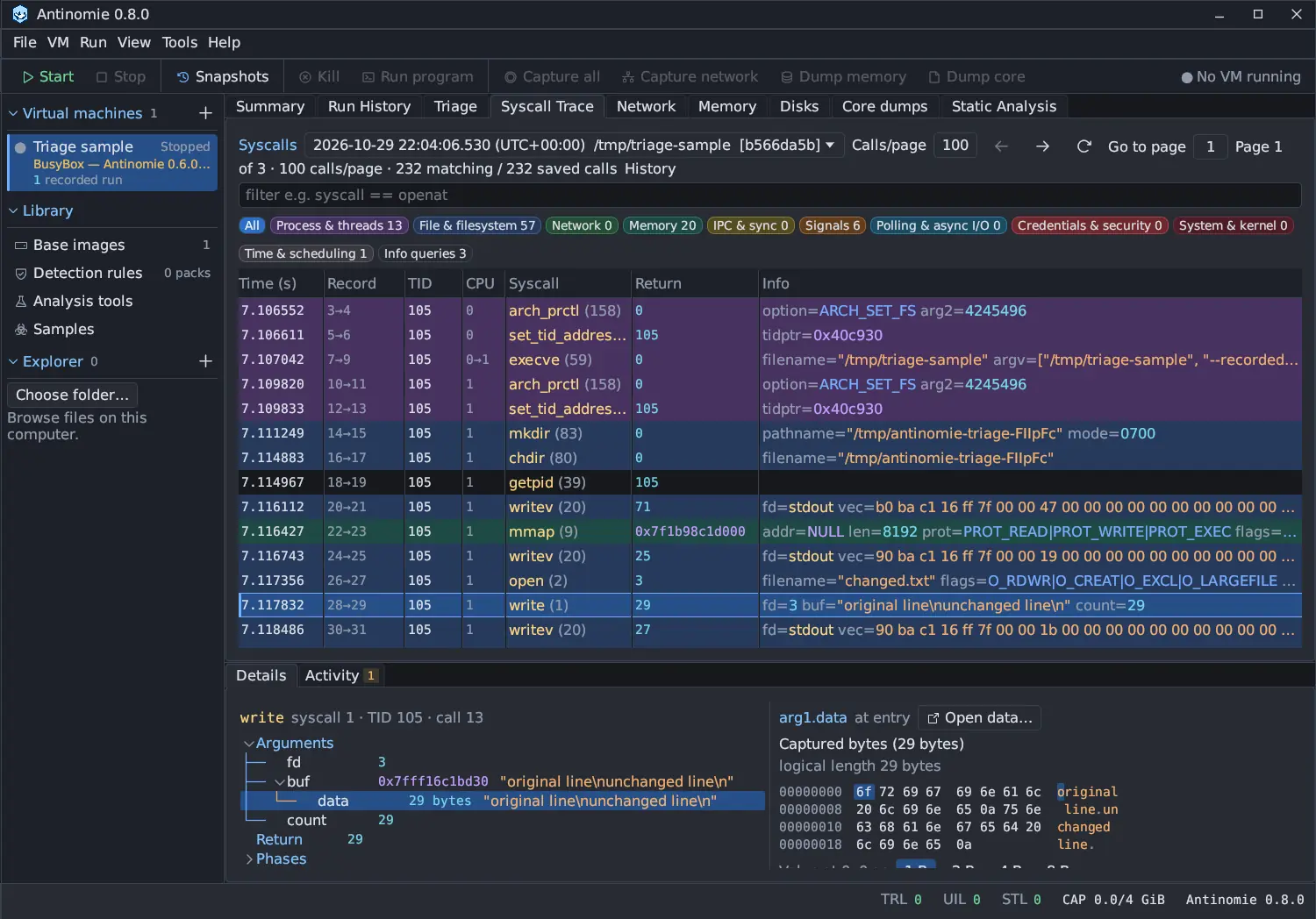
Section titled “Then confirm in the trace”In Syscall Trace, read the decoded arguments, return value and captured bytes, and check the capture statuses. A match is a rule firing on evidence. It is not a verdict. Look at the surrounding calls before you conclude.
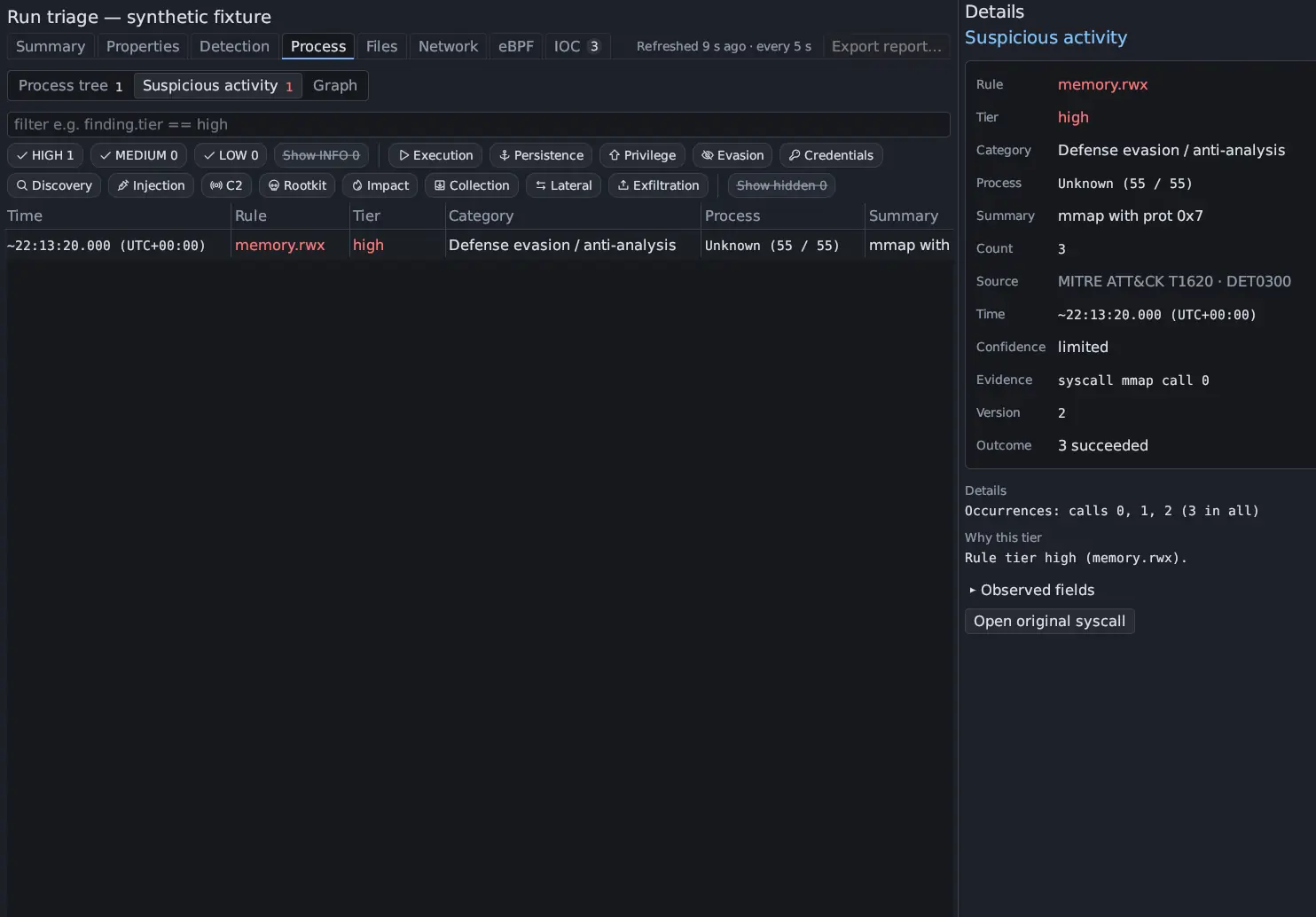
Suspicious activity works the same way
Section titled “Suspicious activity works the same way”A row in Process → Suspicious activity names its rule, its tier and category, its ATT&CK source and the call. Details says why the row has its tier and lists the calls behind a folded row; Open original syscall, or a double-click, opens the call in Syscall Trace (or the packet in Network for a row found in packets).