

Triage summary and counts
This page describes Antinomie 0.8.0, which is in development; the current release is 0.7.1.
The Summary section
Section titled “The Summary section”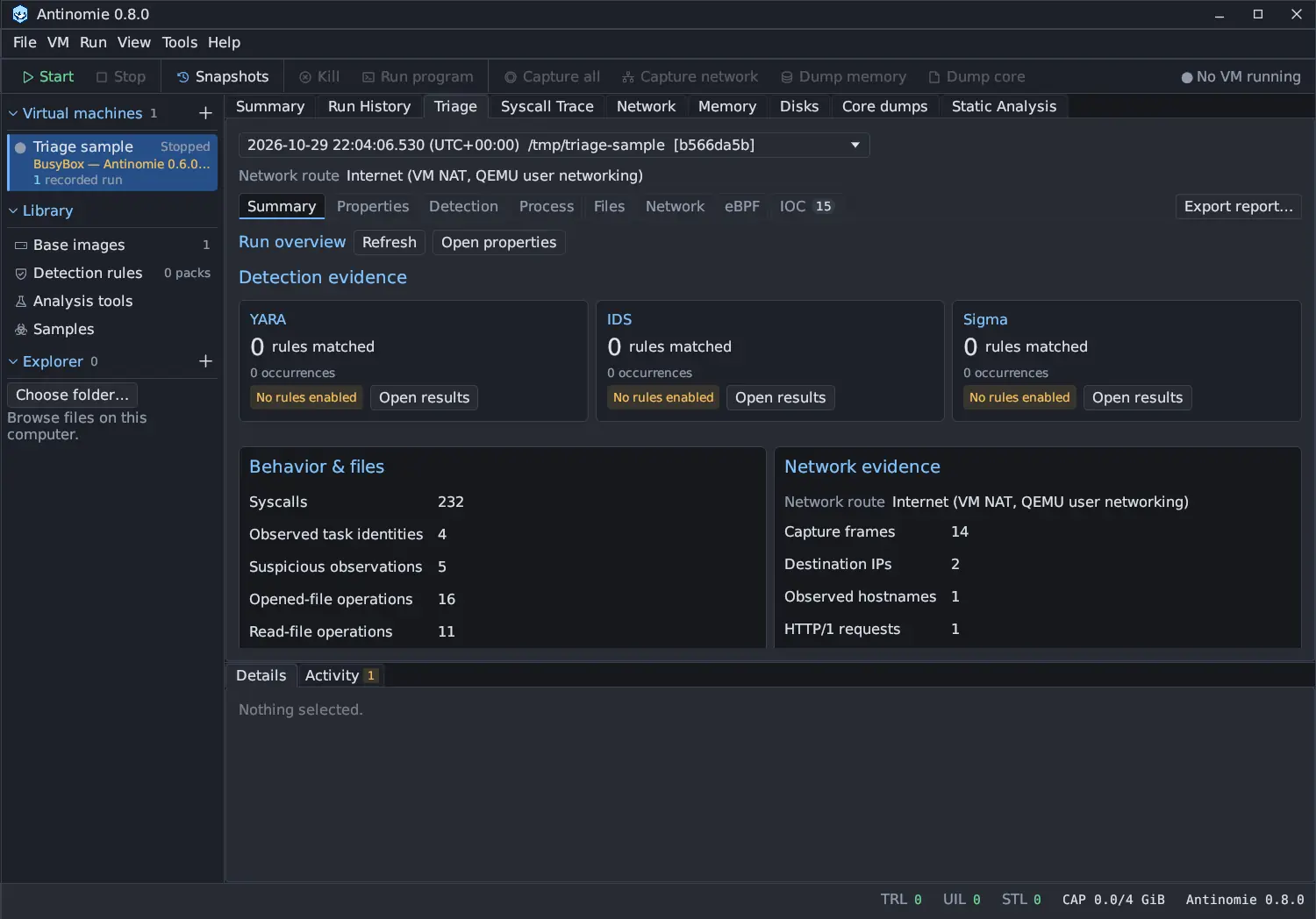
Summary is the first Triage section. It gives whole-run counts. Click a count to open the evidence behind it.
| Group | Count | Opens |
|---|---|---|
| Behavior & files | Syscalls | Process tree |
| Observed task identities | Process tree | |
| Suspicious observations | Suspicious activity | |
| Opened-file operations | Opened files | |
| Read-file operations | Read files | |
| Changed-file groups | Changed files | |
| Network evidence | Capture frames | URLs |
| Destination IPs | Endpoints | |
| Observed hostnames, DNS questions | Domains | |
| HTTP/1 requests | URLs |
From top to bottom the section has:
- Run overview, with Refresh and Open properties, and a Network Unavailable badge when the run has no network evidence.
- Detection evidence: a card per engine with its matched rules, occurrences, state and Open results.
- The MITRE ATT&CK references of the matched rules (below).
- Behavior & files and Network evidence, the counts above. Network evidence starts with the Network route the run used.
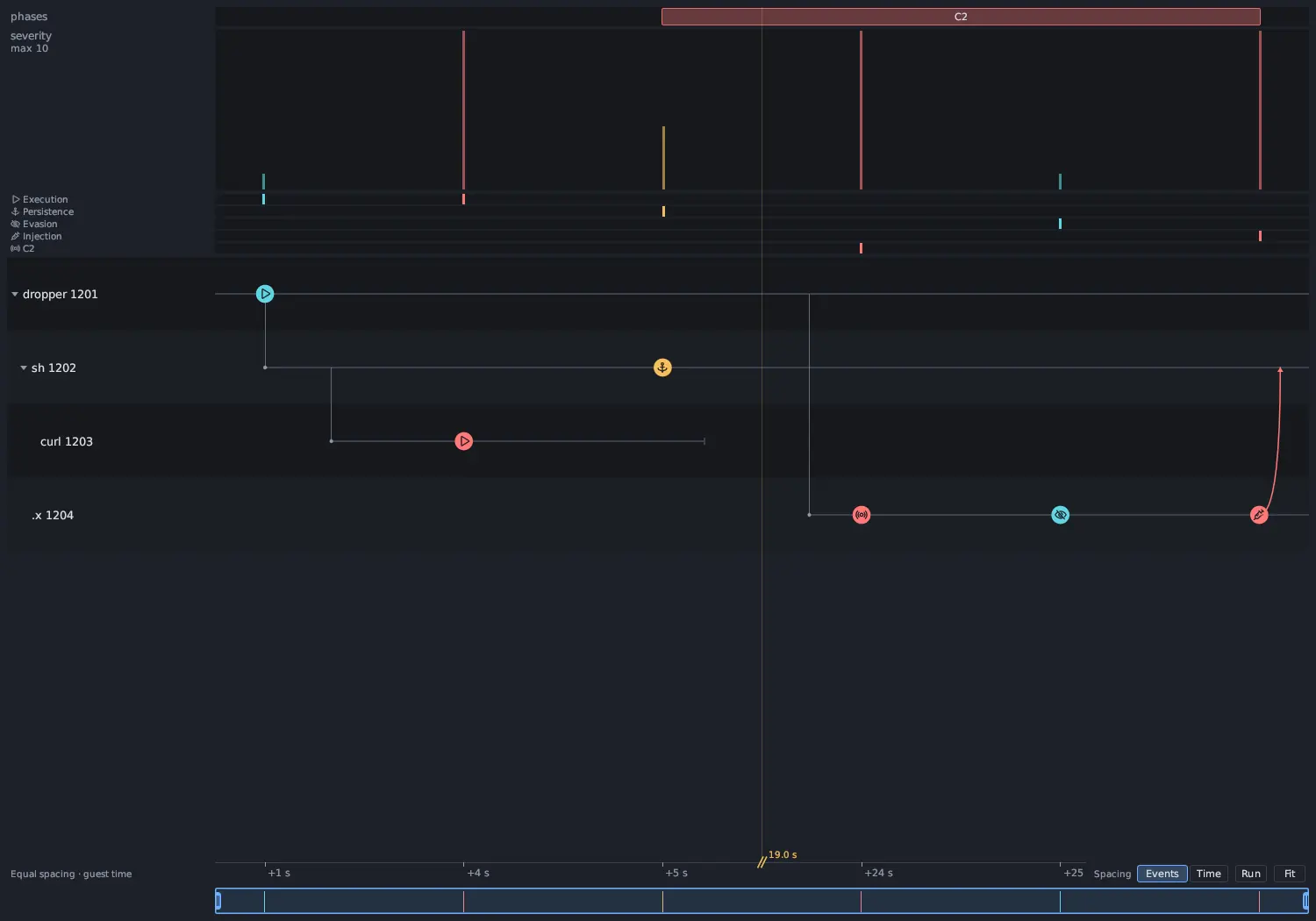
- Main activity graph: the activity graph’s phases, severity curve and
category heat strip for the whole run. A click opens Process → Graph
without carrying a filter along, and the arrow icon opens the graph in its own
window. The magnifier buttons, and Ctrl+wheel over the strip, make it larger
or smaller (60 % to 300 %); the percentage takes it back to 100 %. When nothing
is above LOW it is one line, such as
No medium or high activity · 11 low · 340 info, and the arrow opens or closes it. It spaces findings equally, or by true time, following the Graph’s Events or Time choice. - Indicators (IOC): how many of the run’s indicators matched a dataset, such
as
0 of 3 indicators matched, the dataset date or No datasets loaded, and Open IOC. - Observed activity: the worst four suspicious observations, HIGH first, with Open suspicious activity. Select one for Details, double-click it for its evidence.
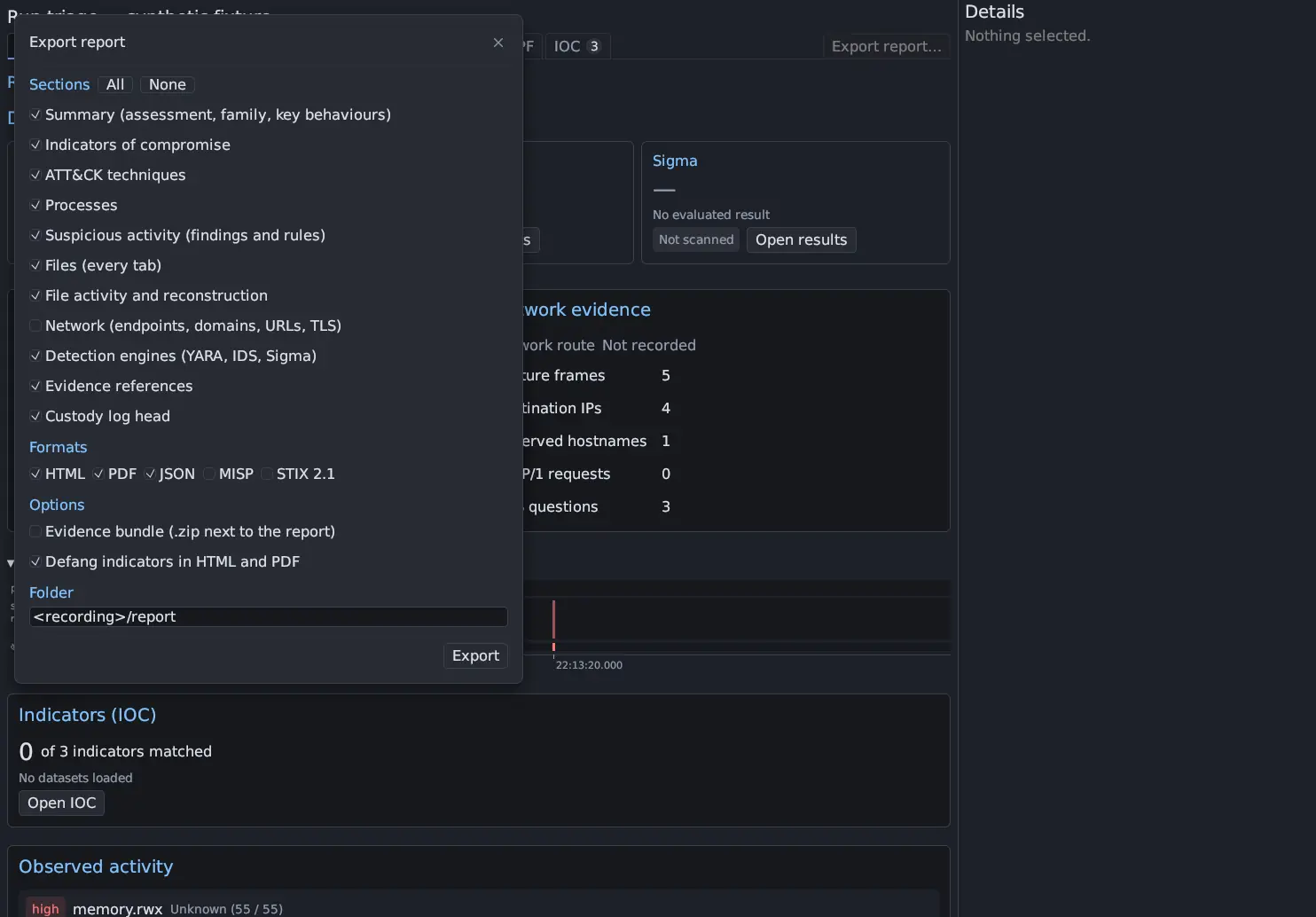
Observed task identities counts tasks, including threads. It is not a process count.
A run that lived through a transport reconnect is counted whole: every recording segment of the run is read, oldest first.
MITRE ATT&CK references
Section titled “MITRE ATT&CK references”The MITRE ATT&CK techniques that matched rules cite are listed under the detection
cards by id and name, for example T1059 Command and Scripting Interpreter or
T1059.004 Command and Scripting Interpreter: Unix Shell. The names come from a
table of ATT&CK Enterprise v20.0 techniques bundled with the app, so nothing is
looked up online; an id the table does not know stays bare. Up to 16 are shown,
then +N in Detection. The Suspicious activity rules carry their own ATT&CK
techniques in their Source column; see
Processes.
Count badges
Section titled “Count badges”The section tabs and the tabs under Process, Files and Network, and the
Detection engines, carry a number badge. Counts are collected for the whole run,
before any filter, sort or page, so they do not change when you type a filter or
turn a toggle chip such as Hide stdio on or off. A badge reads … while it
is being updated and — when no count is available; hover it to see which. The
IOC tab counts the run’s indicators and turns red when one matched.
Pending, unavailable and zero
Section titled “Pending, unavailable and zero”These are three different things:
- Zero means the evidence was evaluated and nothing matched.
- Preparing run evidence means whole-run counts are still being indexed. For a recording that is still being written the counts come from the part saved so far and grow with the next refresh.
- Unavailable means there is nothing to count, for example network counts without a network capture, or a scan that never ran.
A detection card shows Queued while its scan waits for its turn and Scanning while it runs; otherwise Not scanned, Failed, Unavailable, No rules enabled, Evidence missing, Skipped, Partial or Complete, with the number of matched rules and occurrences. A card with no result says No evaluated result (or Waiting for its turn, Scan in progress). Open results opens the engine in Detection, where the inputs of the scan are listed. See Detection engines.
Antinomie derives no malware verdict, score or vendor consensus from these counts. The sample window’s Highest suspicion is the highest tier any run reached, not a verdict either; see The sample window.