

Detection engines
The Detection section of Triage runs three independent rule engines over the evidence of one run. Each engine looks at different data. This page describes Antinomie 0.8.0, which is in development; the current release is 0.7.1.
| Engine | Rule language | Scans | Needs |
|---|---|---|---|
| YARA | YARA-X | The run’s executable, the process core and the VM memory dump, and files recovered from memory | Built in |
| IDS | Suricata | The run’s own packet capture | Suricata installed on the host |
| Sigma | Sigma | A journal of normalized events derived from the syscall trace and the packet capture | Python with pySigma |
Scans run offline in a sandbox. A scan never downloads rules and never uploads evidence. Rules come from the Detection rules page in the Library (also Tools → Detection rules, or the Detection rules button in this section); see Detection rules.
YARA scans the exact executable that static analysis retained for the run. When the matching options are on in the Options of the Detection rules page, it also scans:
- Scan recorded core / RAM extents: the run’s process core and the VM memory dump. A RAM dump is scanned using the physical segments QEMU captured; a core uses its captured mappings. Memory is read in blocks of up to 64 MiB, with a total input limit and a time limit, and ranges that were not captured stay explicit gaps. There is no claim of completeness across blocks.
- Scan recovered files: files recovered into the memory dump’s folder, up to 64 MiB each and 512 MiB in total.
IDS runs Suricata over the packet capture segments the run owns, each segment
independently, with bounded stream reassembly. Encrypted contents, missing
segments and flow state that crosses a segment boundary are not available to it.
A segment with no packets, such as a header-only pcap, is a finished input with
nothing to read: it is Succeeded with the note no packets captured, and
Suricata is not started on it. A Suricata failure or a time limit makes that segment’s input
Failed, with the reason. Suricata is an optional system package; see
Installation and requirements.
Rules Suricata cannot load are counted, not treated as a failed scan. The line
under the scan reads, for example, 2,094 rules loaded · 7 not loadable (TLS fingerprint 3, dataset 2, duplicate 1, no SID 1): a rule that needs a JA3, JA3S
or JA4 keyword this configuration does not enable, an external dataset:, a SID
that was already loaded, or no SID at all.
Sigma rules are matched with pySigma against an event journal. The journal is a list of normalized events that Antinomie derives from the syscall trace and, for DNS and HTTP, from the packet capture. It is not an operating-system log, so only Sigma rules that fit these events can be evaluated.
- The categories are
process_creation,process_termination,file_event,file_delete,file_rename,file_access,network_connection,dns_queryandhttp_request, plusantinomie_bpfandantinomie_file_metadatafor BPF program loads and file permission changes. Rules markedservice: auditdare evaluated against auditd-style records built from the same trace. - A process creation event has the process’s parent (
ParentImage,ParentCommandLine,ParentProcessId) and working directory (CurrentDirectory). It carries aCommandLineonly when the exec’s whole argument vector was captured. The launched program itself gets aprocess_creationevent too (image, command line, directory, user and, with a base that offers it,Hashes), so rules on the sample’s own start apply. - A process termination event is built for each process that ended, with
Image,ProcessId,ThreadIdandUserwhere the trace has them. A thread that ended is not reported, and there is noProcessGuid. - A file event covers creating opens (
O_CREAT|O_TRUNC,creat,O_TMPFILE),mkdir,link,symlinkandmknod, and file events of io_uring and AIO requests. A file the run created carries inHashesthe SHA-256 the guest took at its last close, orHashSkippedwith the reason. - A network connection event covers connections made and accepted and UDP
peers, with
Initiatedtrue or false andProtocol.DestinationHostnameis the name the address was looked up under in the run’s capture. Useris the guest’s user name, read on the host from the/etc/passwdof the base the VM’s disk came from, plus the account Antinomie provisioned. An id with no name stays a number; nothing is assumed, not evenroot.LogonIdis the audit login uid.- auditd records are
SYSCALL,EXECVE,PATH,SOCKADDR,CWDandPROCTITLE. Their ids stay numbers, as auditd writes them (uid,euid,auid,sesand the rest), and with names known they get the interpretedUID,EUID,AUID,GID… fields of auditd’s enriched format. There is no auditkey, file mode or inode. - A value that comes from tracking state or matching two sources, not from one recorded call, is marked as inferred; see Sigma event journal.
- Missing fields are explicit; they are never filled in. User names, hashes and credentials need a base built for 0.7.0 or later; older recordings lack those fields.
Rules that cannot apply to this run are counted, not treated as a failed scan.
The line under the scan reads, for example, 12 rules evaluated · 33 not applicable (no matching events 30, backend 2, syntax 1). No matching events
means no captured event carries every field the rule uses; unsupported
category means the rule’s log source is outside what Antinomie records (for
example a Windows rule); backend means the converter or the field schema
rejected it; syntax means the file does not parse. A Sigma scan has a budget
of 90 seconds and 4,096 rules.
The Sigma tab also notes that Sigma events are converted from the syscall trace and may not cover everything a Sysmon or auditd log would contain.
The Detection panel
Section titled “The Detection panel”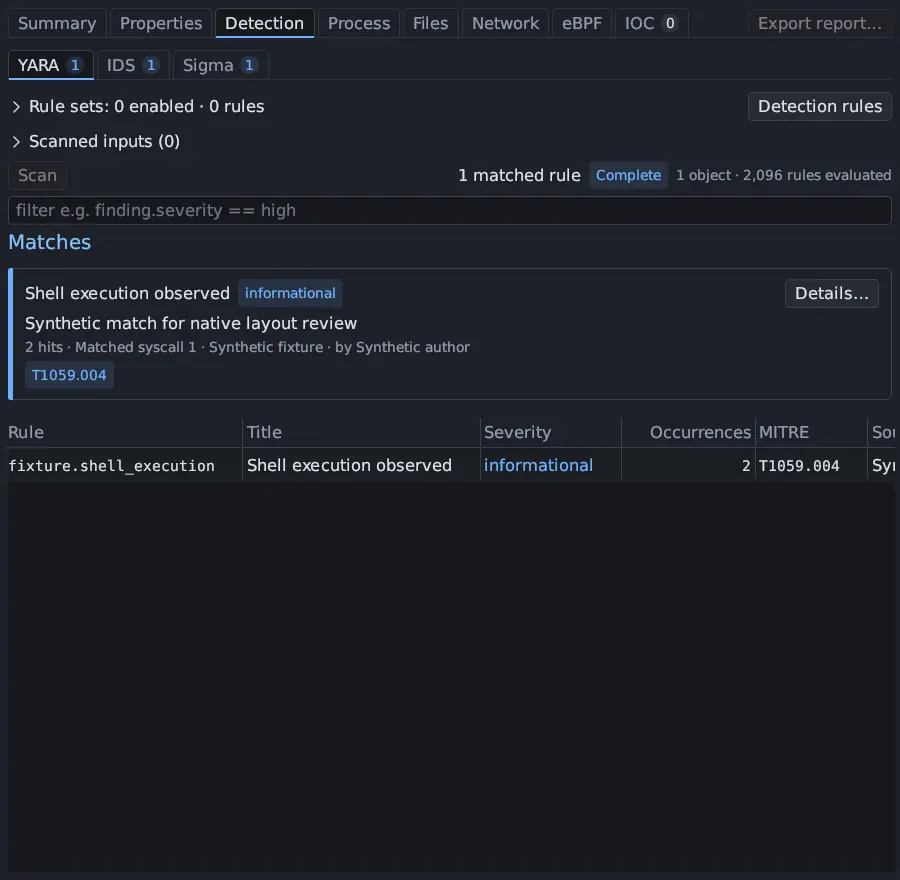
| Part | What it does |
|---|---|
| Engine tabs YARA, IDS, Sigma | Each shows its matched-rule count |
| Rule sets | A collapsible list titled, for example, Rule sets: 2 enabled · 2,095 rules, with each pack’s version and rule count, and the Detection rules button |
| Scanned inputs | What the last scan passed to the rules, with N complete · N skipped · N failed beside the title |
| Scan, Cancel, Result | Start or stop a scan; Result has Copy result as JSON and the result folder. A progress bar names the rules or evidence being checked. |
| Status | The matched rules, the scan’s status badge and how much was evaluated, such as 1 object · 2,096 rules evaluated |
| Coverage | For IDS and Sigma, the rule counts above with a collapsible list of the rules that did not load or apply (the first 200; the counts include all of them) |
| Matches | One card per matched rule, with a filter |
Scan status
Section titled “Scan status”The status badge follows from what happened to the inputs:
| Status | When |
|---|---|
| Complete | No input failed. Completed and skipped inputs together are Complete. |
| Partial | At least one input completed and at least one failed |
| Failed | Something failed and nothing completed |
| Skipped | Every input was skipped |
A scan with no enabled rules says No rules enabled, missing evidence says Evidence missing, and a scan that could not evaluate the evidence says Unavailable. A run with no packet activity is Complete: an empty capture is a finished input with nothing to read.
Partial is kept for a scan that really is incomplete: a time or rule budget ran
out, the evidence was still being captured, the result could not be saved, the
event journal was truncated, or the engine stopped on an error partway through.
The muted line under the status then names the reason, in the engine’s words,
with (+N more) when there are several; hover it for all of them.
A Partial Sigma scan says why. New in 0.8.0
Before 0.8.0 the fixed note Category acceptance is not full compatibility…
took the first place among a Sigma scan’s warnings, so the line read that note
“(+1 more)”. Now the line names the real reason (incomplete captured events, the
4,096-rule budget, the 90-second deadline, a rule that failed while it was
evaluated, or matches that could not be reported), and the note is in the
line’s hover text. Results saved by 0.7.x show without it.
Rules that did not load or apply, and an evidence preview limited to 16 locations
per rule (Evidence preview limited to 16 per rule; match counts are complete.),
are notes, not Partial. A result saved by an earlier version keeps the state it
was saved with until you scan again.
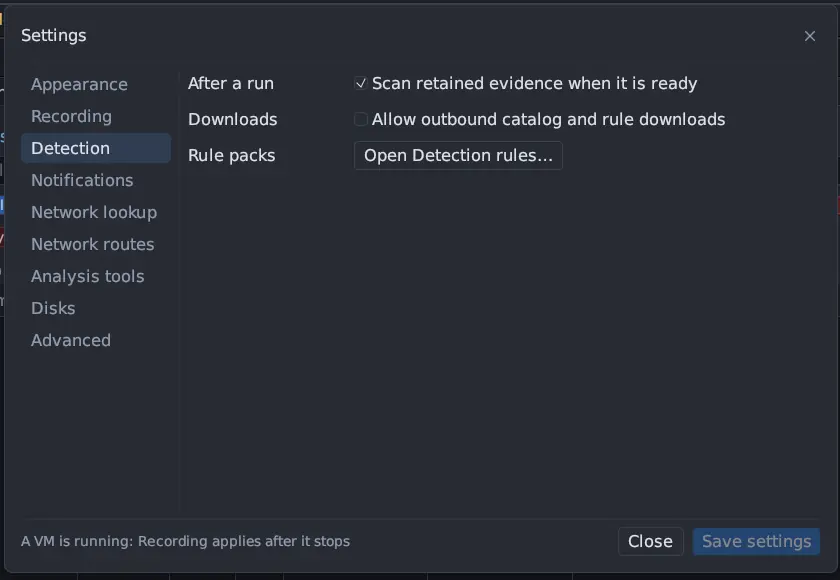
Tools → Settings → Detection → Scan retained evidence when it is ready (on by default) runs each engine once per ready input and rule selection. On the Summary, a card says Queued while its scan waits for its turn and Scanning while it runs. Scan still works when it is off. A scan that finds nothing is a different result from a scan that could not run: missing evidence, a missing engine and No rules enabled are each reported on their own.
Scanned inputs
Section titled “Scanned inputs”Scanned inputs (N) lists exactly what the last scan handed to the rules, so a
count such as “10 objects” can be checked. For YARA that is the executable, the
core, the memory dump and each recovered file; for IDS, each packet capture
segment with its packet count; for Sigma, the event journal with its events per
category. Each row shows its size (as N bytes (X.Y KB)), its SHA-256 when known,
and one outcome: Succeeded, Failed or Skipped. Up to 200 rows are
listed.
- Failed rows say why: the engine’s exit code, the signal that ended it, or
timed out after N s, followed by the engine’s own error lines. They have Scan again, which re-runs the whole engine for the run, and Show log, which opens the result folder that holds the detector log. - Skipped rows give a reason, such as
no network capture for this run, a scan option being off, or a size or time budget being reached. They have a Scan button that runs the engine. - The Event journal row is Succeeded whenever the Sigma adapter ran.
- A capture or core that was deleted after the scan shows Evidence missing: the result was computed before it went, and is not a clean result.
Click a row to open the executable in Static Analysis, the capture in Network, the core in Core dumps, the dump in Memory, or the journal in the Sigma event journal viewer.
Reading a match
Section titled “Reading a match”Each match is a card with a severity stripe and badge, a short summary and a line with the hit count, first location, rule pack and author, plus MITRE technique chips. Details… opens a movable window per finding, and several can stay open. It shows the rule’s id, source, license and author, its description and metadata, the original rule text with Copy rule, and every recorded evidence location. Each location opens its exact evidence; a Sigma location also has Journal event #N. A match is a rule firing on evidence. It is not a verdict that the sample is malicious.
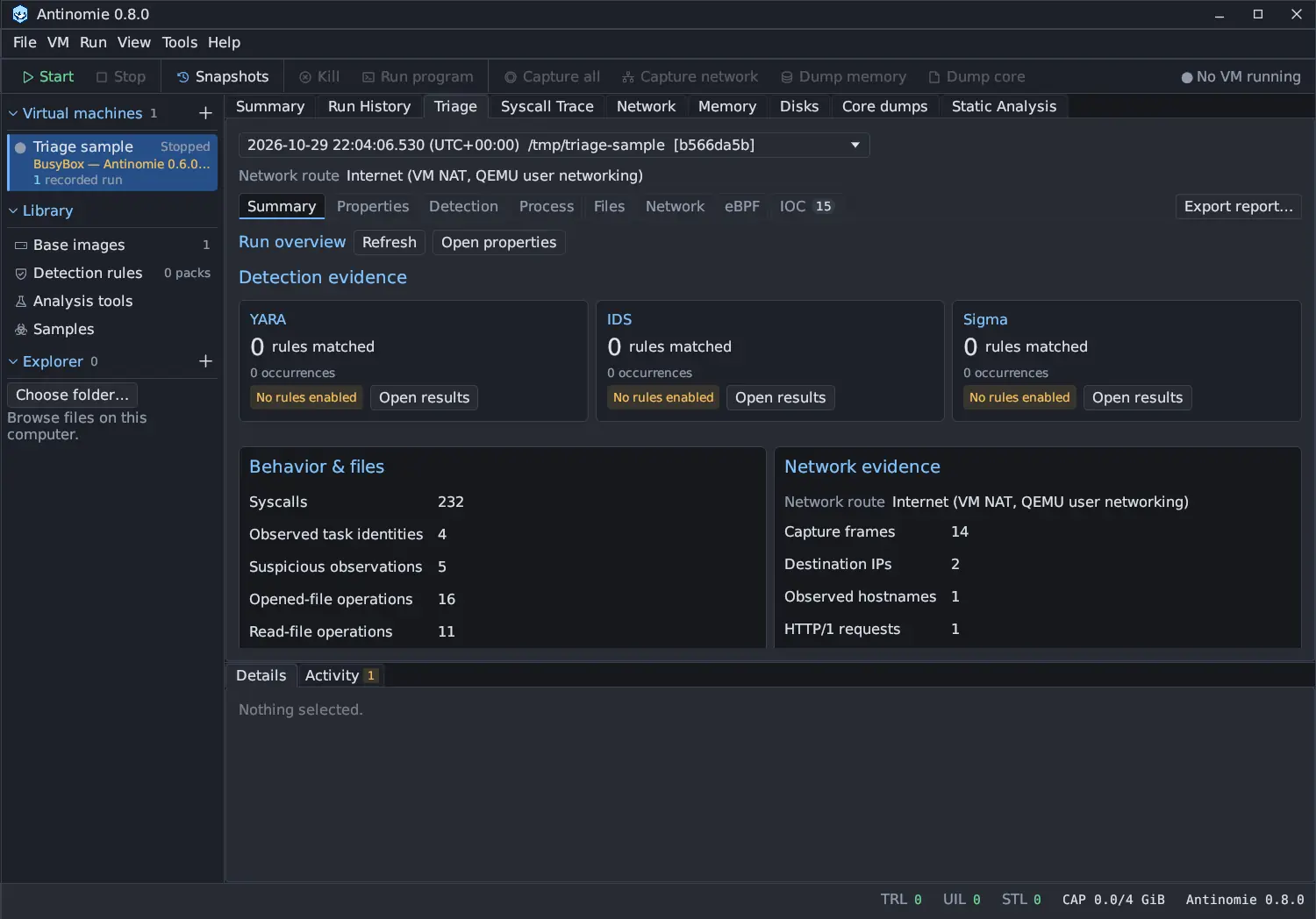
Detection rules are separate from Suspicious activity, Antinomie’s own behaviour rules (see Processes), and from the IOC section, which matches the run’s indicators against abuse.ch datasets (see Network).