

Filter syntax
Most tables in Antinomie have a filter box. They share one language of typed fields, comparisons and boolean operators. Packet display filters are the one exception: they use Wireshark syntax; see Network filters.
Each box shows a grey filter e.g. ... example of its own syntax. Help →
Filter guide opens a searchable window listing the operators, examples and
the fields of the filter you last used; click a column header of its field
table to sort it. Press Ctrl+Space in a filter box for
completions of fields, operators and values. Right-click a cell and choose Apply
as filter, Add AND, Add OR or Exclude to build a clause from a
value. Filters you have used are remembered (the last 24).
An invalid expression never empties a table. The box reports the error, with a column number, and the table keeps showing the last valid result.
| Filter | Page |
|---|---|
| Syscall Trace | Syscall Trace filter |
| Run History | Run History filter |
| Network | Network filters |
| Triage tables | Triage table filters |
Plain-text search
Section titled “Plain-text search”A filter with no operator is a plain-text search. It matches rows containing the text, ignoring case. On Syscall Trace that means the syscall name, TID, task and info text. On other tables it means any cell.
openatsample.elfText becomes an expression as soon as it contains ==, !=, <, >, &,
&&, ||, !, parentheses, braces or brackets, the words contains,
exists, missing, in, and, or or not, or a word with a dot such as
process.exe. A bare field name alone, such as run.has_static, tests that
field.
Operators
Section titled “Operators”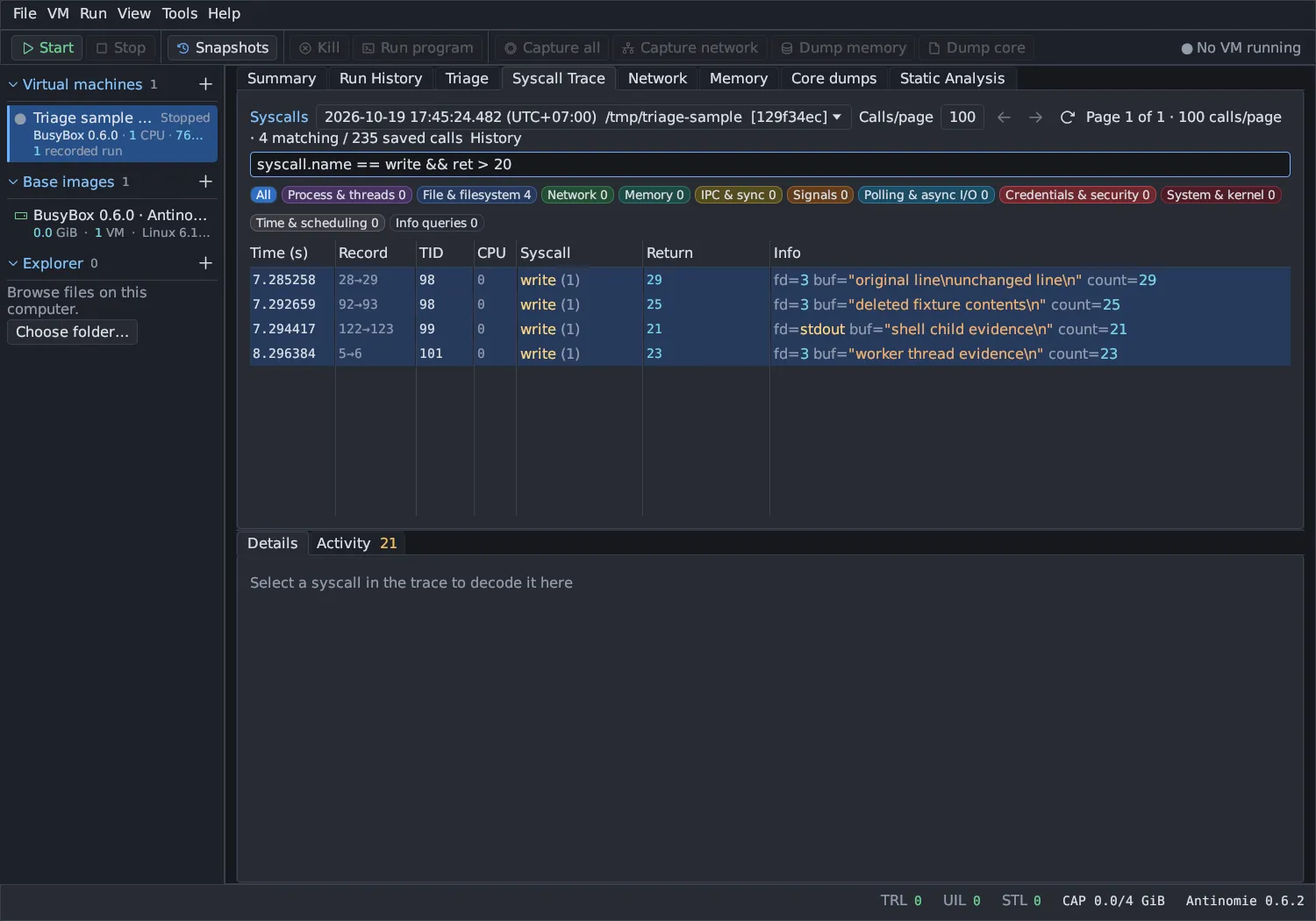
| Operator | Meaning | Field types |
|---|---|---|
== |
Equal | all |
!= |
Not equal | all |
<, <=, >, >= |
Ordering | integer |
contains |
Substring | text, text list |
in {a, b} |
Equal to any listed value | all |
& |
Bit mask, always followed by == or != |
integer |
&&, and |
Both | |
||, or |
Either | |
!, not |
Negation | |
( ) |
Grouping |
Comparisons bind tighter than !, which binds tighter than &&, which binds
tighter than ||. Use parentheses to be sure.
syscall.name == openat && ret < 0!(syscall.group == "Network") && (tid == 100 || tid == 200)Field types are integer, text, boolean and text list. Ordering
and masks need an integer field, and contains needs text. Numbers can be
decimal, negative or hexadecimal (0x40). Booleans are written true or
false in lowercase.
exists and missing
Section titled “exists and missing”An unavailable value is missing, which is not the same as zero, false or empty
text. Any comparison with a missing value is false, including !=. Test for
presence explicitly:
exists(syscall.errno)missing(args.how.mode)exists ret && ret < 0Case rules
Section titled “Case rules”- Field names, and the words
and,or,not,in,exists,missingandcontains, are case-insensitive. - Text values are compared case-sensitively by
==,!=andcontains. lower(field)lower-cases a text or text-list field, so you can compare without caring about case. Write the value in lower case.- Plain-text search is case-insensitive.
lower(process.exe) contains "powershell"lower(args.path) == "/etc/passwd"Sets with in
Section titled “Sets with in”in { } takes numbers or quoted text separated by commas. An empty set is an
error.
syscall.num in {9, 10, 11}syscall.name in {connect, sendto, sendmsg}Bit masks
Section titled “Bit masks”Use & to test flags. The mask is a non-negative number and the comparison is
== or !=.
args.prot & 7 == 7args.flags & 0x40 != 0A text list field holds several values, such as the arguments of a process
or the tags of a run. == is true when any element equals the value, != when
no element does, and contains when any element contains it.
tag == "needs review"process.argv contains "--config"Quoting
Section titled “Quoting”Text can be in single or double quotes. Quote text with spaces or punctuation.
Inside quotes, \\, \", \', \n, \r and \t are escapes; any other
backslash sequence is an error. A word on the right of a comparison is
treated as text, so syscall.name == openat works without quotes.
Limits
Section titled “Limits”A filter can be 64 KiB long, with at most 2,048 tokens, 64 nested parentheses and 256 boolean operators.
Other tables
Section titled “Other tables”Several evidence tables use the same language with these shared fields.
| Field | Type | Meaning |
|---|---|---|
entry.kind |
text | Evidence category |
entry.id |
text | Recorded identity |
entry.name |
text | Name you gave it; missing when unnamed |
entry.path |
text | Evidence path |
tag |
text list | Your tags. tags and entry.tag are accepted. |
entry.state |
text | Recorded outcome |
entry.complete |
boolean | Evidence completeness |
entry.time_ms |
integer | Unix time in milliseconds |
entry.size |
integer | Saved size in bytes |
vm.id, boot.id, run.id |
text | Recorded identities |
Run History’s Captures tab, Memory‘s dump list, Core dumps’ list and the Disks dump list add these capture fields.
| Field | Type | Meaning |
|---|---|---|
capture.kind |
text | Capture category |
capture.started_ms, capture.ended_ms |
integer | Unix start and end milliseconds; missing when not recorded |
capture.size |
integer | Retained size in bytes |
capture.expected_size |
integer | Expected size; missing when not recorded |
capture.requested_size |
integer | Process-core budget asked for, in bytes; missing when not recorded |
capture.accepted_size |
integer | Process-core budget the guest accepted, in bytes; missing when not recorded |
capture.saved_size |
integer | Process-core bytes stored on the host disk, holes excluded; missing when not recorded |
capture.logical_size |
integer | Process-core file size, holes included; missing when not recorded |
capture.reason |
text | Why a process core is incomplete, such as budget, guest_memory, deadline, quota or host_disk |
capture.complete |
boolean | Recorded completeness |
capture.state |
text | Recorded state |
capture.run_id |
text | Linked run; missing for unlinked captures |
Library → Samples has its own search (name, description, tag or SHA-256
prefix) rather than this language; Run History finds a sample’s runs with
sample == (0.8.0). Static analysis results add analysis.id, analysis.kind, analysis.tool,
analysis.state, analysis.sha256, analysis.has_run, analysis.run_id,
analysis.source and analysis.path. Memory, core mapping, function, note and
string tables, and Volatility results, have their own fields, which Help → Filter
guide lists while the table is in use.