

Disks
The Disks tab shows what is on a VM’s disk. It sits between Memory and Core dumps. Everything is read-only: nothing is written to the VM’s disk, and nothing from the guest is ever run on the host. Only ext2/3/4 filesystems can be opened.
Entries
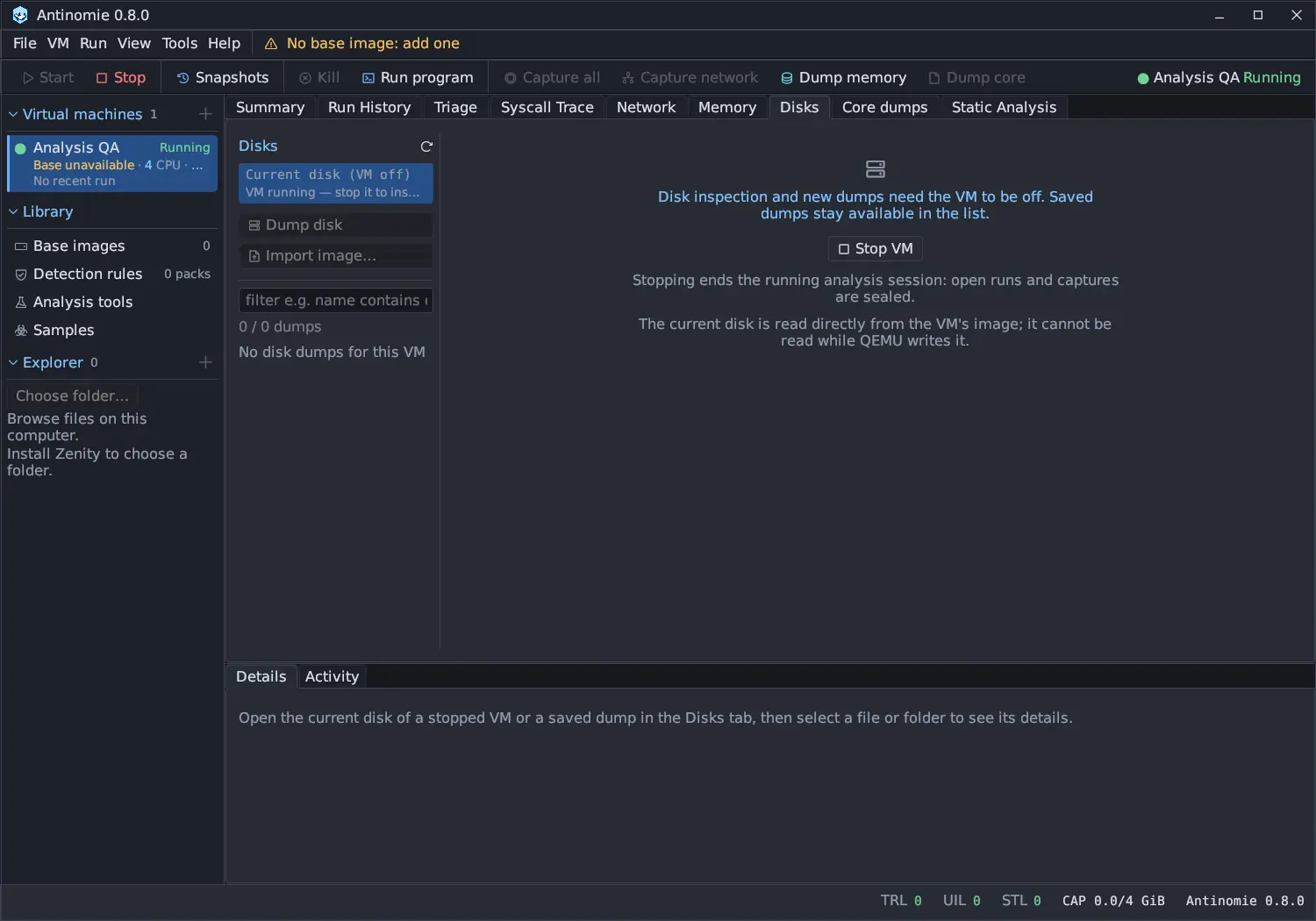
Section titled “Entries”The left list, Disks, has:
- Current disk (VM off): the selected VM’s disk, read while the VM is off.
- Dump disk: saves the disk as a standalone image with the VM’s recordings.
- Import image…: adds a raw ext4 or qcow2 image made elsewhere.
- The saved disk dumps, newest first, with a filter box. An empty list says No disk dumps for this VM.
The refresh icon reads the list of dumps again and measures the current disk.
Current disk (VM off)
Section titled “Current disk (VM off)”While the VM runs, the entry reads VM running — stop it to inspect and the tab says Disk inspection and new dumps need the VM to be off. Saved dumps stay available in the list. Its Stop VM button does what the toolbar’s Stop does. Stopping ends the running analysis session: open runs and captures are sealed.
With the VM off, the tab measures the disk and shows its logical size, an
estimate of the allocated data (≈ … allocated), the source layer and the free
space where the image will go. A warning says when that folder’s filesystem
cannot hold sparse files, so the image takes the disk’s full size.
Open copies the allocated data into a temporary sparse image under the
VM’s recordings (disks/.scratch-…), with a progress bar and Cancel, and
then shows the filesystem. The image is deleted when you Close the view or
start the VM, unless you keep it as a dump. Leftovers of a crash are removed
when Antinomie starts.
While the disk is read, the VM’s disk is held: Start, Reset, restoring or taking a snapshot, deleting the VM and duplicating it are refused with a message until the job finishes or you cancel it. Only one disk job runs at a time.
Source
Section titled “Source”The Source menu picks what the entry reads:
- Current disk.
- A saved checkpoint (deleted ones are not offered), listed as name, time, mode
and consistency, for example
before-run · 14:05 · Disk · stopped. - Installed base image: the image the VM’s disk was created from.
Each is read the same way and only while the VM is off. The entry, the view header and the dump record name the source, such as Disk at before-run (VM off). A crash-consistent checkpoint usually reads as not cleanly unmounted. Checkpoints are made in the Snapshots window.
Clean or not cleanly unmounted
Section titled “Clean or not cleanly unmounted”The view and each dump say whether the guest shut down cleanly:
- clean: the exact final filesystem state.
- not cleanly unmounted: the guest was forced off. Committed journal transactions are applied while reading; writes still in the guest’s memory at power-off are not on disk.
Partitions
Section titled “Partitions”BusyBox bases are a whole-disk ext4 filesystem; Debian Minimal VMs are partitioned as the Debian installer does it. A disk with an MBR or GPT partition table lists its partitions with index, name, size, type and ext2/3/4 or unsupported filesystem. The Linux root partition that holds ext4 is chosen by default, otherwise the largest ext4 one; any ext4 partition can be chosen instead. Other filesystems, such as an EFI system partition or swap, cannot be opened or dumped; Save partition to host… writes such a partition’s bytes to a file you choose.
The table is read from the first 64 KiB of the disk, with at most 128 entries. Entries outside the disk are left out and counted. Logical partitions inside an extended MBR partition are not read.
Browsing
Section titled “Browsing”The view header names the source, the time it was read, its state and layer. The tree is loaded folder by folder, 256 entries a page (Previous entries, Next entries). It shows each entry’s mode and owner, links with their target (never followed) and special files. Hide dotfiles and Numeric modes change what the tree shows.
Click an entry to see it in Details. Right-click a folder for Expand or Collapse, a file for Extract to view, Save to host…, Open with… and Hand to Static Analysis, and any entry for Copy path.
Find searches the whole disk. Its modes are Name, Path, Glob,
Content and Content (any case). Results step with ‹ and ›, and each
match is revealed and selected in the tree. Cancel stops a search.
Content search looks for 2 to 256 bytes inside regular files and reports each match with its byte offset and a snippet. It reads at most the first 16 MiB of each file, 512 MiB in all, for up to 60 seconds. The result says how many files were read, how many were searched only in part, and which limit ended the search.
Details
Section titled “Details”Details shows the selected entry: path, name, type, size, link target, mode, owner, and modified, accessed and changed times. Compute hashes adds SHA-256 and MD5 for a file up to the Hash limit (64 MiB by default).
| Button | Does |
|---|---|
| Extract to view | Opens a file up to 16 MiB in the data viewer |
| Save to host… | Extracts the file and saves a copy where you choose (mode 0600) |
| Open with… | Extracts the file and opens it with the desktop’s application, after a warning that the file may be hostile |
| Hand to Static Analysis | Extracts an ELF file and analyses it offline in Static Analysis |
Extracted copies are private and never executable. A file over the Extraction limit (256 MiB by default) needs Extract anyway; 4 GiB is the hard limit. Extracted files lists this session’s copies with their SHA-256.
Disk dumps
Section titled “Disk dumps”Dump disk flattens the picked source (and partition) into a standalone
sparse root.ext4 under the VM’s recordings (disks/<id>/), with progress
through the conversion and the hash. Keep as dump on an open view turns its
temporary image into a dump without a second conversion, and the view stays
open on the kept file. A dump appears in the list only when it is complete,
checked and recorded in its dump.json; an unfinished one is removed.
A dump is refused when its estimated size exceeds the recording quota (the message says to raise the quota), and a conversion that grows past the free space left for it stops. Dumps are plain files, so they stay browsable while the VM runs.
Each row shows its state, such as not cleanly unmounted, imported, the
source, the partition, its size and SHA-256, or incomplete and file
moved. The filter box takes the
evidence fields plus name, state,
fs_state, system, vm, size, logical_size, imported and hashed.
Right-click a dump for Rename…, Edit tags…, Open result directory, the filter clauses, Copy path, Save image to host… (Sparse raw ext4), Save image to host… (Compressed qcow2), Verify SHA-256 and Delete…. Its Details show the record (VM, times, filesystem state, format, sizes, SHA-256, source and layers) with the same actions.
- Verify SHA-256 hashes the image again and compares it with the recorded digest.
- Save image to host… writes a sparse raw copy (holes stay holes); Save as qcow2… writes a compressed, standalone qcow2.
- Delete… asks for confirmation and removes the image, its record and the files extracted from it. For an imported image, the original file stays where it is.
Where else a disk dump is used
Section titled “Where else a disk dump is used”A disk dump saved after a run is evidence other views read:
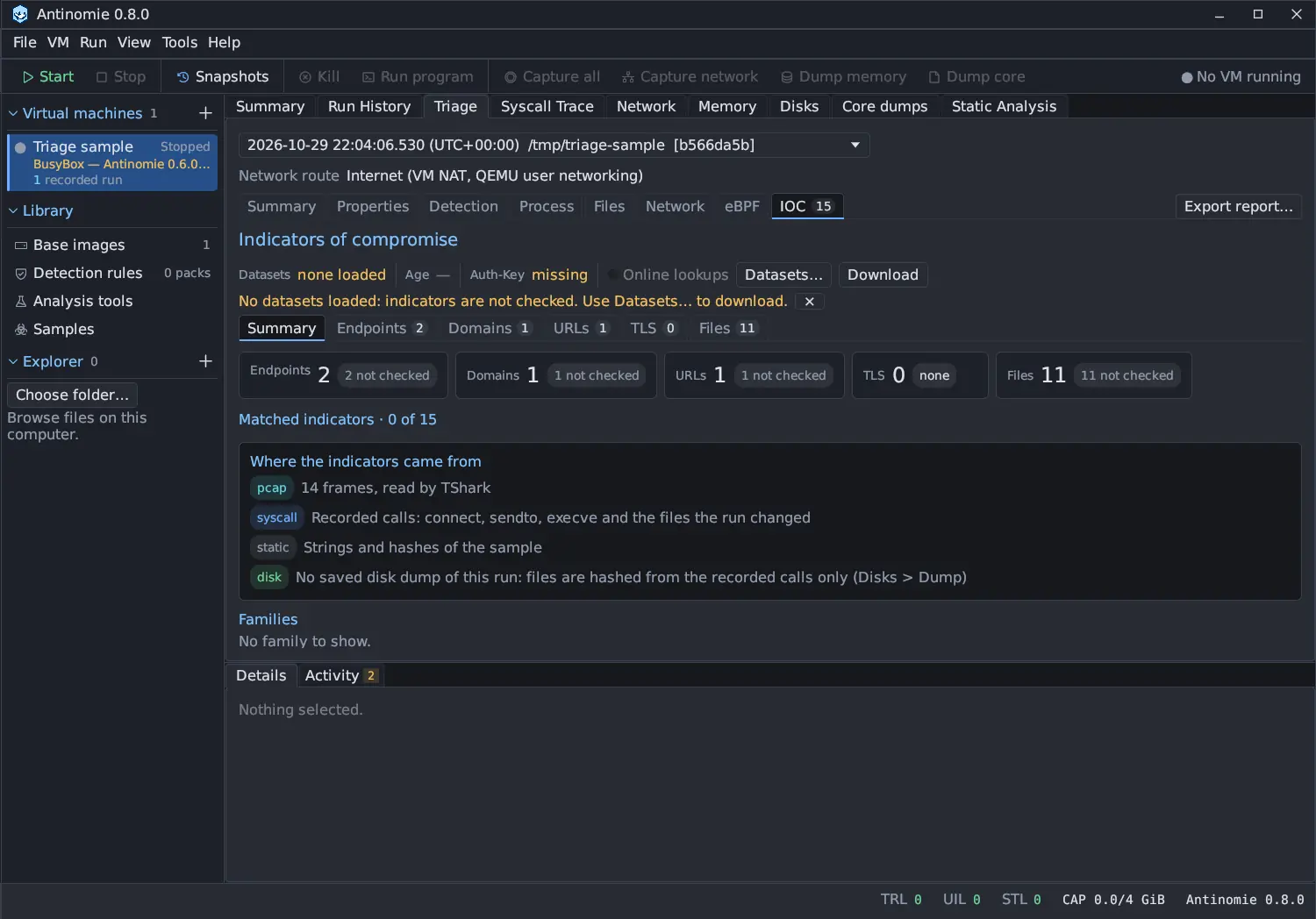
- Triage › IOC adds MD5 hashes of the files the run created and changed, up to 2,000 files of 256 MiB each.
- In the sample window, Add to Samples… on a file of the lineage graph reads the file from the run’s saved disk dump and refuses it if its SHA-256 no longer matches the one the run recorded. New in 0.8.0 Both now find the dump in the recording the run belongs to; before, they looked inside the run’s own folder and always said “no disk dump”.
Import image
Section titled “Import image”Import image… takes:
- A raw ext4 image of one filesystem. The file stays where it is and is only read in the isolated reader. A truncated, partitioned or non-ext4 file is refused with the reason.
- A qcow2 image. It is converted into a new dump by
qemu-imginside the sandbox. An image with a backing file (the message names it), an external data file, encryption, or a size over 2 TiB is refused. A partitioned image is carved to its ext4 partition. The result does not depend on the original.
Compare with
Section titled “Compare with”Compare with… on an open view or a dump compares it with the Installed base image, a Checkpoint, another dump or The open view. Reading the base or a checkpoint needs the VM off.
The diff replaces the tree. Each row has a badge, + added, − deleted or ~
changed, and the reasons: type, size, content, mode, owner, time or link
target. Totals sit above the list, with All, Added, Deleted and
Changed, a path filter and Hide time, mode and owner only. Details
show both sides of the selected row. Close diff returns to the tree.
- A rename is a deletion and an addition.
- Two files with the same type, size, mode, owner and modification time are equal without being read. When only the time differs, files up to 64 MiB are compared byte by byte.
- A directory’s own times are not compared.
- The comparison lists at most 20,000 differences (the totals keep counting), looks at 2,000,000 entries and runs for 120 seconds, and can be cancelled.
The diff is block evidence: what differs between two disk images, not which process changed it. A path that is also in the selected run’s Triage › Changed files is marked ◆ in Triage, and its Details offer Show in Triage › Changed files. In Triage, the file’s Details link back with Show in the Disks diff: Changed files is syscall evidence, what the kernel was seen doing in one run.
The sandboxed reader
Section titled “The sandboxed reader”All parsing of the guest’s filesystem happens in a separate worker,
antinomie-monitor --disk-reader, under bubblewrap with the analysis sandbox
profile: no network, the image mounted read-only, one writable extraction
folder and prlimit bounds. Guest file names are shown with control and
direction-override characters escaped.
Settings
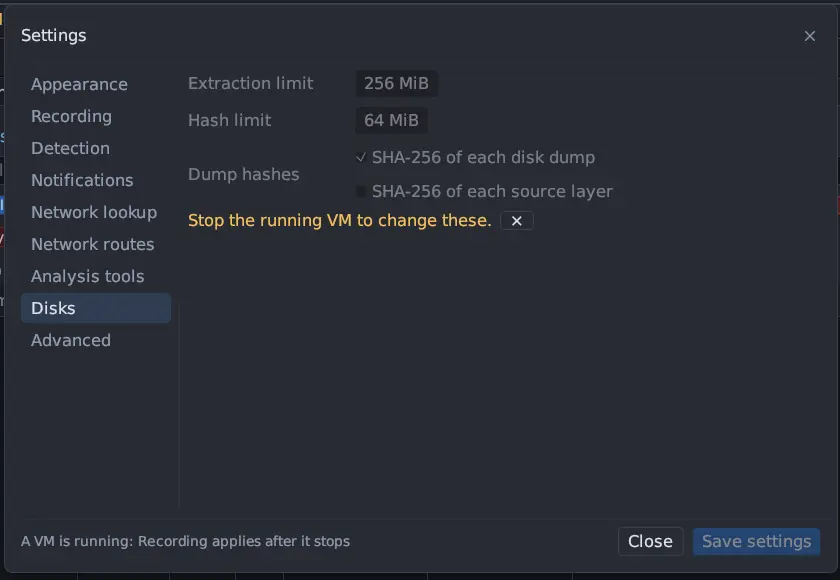
Section titled “Settings”Tools → Settings → Disks (change it while no VM runs):
| Setting | Default |
|---|---|
| Extraction limit | 256 MiB (1 to 4,096) |
| Hash limit | 64 MiB (1 to 1,024) |
| SHA-256 of each disk dump | On. Views are never hashed. |
| SHA-256 of each source layer | Off. Hashes every layer of the chain a dump was read from; doubles the time of a dump. |
Limits
Section titled “Limits”| What | Limit |
|---|---|
| Filesystems | ext2/3/4, whole disk or one partition |
| Extract to view | 16 MiB |
| Extraction | 256 MiB by default, up to 4 GiB after Extract anyway |
| Hashes on request | 64 MiB by default |
| Entries per folder page | 256 |
| Find by name, path or glob | 5,000 matches, 1,000,000 entries, 15 seconds |
| Content search | 16 MiB of each file, 512 MiB in all, 60 seconds |
| Partition table | First 64 KiB, 128 entries |
| Comparison | 20,000 listed differences, 2,000,000 entries, 120 seconds |
| qcow2 import | 2 TiB virtual size, no backing or external data file, not encrypted |
| Dump size | The recording quota and the free space |