

Device profile and what runs in the guest
Malware often looks for signs that it is being watched: a monitoring agent, a hypervisor flag, a QEMU network card. Antinomie reduces those signs in two ways: nothing of its own runs in the guest, and a Device profile gives the VM the hardware identity of a real machine. Neither is a guarantee of invisibility.
This page describes Antinomie 0.8.0, which is in development; the current release is 0.7.1. What exists only in 0.8.0 is marked .
Nothing to find in the guest
Section titled “Nothing to find in the guest”The patched guest kernel does the observing and the controlling. It uploads files, launches programs, runs terminals and records system calls. Antinomie installs no agent, daemon or helper program in the guest. Ordinary init, the shell and your program remain normal userspace processes.
On a base built for Antinomie 0.7.0 or later, more of the work stays in the kernel, and the kernel hides its own traces:
- Guest resources. The Summary panel’s guest memory and root filesystem figures come from the kernel itself, which answers the app about once a second from a worker of its own. Nothing is uploaded or started in the guest for them.
- Who a task ran as and what a file contained. Credential and SHA-256 hash records are written by the kernel; the hashing runs on a kernel worker, reads the file without a file-change notification or an access-time update, and starts no process, opens no descriptor in the guest and loads no BPF program. The traced call only queues the job, so the file’s blocks are released a few milliseconds later than they would be, and the hashing uses CPU a sample could measure.
- Debugging. The debugger works without ptrace:
the program’s
TracerPidstays 0, its ownPTRACE_TRACEMEstill succeeds, breakpoints and steps raise noSIGTRAP, and reading its own code through/proc/self/memshows the original bytes. A direct load of its own code can still see a software breakpoint; hardware breakpoints leave nothing in memory. - Stop. A program that ignores SIGTERM is ended by the kernel with SIGKILL after a grace period, without a process of its own.
- Kernel traces. The kernel’s command line, its build string (Debian’s own,
debian-kernel@lists.debian.org … Debian 6.12.94-1),/proc/kallsyms, its worker names and QEMU’s ACPI devices show nothing of the recorder. A launched program’s parent is init, as for a job of a shell that has closed. - Kernel BTF. The guest kernels
provide
/sys/kernel/btf/vmlinuxand module BTF like Debian’s, with every name the recorder would have left removed, so a missing file no longer gives the VM away to eBPF tooling. The layout of a few kernel structures the recorder extends still differs from Debian’s.
Older bases: the resource collector
Section titled “Older bases: the resource collector”A base made before Antinomie 0.7.0 (guest revision 16 or older) cannot measure
its own resources. For those bases, Antinomie temporarily uploads a small
static program to the guest. It reads /proc/meminfo and the root
filesystem’s statvfs every two seconds, removes its own file when it starts,
and exits after 30 seconds without input from the host. It is stopped before
snapshots. It needs no packages in the guest. Its syscalls are visible in a
Capture all recording, and the app does not claim this is invisible.
Rebuild or download a newer base to be rid of it; see
Bases.
The Device profile
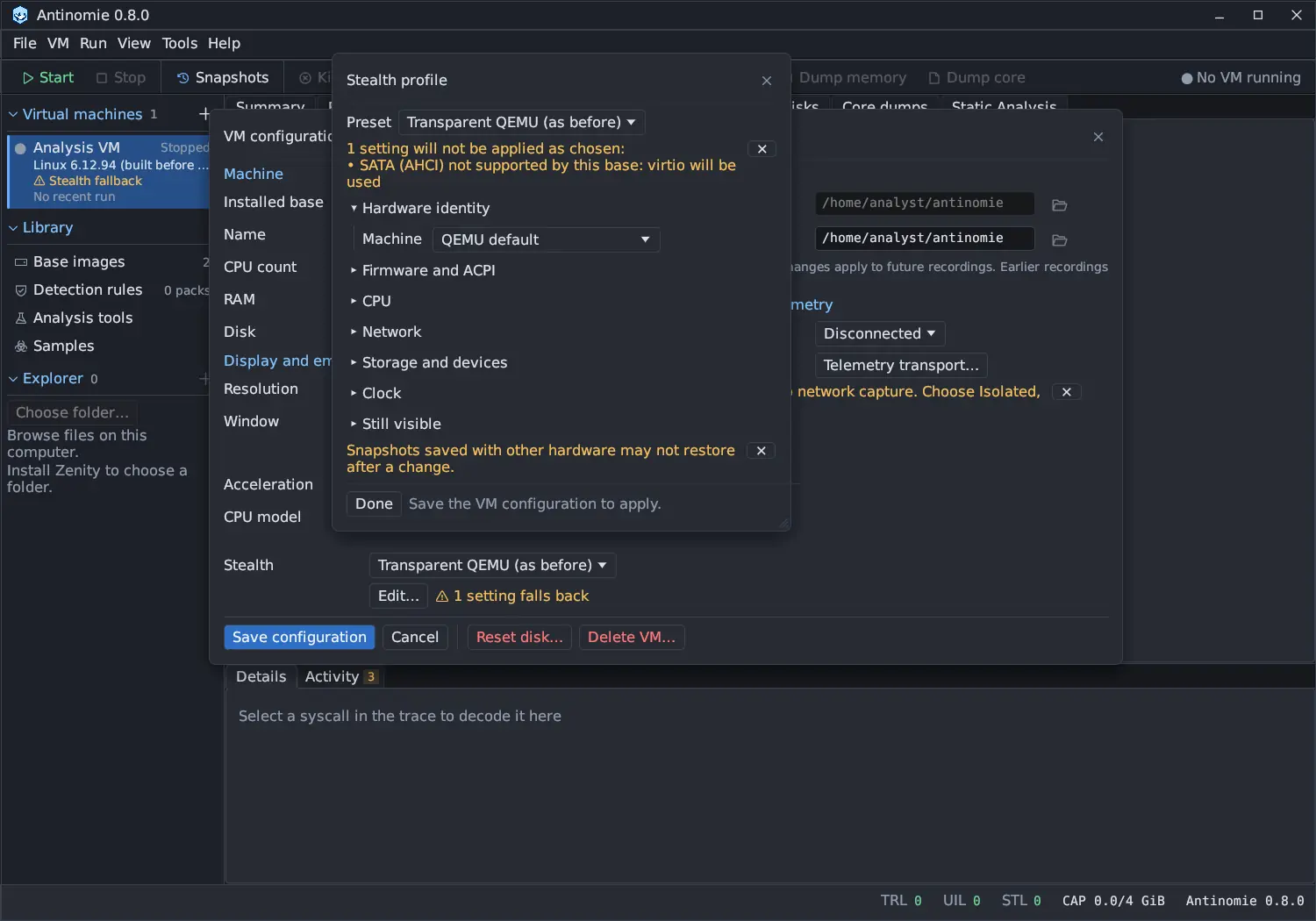
Section titled “The Device profile”A Device profile chooses the hardware identity the VM shows its guest. In the VM dialog, the Stealth row has a preset and an Edit… button that opens the Device profile window. The Summary panel shows a Stealth profile card with the preset and Configure… while the VM is stopped. Changes apply when you save the VM configuration, at the next boot.
| Preset | Meaning |
|---|---|
| Realistic desktop | The default for new VMs: a real, popular desktop PC. |
| Realistic laptop | A real, popular laptop. |
| Realistic server | A real, popular server. |
| Cloud VPS | An instance of a KVM cloud (Tencent Cloud CVM, Alibaba Cloud ECS, DigitalOcean Droplet, Vultr VC2) instead of a PC. See Cloud VPS profiles. |
| Transparent QEMU (as before) | QEMU’s own identity. VMs created before 0.6.2 keep this. |
| Custom | Any entry changed by hand. |
The window’s sections are Hardware identity, Firmware and ACPI,
CPU, Network, Storage and devices, Clock and Still visible.
While the VM runs, the profile is read-only (Stop the VM to change its hardware.).
A real machine, chosen once
Section titled “A real machine, chosen once”A realistic preset copies one real, popular machine. 0.8.0 widens the choice to about 40 machines: Dell OptiPlex, Latitude, Vostro and PowerEdge; HP EliteDesk, ProDesk, ProBook and 250; Lenovo ThinkCentre, ThinkPad and ThinkSystem; and Supermicro servers.
- The machine is picked at random when the VM is created and kept for the VM’s life, never per boot.
- The pick is weighted by how common the model is (the number of public hardware reports of it), and limited to machines the host CPU’s generation was sold in. When the host CPU is newer or older than every machine of that kind, the window says so under the machine.
- Machine lists the catalogue by kind, with Intel or AMD after each name.
The line below reads, for example,
Looks like a Dell OptiPlex 7090: BIOS 1.13.0 of 10/06/2022. - The BIOS release, the unit (product, SKU, board), the disk model and firmware, and the memory part come from what real units of that model report, so two VMs of the same model differ as two such machines do.
- Randomize serials makes new serials, UUID, disk serial and MAC address. Edit fields… opens every string for hand editing, which turns the preset into Custom.
- Each run records the machine its guest looked like, shown in the run’s details.
RAM size and disk size stay the VM’s own settings. The model catalogue lives in
the product source (monitor-core/src/stealth/catalog/); the names belong to
their owners and imply no affiliation.
What a realistic preset sets
Section titled “What a realistic preset sets”- Machine identity: BIOS, system, board, chassis and memory strings of the chosen machine, its SMBIOS OEM strings, with fresh serials and UUID.
- Firmware and ACPI: UEFI firmware (OVMF), the machine’s ACPI OEM and table IDs, and a 64-bit SMBIOS entry point.
- CPU: the host CPU passed through (this needs KVM) with the hypervisor flag and the KVM signature hidden, performance counters, the host’s cache sizes, and one socket with two threads per core.
- Network: an Intel e1000e with the maker’s PCI subsystem ID and an Intel MAC address, and a home network (192.168.1.0/24) instead of QEMU’s 10.0.2.x.
- Storage and devices: a SATA disk with the model’s name, serial, firmware, WWN and rotation (SSD or hard disk), no CD-ROM, Intel USB controllers and no VMware port.
SMBIOS tables from real units
Section titled “SMBIOS tables from real units”0.8.0 rewrites what the firmware tables say, so that no field shows QEMU:
- Every value has a public source. The strings are taken from public
hardware reports of real units (hw-probe uploads in the linuxhw DMI, Dmesg,
HWInfo and SMART collections), cited one by one in the catalogue’s
SOURCES.md. Disks and memory modules are per model, ACPI table IDs come from the kernel’s table list, and CPU generations are the ones seen in units. Machines whose strings had no public unit behind them were replaced by sourced ones. Serial numbers and UUIDs are random per VM, because every public report hides them. - No QEMU strings in SMBIOS. Before 0.8.0, Dell and HP profiles showed
QEMU’s machine type (
pc-q35-11.0) as their product and board version, and every profile showed QEMU’sCPU 0socket, a 2000 MHz processor speed and aDIMM 0memory module of typeRAM. Every field QEMU would fill is now set to what real units of the model report: system version, board version and location, chassis version and SKU, processor socket and family, and the host CPU’s clocks. Dell board serials carry aCNnumber, as real ones do. - The whole processor table. The processor is one firmware table (socket
U3E1, notU3E1 0), with the CPUID signature, voltage, upgrade, clock, core and thread counts, and the L1, L2 and L3 cache tables it points at. - Memory modules sized to the VM. The modules are real parts of the machine whose sizes add up to the VM’s RAM (one module up to 8 GiB, two above), DDR4 in the model’s memory slots with its form factor, with the machine’s other slots empty. The memory array lists the slot count and capacity.
Existing VMs take their machine’s new values at their next boot.
Network card
Section titled “Network card”QEMU emulates neither Realtek’s nor Broadcom’s onboard chips, so every realistic machine shows Intel’s 82574L (e1000e) with the maker’s subsystem ID. On a Realtek or Broadcom machine, that card is listed under Still visible ; the alternative, QEMU’s RTL8139, would be the bigger giveaway.
On Debian Minimal the card sits where the profile’s machine has its built-in
LAN, so the interface has that machine’s name: enp0s31f6 for the Intel
desktops and laptops (their I219 at PCI 00:1f.6), enp0s25 otherwise. The
Supermicro profiles name their card eno1 (a board LAN that firmware numbers),
as their boards do. Changing the
profile to a machine with another slot moves the card and rewrites the VM’s
network configuration when you save; a VM with snapshots keeps its slot (delete
the snapshots, or pick a machine with the same chipset).
Settings a base or host cannot give
Section titled “Settings a base or host cannot give”A profile can ask for more than the VM’s base or this computer offers: SATA or NVMe disks, UEFI, its own NAT network or two threads per core need a base built by Antinomie 0.7.0 or later (or a host with OVMF or a suitable CPU). Such a setting is not applied; the VM starts with the choice every base has (virtio, BIOS, 10.0.2.0/24, one thread per core). The app says so in several places:
- the Device profile window lists them at its top and on the setting itself, with a Use base … button when another installed base supports it;
- the VM dialog’s Stealth row shows
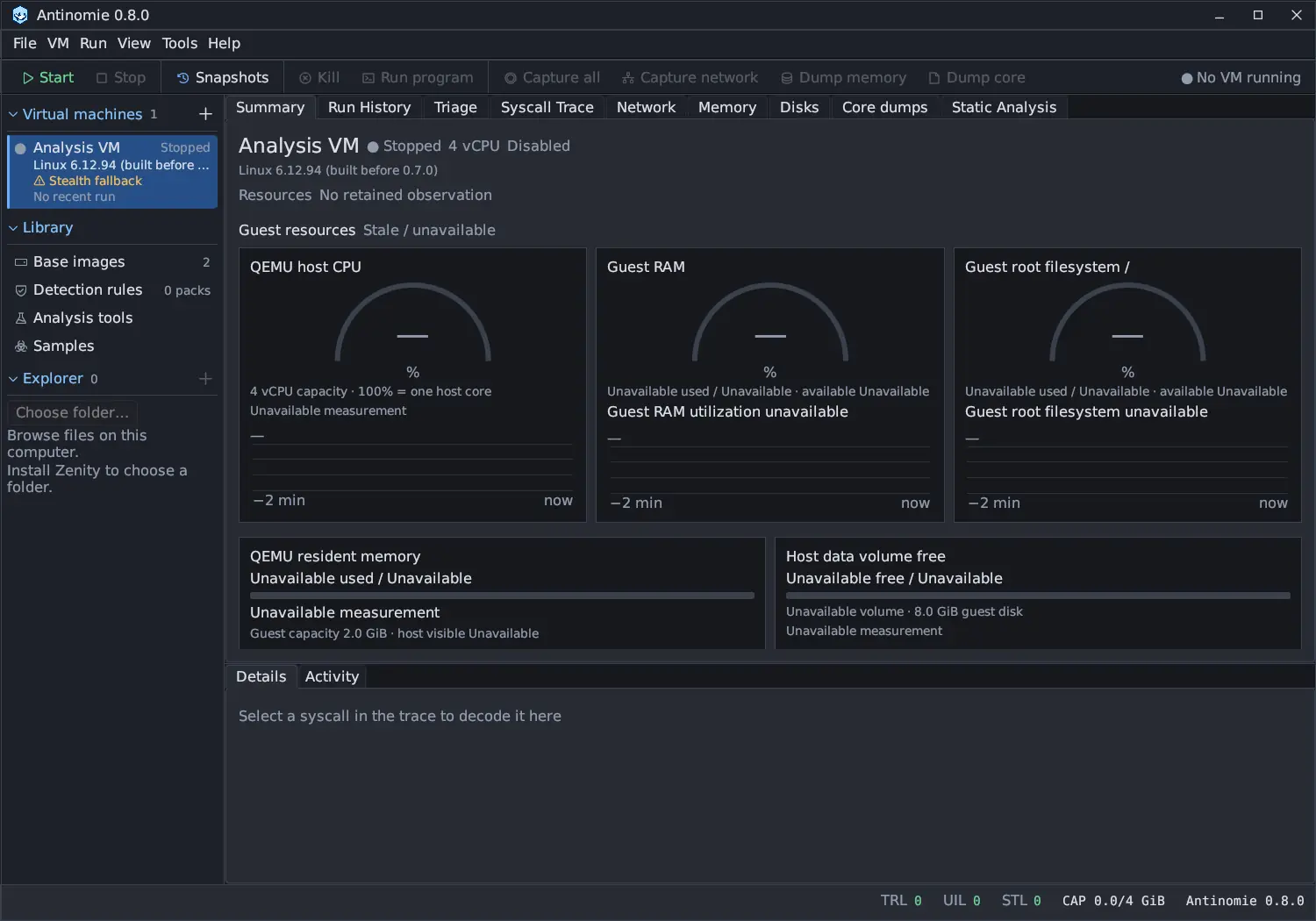
1 setting falls back(orN settings fall back); - the VM list and the Summary’s Device profile card carry a Stealth fallback badge;
- each start warns in Activity and adds the same lines as notes to every run of that boot.
BusyBox and Debian Minimal bases boot from virtio, SATA or NVMe; the Debian desktop base boots from virtio. NVMe-only laptop models keep a SATA stand-in, because QEMU’s NVMe controller names QEMU.
Snapshots keep their device profile
Section titled “Snapshots keep their device profile”Each snapshot records the profile the VM had when it was taken: machine,
serials, UUID and MAC address, network card, CPU, disk bus and firmware. A
snapshot restores only under that same profile. If the VM’s profile changed
since, the restore dialog says This snapshot was taken as <machine> and its
button becomes Switch profile and restore, which gives the VM that profile
and then restores. Snapshots taken before profiles were recorded have none to
compare; they restore as they are, and the result says so. See
Snapshots.
What still gives the VM away
Section titled “What still gives the VM away”The Device profile window lists what the profile cannot change under Still visible, for the profile and base in use. For a realistic preset this includes:
- the timing of VM exits (CPUID, I/O) and of traced calls;
- the emulated display (Bochs or virtio-gpu);
- the q35 chipset layout and Red Hat PCI subsystem IDs on the chipset’s devices;
- QEMU’s ACPI tables, readable by root (the
BXPCcreator ID,fw_cfgin the DSDT); - a fresh boot’s few minutes of uptime;
- the pointer’s input name (QEMU) in the VM window, unless you choose PS/2;
- the onboard network chip, on Realtek and Broadcom machines;
- OVMF’s vendor (EDK II) in the EFI tables, readable by root;
- the VM’s own RAM and disk size, when they are unusual for the machine.
Other entries appear when you change a setting, for example a virtio disk or network card (Red Hat vendor ID), QEMU’s MAC address, the VMware backdoor port, no USB controller or no performance counters. The window also warns that snapshots saved with other hardware may not restore after a change.
What this does not promise
Section titled “What this does not promise”Antinomie uses virtualization and kernel instrumentation. It does not promise invisibility to a determined sample or immunity to VM escapes. Assume a sample can tell it is being analysed, and treat every sample as hostile; see Safe use and the security model.